“Free” and “no sign up” sound ideal—especially when you’re applying everywhere and don’t want another account, another subscription, or another company holding your personal info.
But here’s the uncomfortable truth: a resume is a high-value identity document. It often contains your name, email, phone number, work history, and sometimes your location—exactly the kind of data scammers and shady marketers want.
At the same time, you do need a resume that performs in modern hiring systems. Jobscan reports 98.4% of Fortune 500 companies used a detectable ATS in 2024 (Applicant Tracking System usage report). That means formatting + keywords still matter.
Source: https://www.jobscan.co/blog/fortune-500-use-applicant-tracking-systems/ (Confidence: Medium — strong claim from a single vendor report, widely cited elsewhere but still vendor-produced)
In this guide, you’ll learn:
- What “no sign up” really means (and what it doesn’t mean)
- The real privacy/security risks of free AI resume builders
- A practical safety checklist (copy/paste-ready)
- How to use AI safely (without uploading sensitive info)
- Tools and workflows—ranging from “no data leaves your browser” to paid options like JobShinobi
What does “free AI resume builder with no sign up” actually mean?
A “no sign up” resume builder usually means you can start building a resume without creating an account.
That can be good for privacy, but it’s not automatically safe. There are three common “no sign up” models:
-
Local-only (in-browser) builder
- Your resume data stays in your browser (often saved in local storage/IndexedDB).
- Upside: may avoid sending your resume to the company’s servers.
- Downside: if you’re on a shared computer, your data can linger. Also, browser storage is not designed for highly sensitive data.
- Example claim seen in the wild: OpenResume states data is stored in the user’s browser (you should verify on the tool’s site and FAQs before trusting it).
Source: https://www.open-resume.com/ (Confidence: Medium)
-
Server-side builder (no account, but data still uploads)
- You don’t create an account, but the site may still send your content to their servers for “AI generation,” PDF creation, analytics, etc.
- Upside: convenient, works across devices.
- Downside: your resume can be stored, logged, or reused—depending on their policy.
-
Lead-gen funnel
- “No sign up” to type the resume… but you must enter email or pay to download, remove watermarks, or export.
- Upside: none (except you already typed your resume).
- Downside: classic frustration + potential subscription traps.
Key idea: “No sign up” reduces friction. It does not guarantee:
- no data collection,
- no tracking,
- no storage,
- no resale/sharing,
- no subscriptions.
Why this matters in 2026 (ATS reality + recruiter behavior)
Even if you never use a resume builder again, your resume has to survive two audiences:
1) ATS systems are everywhere
Jobscan reports 98.4% of Fortune 500 companies used a detectable ATS in 2024.
Source: https://www.jobscan.co/blog/fortune-500-use-applicant-tracking-systems/ (Confidence: Medium)
2) Recruiters skim fast
HR Dive summarized research indicating recruiters skim resumes in about 7.4 seconds on average (linked to TheLadders eye-tracking findings).
Source: https://www.hrdive.com/news/eye-tracking-study-shows-recruiters-look-at-resumes-for-7-seconds/541582/ (Confidence: Medium — credible publication summarizing research; primary PDF wasn’t accessible in our crawl)
Related stat (often cited from the same research ecosystem): Recruiters spent almost 80% of their resume review time on a small set of elements like name, title, company, dates, etc.
Source: https://www.recruiter.com/recruiting/theladders-reveals-research-reporting-that-resumes-spend-six-seconds-with-a-recruiter/ (Confidence: Medium)
3) The “ATS auto-rejects for formatting” story is often overstated
The HR Gazette summarizes interviews with recruiters and reports that only 2 out of 25 recruiters (8%) configured content-based auto-rejection (outside knockout questions).
Source: https://hr-gazette.com/debunking-the-ats-rejection-myth/ (Confidence: Medium — based on a reported interview sample; not a peer-reviewed study)
What this means for you:
You want ATS-friendly structure and strong keywords—but you also want control over your personal data while you build it.
Is it safe to use a free AI resume builder with no sign up?
Sometimes yes—sometimes absolutely not. Safety depends on the tool’s behavior, not its marketing.
A practical “safety” definition
A tool is reasonably safe if it:
- clearly states where your data is stored and for how long,
- uses HTTPS,
- has a real privacy policy,
- avoids dark patterns (hidden paywalls, unclear recurring charges),
- lets you delete/export your data,
- doesn’t require unnecessary sensitive info.
The biggest risks to watch for
Risk 1: Your resume contains enough info for targeted scams
Resumes can enable spear-phishing, impersonation, and social engineering (even if they don’t include SSNs). Community discussions and security Q&A commonly warn that publishing detailed resumes increases phishing risk.
Source: https://security.stackexchange.com/questions/225304/whats-the-danger-of-an-online-resume-a-cv (Confidence: Medium)
Risk 2: “Free” can turn into a paywall at download time
This is one of the most common complaints online: you build everything, then hit a paywall to export. You’ll see this pattern discussed widely in reviews and Reddit threads about hidden paywalls/subscriptions.
Example search results include: https://www.resufit.com/blog/the-ultimate-guide-to-truly-free-resume-builders-no-hidden-costs-or-paywalls/ (Confidence: Medium — it’s a tool blog, but the pattern is widely corroborated)
Risk 3: Subscription traps and hard-to-cancel billing
The FTC has repeatedly taken action against deceptive job-related schemes, including resume-related services.
Source: https://www.ftc.gov/news-events/news/press-releases/2019/02/ftc-halts-fake-job-opportunity-resume-repair-operation (Confidence: High — primary regulator source)
Separately, the FTC announced a final “Click-to-Cancel” rule aimed at making it easier to end recurring subscriptions (helpful context when evaluating tools that monetize through subscriptions).
Source: https://www.ftc.gov/news-events/news/press-releases/2024/10/federal-trade-commission-announces-final-click-cancel-rule-making-it-easier-consumers-end-recurring (Confidence: High)
Risk 4: “Local storage” isn’t automatically secure
Some no-signup tools store your resume in browser storage. That can be privacy-friendly if you’re on a private device, but browser local storage isn’t meant for highly sensitive data. Security professionals often warn against treating localStorage as secure storage for sensitive info.
Source: https://snyk.io/blog/is-localstorage-safe-to-use/ (Confidence: Medium — reputable security vendor guidance)
Risk 5: AI processing may involve third parties
If the builder uses an AI model, your text may be sent to an API provider. That’s not automatically unsafe—but it should be disclosed. If the tool is vague about this, treat it as a red flag.
How to tell if a “no sign up” resume builder is safe (Checklist)
Use this checklist before you paste your resume into any tool.
Step 1: Verify the basics (30 seconds)
- Is the site HTTPS? (Padlock icon,
https://) - Is there a real privacy policy link? (not just a footer word)
- Can you find a real company name/contact? (or at least an open-source repo you can inspect)
- Does it look like it exists solely to rank for “free resume builder”? (thin pages, aggressive ads, forced email capture)
Pro tip: If you can’t find a privacy policy, don’t upload your resume. The World Privacy Forum has long advised avoiding job services that don’t post privacy policies.
Source: https://worldprivacyforum.org/posts/report-job-search-privacy-study-privacy-practices-at-resume-writing-services/ (Confidence: Medium — older report, but still a solid principle)
Step 2: Identify where your data goes
Look for clear answers to:
- Is the resume stored only in my browser, or on your servers?
- If on servers, how long is it retained?
- Is it shared with “service providers” (AI, analytics, ads)?
- Can I delete it? How?
If the tool says “stored locally in your browser,” confirm whether it warns you about shared computers.
Step 3: Check the “download” flow before you type anything
Before you invest 45 minutes:
- Click Download / Export first
- See if it asks for:
- credit card,
- email,
- a “trial” that becomes recurring,
- payment to remove watermarks.
If export is paywalled, the tool isn’t “free”—it’s an upsell funnel.
Step 4: Don’t paste sensitive data (use a “safe draft”)
When using AI tools, paste a version of your resume that removes unnecessary personal identifiers:
Remove or generalize:
- full street address (use City, State or just region)
- date of birth
- government IDs (SSN, passport, driver’s license) — never include these on a resume anyway
- personal URLs that reveal too much (if needed, use just LinkedIn/GitHub)
- references with phone numbers/emails
The World Privacy Forum explicitly recommends minimizing identifying details when posting resumes online and using “private” posting options when available.
Source: https://worldprivacyforum.org/posts/consumer-tips-job-seekers-guide-to-resumes/ (Confidence: Medium)
Step 5: Run an ATS “readability test” yourself
A simple test recommended by career services: convert to plain text and see if it stays readable.
MIT Career Advising suggests testing ATS-readability by saving your resume as plain text (.txt) and checking for scrambled/missing content.
Source: https://capd.mit.edu/resources/make-your-resume-ats-friendly/ (Confidence: High — university career center guidance)
Quick DIY test:
- Copy your resume text
- Paste into a plain text editor (Notepad/TextEdit) or export as
.txt - If sections collapse, dates scramble, or bullets turn weird — fix formatting
How to use AI resume builders safely (step-by-step)
Step 1: Build a “privacy-first” master resume
Create one master resume that contains everything (all roles, projects, skills, metrics). Store it locally (your computer) in a safe format.
Best practice: Keep your master in a format you control (DOCX, Google Doc, or LaTeX source). Export PDFs only when needed.
Step 2: Create a “public version” you can paste anywhere
Make a trimmed version designed for online tools:
- City/State instead of full address
- Remove personal phone if you prefer (use email only, or a Google Voice number)
- Remove portfolio pages that expose personal address info
- Replace employer internal project names with general descriptions
Step 3: Use AI for wording, not facts
AI is great for:
- rewriting bullets to be clearer,
- reducing repetition,
- making accomplishments more measurable (if you provide the metrics),
- tailoring phrasing to a job description.
AI is risky for:
- inventing metrics,
- inflating titles,
- adding skills you don’t have.
Rule: Never submit an AI-generated claim you can’t defend in an interview.
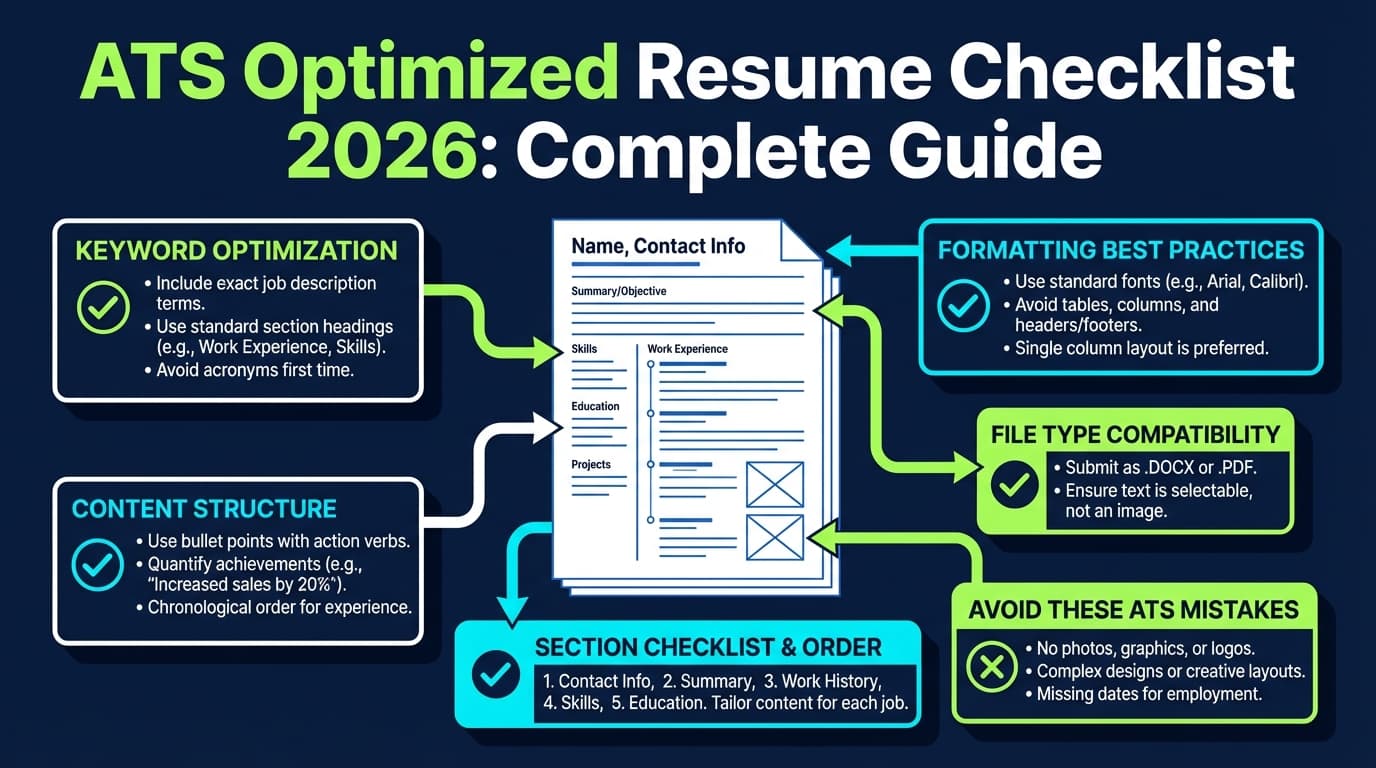
Step 4: Keep formatting ATS-friendly
Common guidance from career services and ATS tooling content emphasizes avoiding:
- tables
- columns
- headers/footers for critical info
- images/icons
Santa Clara University’s career toolkit references common ATS formatting mistakes and recommends standard formatting (avoid complex layouts).
Source: https://www.scu.edu/careercenter/toolkit/ai-resume-tools/ (Confidence: Medium — curated guidance referencing ATS best practices)
Step 5: Scrub PDF metadata (optional, but smart)
Even if your resume content is clean, PDFs can contain metadata (author name, software, etc.).
If you want extra privacy, remove metadata before sharing broadly. Tools like PDF24 provide “remove PDF metadata” functionality.
Source: https://tools.pdf24.org/en/remove-pdf-metadata (Confidence: Medium — tool source; use at your discretion)
Common mistakes to avoid (that make “no sign up” tools risky)
Mistake 1: Assuming “no sign up” means “no tracking”
Many sites still track behavior via analytics. “No sign up” only means no account creation—not necessarily no data collection.
Mistake 2: Uploading your full resume on a shared/public computer
If a site stores data locally in your browser, that’s safer on your laptop—but potentially dangerous on a library computer.
Mistake 3: Getting trapped in “trial → recurring subscription”
If you see:
- “$2.95 trial”
- “Download requires card”
- “Cancel by email only” Treat it like a high-risk purchase.
Context: the FTC’s push for simpler cancellation (“Click-to-Cancel”) exists because cancellation friction has been a real consumer harm area.
Source: https://www.ftc.gov/news-events/news/press-releases/2024/10/federal-trade-commission-announces-final-click-cancel-rule-making-it-easier-consumers-end-recurring (Confidence: High)
Mistake 4: Over-optimizing for “ATS score” and forgetting humans
ATS helps route and search resumes; humans still decide. Recruiter attention is limited (often cited around 7.4 seconds for initial skim).
Source: https://www.hrdive.com/news/eye-tracking-study-shows-recruiters-look-at-resumes-for-7-seconds/541582/ (Confidence: Medium)
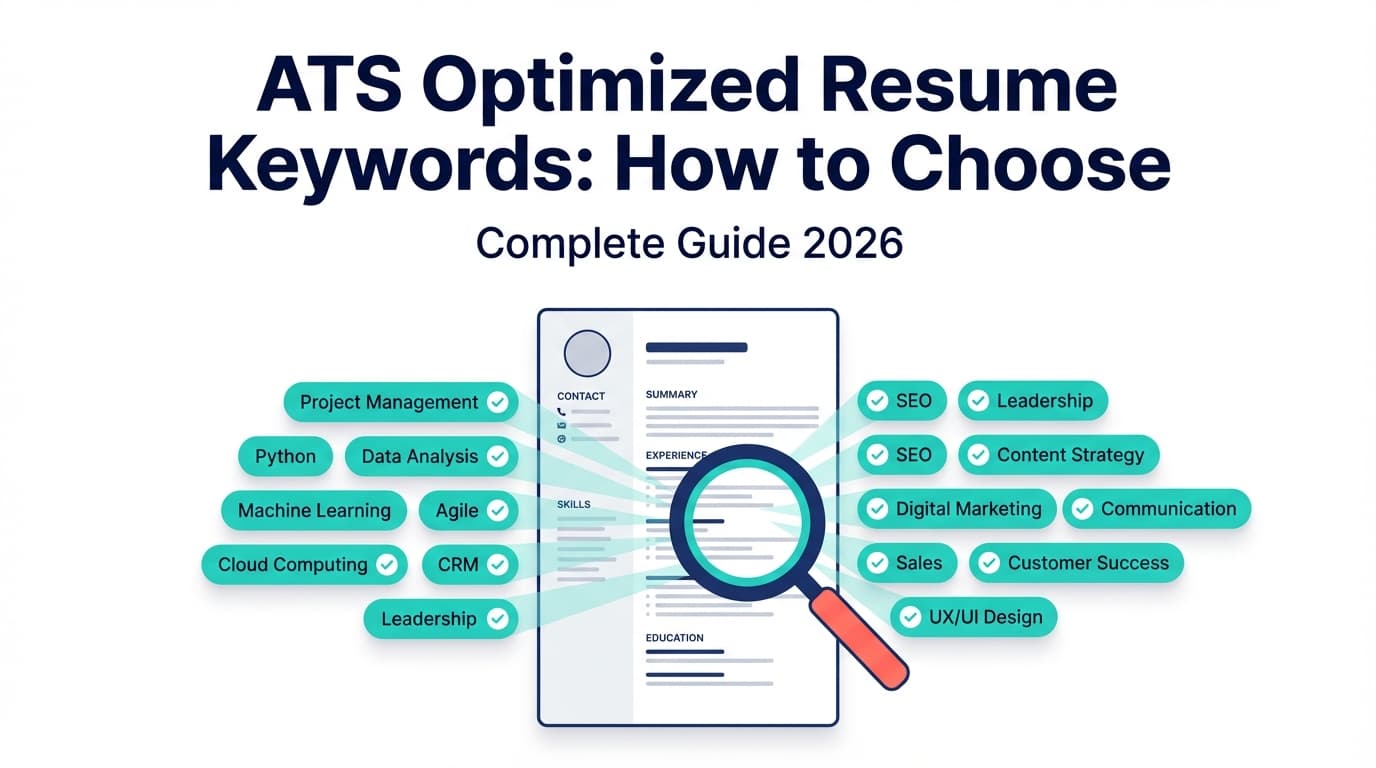
Mistake 5: Keyword stuffing with AI
Stuffing every keyword can reduce readability and make you look like you’re gaming the system. Use keywords where they genuinely reflect your experience.
Tools to help (with honest tradeoffs)
Below are options people commonly consider when they want “no sign up” or “privacy-first.” Always re-check current policies—tools change.
“No sign up” / privacy-leaning options (you still need to verify)
- OpenResume: markets itself as open-source and emphasizes in-browser usage (no sign up required).
Source: https://www.open-resume.com/ (Confidence: Medium) - Reactive Resume: open-source resume builder that emphasizes privacy and is self-hostable.
Source: https://rxresu.me/ (Confidence: Medium)
Design-first options (be careful with ATS)
- Canva: beautiful templates, but some designs can cause parsing issues if overly complex (columns, icons, etc.). Use simple templates if applying through ATS portals.
Source (general tool page): https://www.canva.com/create/resumes/ (Confidence: Medium)
When you want an ATS-focused workflow + deeper analysis (paid)
-
JobShinobi: a job-seeker-focused platform that includes:
- a LaTeX resume editor with in-app PDF compilation/preview
- AI resume analysis with scoring and structured feedback
- job matching (compare your resume to a job description)
- a job application tracker, including email-forwarding automation for tracking job application emails (Pro feature)
Important pricing note: JobShinobi is a paid subscription product. JobShinobi Pro is $20/month or $199.99/year. The pricing UI mentions a “7-day free trial,” but trial enforcement is not confirmed in code—so treat trial availability as something to verify at checkout. (Confidence: High on price; Medium on trial)
Internal links: /login, /subscription
When does a paid tool make sense?
If you’re applying at volume and want:
- consistent formatting control,
- repeatable resume iterations,
- and job-specific feedback loops—without relying on random “free” sites.
Best practices: your “safe resume builder” playbook
- Use a “safe draft” resume for AI tools (remove address, sensitive identifiers)
- Check download/export upfront (before typing)
- Prefer transparent tools (clear privacy policy, retention, deletion)
- Keep formatting simple (single column, clean headings)
- Run the plain-text test before you submit
Source: https://capd.mit.edu/resources/make-your-resume-ats-friendly/ (Confidence: High) - Avoid uploading to unknown sites from Reddit threads unless you can verify the project and codebase
- Track where you’ve uploaded your resume (a simple spreadsheet helps)
- Watch for “data resale” language in policies (or vague “partners” language)
Key takeaways
- “No sign up” does not automatically mean “safe.” It only means “no account required.”
- The safest tools are transparent about storage, retention, deletion, and third parties.
- ATS is still widely used (Jobscan reports 98.4% detectable ATS usage among Fortune 500 in 2024), so formatting and keywords matter.
Source: https://www.jobscan.co/blog/fortune-500-use-applicant-tracking-systems/ (Confidence: Medium) - Use AI for rewriting and tailoring, not for inventing experience.
- If you want an ATS-first workflow with deeper analysis and versioning, paid platforms like JobShinobi can be a more controlled alternative to random “free” tools.
FAQ (People Also Ask–style)
Is there a completely free AI resume builder with no sign up?
There may be tools that let you build and export without accounts, but “completely free” depends on whether:
- exporting is paywalled,
- watermarks exist,
- or data is monetized via ads/lead gen.
Before using any tool, check the download step first and read the privacy policy.
Is an AI resume builder legit?
Some are legit; some are sketchy. A legit one typically has:
- clear business identity or open-source transparency,
- privacy policy + contact info,
- clear pricing (if paid),
- simple cancellation (if subscription),
- no hidden paywalls after you’ve done the work.
Is it safe to upload my resume to AI?
It can be, but the risk depends on the tool’s data handling. If you want to reduce risk:
- remove sensitive personal info,
- avoid unknown sites,
- and prefer tools that clearly state retention/deletion rules.
For general privacy guidance, university IT teams commonly warn against sharing sensitive personal data with chatbots.
Source: https://its.uky.edu/news/its-data-privacy-week-heres-why-you-should-never-share-your-personal-information-chatbots (Confidence: Medium)
Can a scammer do anything with my resume?
A resume can enable targeted phishing, impersonation, and social engineering—especially when combined with other leaked data. It’s a real risk, even without SSNs.
Source: https://security.stackexchange.com/questions/225304/whats-the-danger-of-an-online-resume-a-cv (Confidence: Medium)
Should I put my address on my resume in 2026?
Usually you don’t need a full street address. Many candidates list City/State or region, especially for privacy and remote roles. If a job requires location verification, you can provide it later in the process.
How can I test if my resume is ATS-friendly without a tool?
Use the plain-text test:
- Save/export as
.txtor copy/paste into a plain text editor. - If the resume becomes unreadable, your formatting is risky for parsing.
Source: https://capd.mit.edu/resources/make-your-resume-ats-friendly/ (Confidence: High)
Can ATS parse columns?
Sometimes, but it’s inconsistent across systems and file types. If you want the safest route, stick to a single-column layout with standard headings and no tables/text boxes.
How do I avoid resume builder subscription traps?
- Look for total cost disclosure before paying.
- Prefer tools with clear cancellation flows.
- Be cautious with “trial” offers that require a card upfront.
Consumer protection context: the FTC’s “Click-to-Cancel” rule aims to reduce cancellation friction for recurring subscriptions.
Source: https://www.ftc.gov/news-events/news/press-releases/2024/10/federal-trade-commission-announces-final-click-cancel-rule-making-it-easier-consumers-end-recurring (Confidence: High)