If your resume uploads into Greenhouse and your fields come out scrambled (or your application shows “unparsed”), you’re not imagining things—resume parsing is a real failure point in ATS workflows.
One Greenhouse Support article states that Greenhouse Recruiting can’t parse resumes larger than 2.5MB (High confidence — Greenhouse Support is primary documentation):
https://support.greenhouse.io/hc/en-us/articles/200989175-Unsuccessful-resume-parse
And even when parsing “works,” searchability matters: recruiters can search resumes for keywords inside Greenhouse (High confidence — Greenhouse Support documentation):
https://support.greenhouse.io/hc/en-us/articles/115004600186-Search-resumes-for-keywords
That’s why “ATS optimized resume for Greenhouse tips” isn’t about gaming a robot. It’s about making sure:
- your resume parses cleanly into standard fields,
- your most relevant skills can be found via keyword search,
- and the document is still fast for a human to skim.
In this guide, you’ll learn:
- How Greenhouse handles resumes (and what job seekers often misunderstand)
- A step-by-step method to build an ATS-optimized resume specifically for Greenhouse
- A troubleshooting checklist for parsing failures (including file size + formatting traps)
- Keyword strategy that improves findability without keyword stuffing
- Tools you can use to tailor faster—including where JobShinobi fits (accurately)
What is Greenhouse ATS (and what does “ATS optimized” mean here)?
Greenhouse Recruiting is an applicant tracking system (ATS) used by companies to collect applications, store candidate info, and help hiring teams review and search applicants.
When people say “ATS optimized resume,” they usually mean two things:
- Parsing-safe formatting: The ATS can accurately extract your name, contact info, job titles, dates, and skills from your file.
- Search-friendly content: Recruiters can find you when they search for keywords (skills, tools, titles, certifications) inside the ATS.
Greenhouse supports resume parsing and also supports searching resumes for keywords, which makes both of those points relevant.
Why this matters in 2026 (with data)
1) ATS usage is essentially universal in large companies
Jobscan reports that 98.4% of Fortune 500 companies used a detectable ATS in 2024 (Medium confidence — strong industry source, but “detectable ATS” is Jobscan’s methodology).
https://www.jobscan.co/blog/fortune-500-use-applicant-tracking-systems/
The U.S. Chamber of Commerce similarly cites that nearly 98% of Fortune 500 companies used an ATS (as of 2023) (Medium confidence — credible org, figure aligns with Jobscan).
https://www.uschamber.com/co/run/human-resources/applicant-tracking-systems-explained
Takeaway: If you’re applying to companies using Greenhouse, ATS compatibility isn’t optional—it’s baseline.
2) Humans still skim fast—so clarity beats cleverness
An eye-tracking study summarized by HR Dive reports recruiters look at resumes for about 7.4 seconds on average in an initial scan (Medium confidence — HR Dive summary; underlying study widely cited).
https://www.hrdive.com/news/eye-tracking-study-shows-recruiters-look-at-resumes-for-7-seconds/541582/
Related discussion on The Ladders: https://www.theladders.com/career-advice/you-only-get-6-seconds-of-fame-make-it-count
Takeaway: Even if you optimize for ATS, your resume still has to win a human skim.
3) Greenhouse has known parsing failure conditions
Greenhouse Support states resumes larger than 2.5MB can’t be parsed (High confidence — primary source).
https://support.greenhouse.io/hc/en-us/articles/200989175-Unsuccessful-resume-parse
Takeaway: Optimization includes file hygiene (size, format) and not just keywords.
4) Greenhouse accepts common resume formats
Greenhouse Support lists supported candidate upload formats including .doc, .docx, .pdf, .rtf, .txt (High confidence — primary source).
https://support.greenhouse.io/hc/en-us/articles/360052218132-Supported-formats-for-resumes-cover-letters-and-other-candidate-uploads
Takeaway: You have flexibility, but you should choose the format that preserves parsing and readability (we’ll cover how to decide).
5) AI is increasingly involved in hiring workflows
Greenhouse has stated it uses AI in parts of its process; for example, their published interviewing guidelines say Greenhouse uses AI in resume parsing to locate identifying details for resume anonymization (High confidence — primary source).
https://www.greenhouse.com/guidelines-for-using-ai-in-our-interviewing-process
A third-party report also claims a meaningful share of hiring managers use AI to screen applicants (Medium confidence — third-party reporting).
https://www.unleash.ai/artificial-intelligence/greenhouse-25-of-hiring-managers-use-ai-to-screen-applicants-yet-8-are-unsure-what-the-ai-prioritizes/
Takeaway: Your resume should be readable by both humans and machines, and it should avoid “weird” tactics that could trigger scrutiny.
How Greenhouse handles resumes: what job seekers should know
Greenhouse isn’t “auto-rejecting” your resume for missing keywords (usually)
A common myth is that ATS instantly rejects candidates purely based on keyword match. In reality, many ATS workflows are more about:
- capturing application data,
- enabling search and filtering,
- and organizing review.
Greenhouse itself emphasizes human review in some of its candidate-facing content. For example, a Greenhouse blog post about job seeking states: “recruiters manually scan your resume…” and notes keywords make it easier (High confidence that the statement exists — Greenhouse blog).
https://www.greenhouse.com/blog/how-to-get-the-job-faster-part-1-6-ways-to-stand-out-in-a-crowded-job-market
But keywords still matter because recruiters search
Greenhouse Support documents that recruiters can search resumes for keywords within Greenhouse (High confidence):
https://support.greenhouse.io/hc/en-us/articles/115004600186-Search-resumes-for-keywords
So your “ATS optimized resume for Greenhouse” goal should be:
- parse cleanly (so your data isn’t mangled),
- and contain the right terms (so you show up when they search).
How to create an ATS optimized resume for Greenhouse (step-by-step)
Step 1: Start with an ATS-safe structure (single column + standard headings)
What to do
- Use a single-column layout (most consistently parseable).
- Use standard section headers:
- Summary
- Skills
- Experience
- Projects (optional)
- Education
- Certifications (optional)
Avoid
- Multi-column designs
- Text boxes
- Decorative icons in place of words (especially for phone/email)
- “Skill bars,” charts, or infographics
Why this is Greenhouse-relevant Even if a recruiter can view your resume as submitted, Greenhouse also relies on parsing for structured fields and search. A clean layout reduces the risk of field extraction errors and improves keyword indexing.
Pro tip: If you love a modern look, make it modern with spacing and typography—not with layout gimmicks.
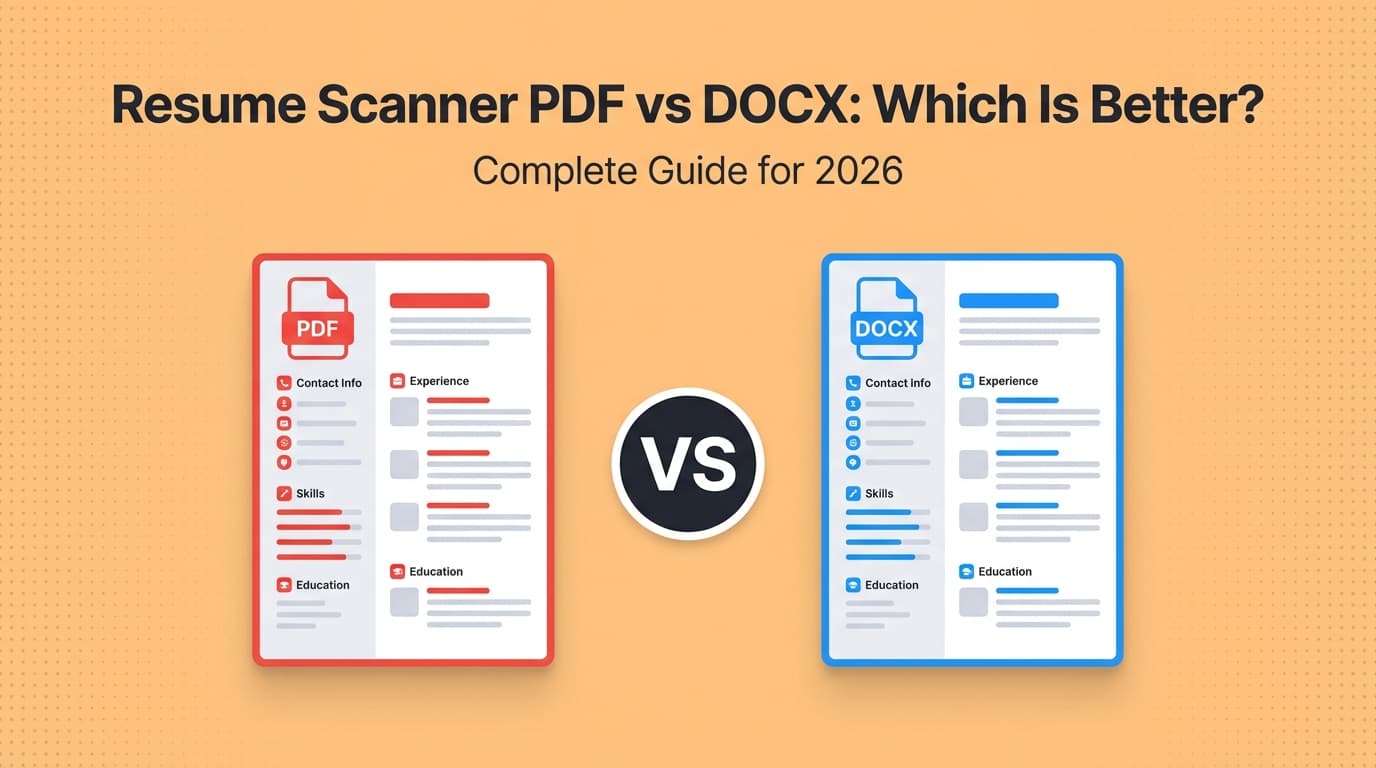
Step 2: Use a file type that preserves both parsing and appearance (PDF vs DOCX)
Greenhouse supports common formats like PDF and DOCX (High confidence — Greenhouse Support):
https://support.greenhouse.io/hc/en-us/articles/360052218132-Supported-formats-for-resumes-cover-letters-and-other-candidate-uploads
A practical approach
- If the application portal accepts PDF and your PDF is text-based (not an image), PDF is often safe and preserves formatting.
- If you’ve seen parsing issues with PDF in the past, try DOCX for that application.
Your quick self-test (takes 60 seconds)
- Open your resume.
- Select all text and copy.
- Paste into a plain text editor (Notepad/TextEdit).
- Check:
- Is your name + contact info intact?
- Are jobs in the correct order?
- Do dates and companies stay with the right roles?
- Are bullets readable?
If the pasted text is messy, the ATS parse may be messy too.
Pro tip: Whatever file type you choose, keep the filename simple:
FirstName_LastName_Resume.pdf (no emojis, no special characters).
Step 3: Keep your resume under Greenhouse’s parsing constraints (size matters)
Greenhouse Support states Greenhouse Recruiting can’t parse resumes larger than 2.5MB (High confidence):
https://support.greenhouse.io/hc/en-us/articles/200989175-Unsuccessful-resume-parse
How to keep file size under control
- Don’t embed high-resolution headshots.
- Avoid heavy vector graphics.
- If exporting PDF, choose “standard” or “optimized” settings.
- If you include links, use plain text URLs (not QR codes).
Pro tip: If your PDF is 4–10MB, it’s often because of images, custom fonts, or an export setting—not because your resume is “long.”
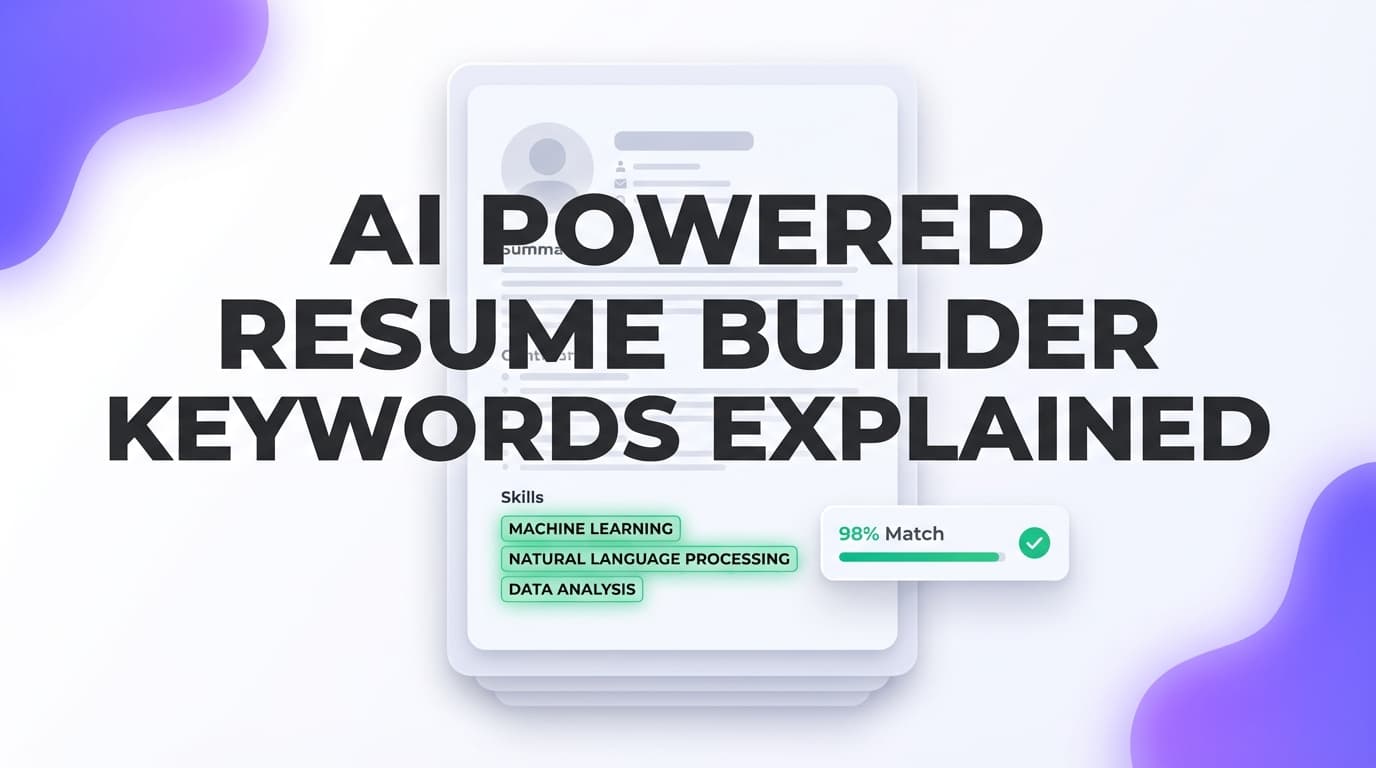
Step 4: Tailor your keyword strategy to how Greenhouse is used (search + skim)
Because Greenhouse allows keyword search in resumes (High confidence):
https://support.greenhouse.io/hc/en-us/articles/115004600186-Search-resumes-for-keywords
…your keywords should be chosen to match how recruiters actually search:
- job titles (and common equivalents)
- core tools/technologies
- methodologies (Agile, Scrum, ITIL, etc.)
- certifications (PMP, AWS, CompTIA)
- domain keywords (B2B SaaS, fintech, healthcare)
Build your keyword list (repeatable process)
- Copy the job description into a doc.
- Highlight:
- must-have skills
- repeated phrases
- tools and systems
- “nice-to-have” items
- Create two lists:
- Exact-match keywords (use their phrasing)
- Synonyms (use where natural)
Example (Software Engineer)
- JD says: “REST APIs, TypeScript, React, Postgres, AWS”
- Your resume should contain those terms (if true), not only synonyms like “web services” or “cloud.”
Pro tip: Don’t chase a perfect “match rate.” Chasing 100% often leads to keyword stuffing and worse readability.
Step 5: Place keywords where they count (without keyword stuffing)
Here’s where many resumes go wrong: they dump keywords into a Skills section but don’t prove them in Experience.
Use this 60/40 rule
- 60% of keyword coverage belongs in Experience bullets
- 40% belongs in Skills / Tools
Strong bullet formula (Greenhouse-friendly)
Action + Scope + Tools + Outcome (metric)
Before (weak)
- “Worked on dashboards for stakeholders.”
After (keyword-rich but honest)
- “Built React + TypeScript dashboards to track weekly pipeline KPIs; reduced reporting time by 30% by automating data pulls from Postgres.”
This version:
- contains searchable keywords (React, TypeScript, Postgres),
- still reads like a human accomplishment,
- and includes a metric.
Step 6: Use consistent dates, titles, and locations (parsing likes consistency)
Do
- Use a consistent date format:
MMM YYYY – MMM YYYY(e.g.,Jan 2022 – Oct 2024) - Put Job Title, Company, Location in a consistent order
Avoid
- Multiple date formats across roles
- Right-aligned dates via tables or text boxes
Why it matters In many ATS parses, dates and titles feed structured fields. Inconsistent formatting can cause misclassification (e.g., your job title becomes your location).
Step 7: Make your resume scannable for the 7.4-second skim
Recruiters skim quickly (Medium confidence; HR Dive summary):
https://www.hrdive.com/news/eye-tracking-study-shows-recruiters-look-at-resumes-for-7-seconds/541582/
Skim-optimization checklist
- Summary: 2–4 lines max, role-specific
- Skills: grouped (Languages / Frameworks / Tools)
- Experience: 3–6 bullets per role, strongest first
- Metrics: include numbers where possible (time saved, revenue, conversion, scale)
Step 8: Validate your resume against the job description (the fastest way to tailor)
If you’re applying at volume, tailoring manually is exhausting. This is where a tool can help—but it has to do two things well:
- compare your resume to the job description (keyword gaps + role alignment),
- help you rewrite bullets without turning them into fluff.
Where JobShinobi fits (accurate + non-hype) JobShinobi supports:
- LaTeX resume building with PDF preview/compile inside the app
- AI resume analysis with ATS-focused scoring and feedback
- Job description extraction and resume-to-job matching (paste a JD or URL, then get match insights)
- AI chat-based editing for your resume content
JobShinobi Pro pricing is $20/month or $199.99/year. The pricing page mentions a 7-day free trial, but trial enforcement isn’t fully verifiable from public app logic—so treat availability as subject to the current billing setup.
If you want to tailor for Greenhouse-hosted roles at scale, JobShinobi’s match + analysis workflow can shorten the loop: find gaps → rewrite bullets → re-check.
(Internal link: /dashboard/resume)
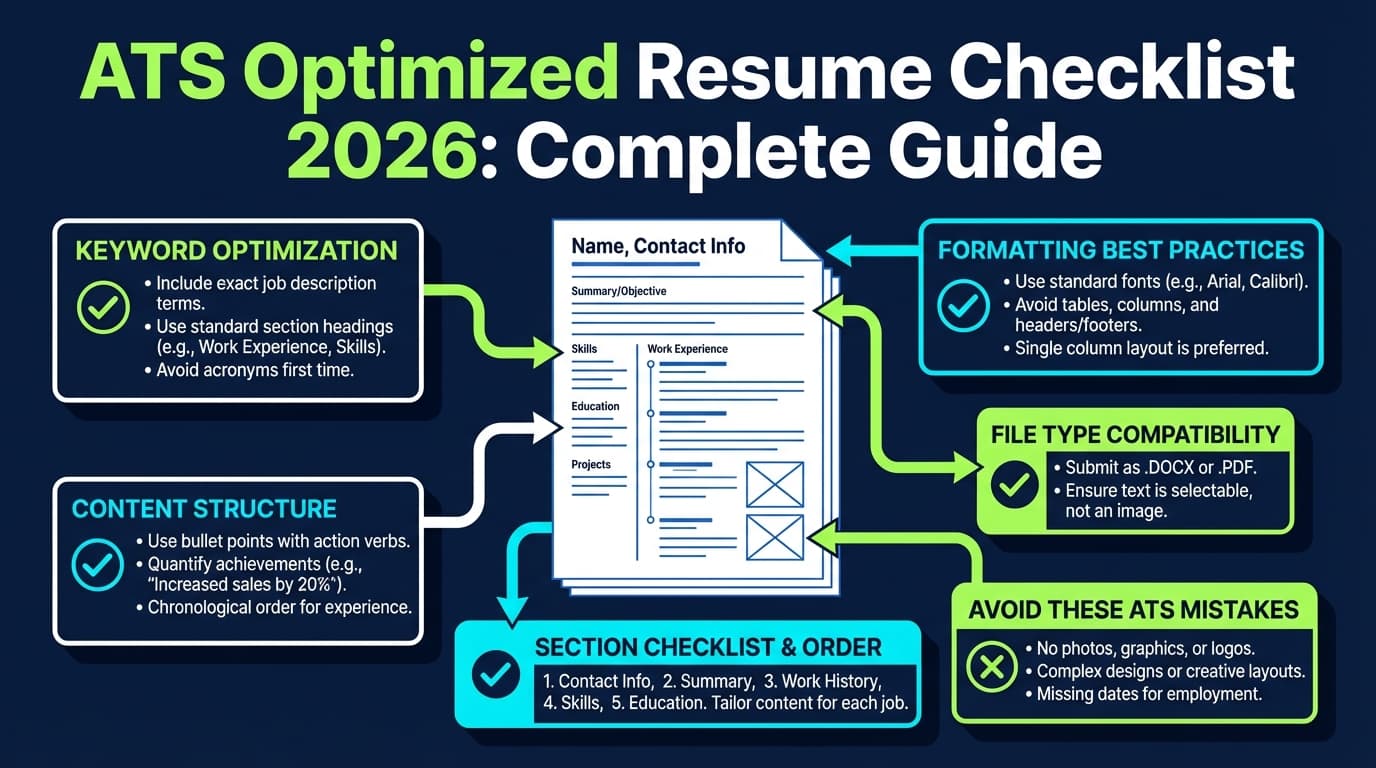
12 best practices: ATS optimized resume for Greenhouse tips (quick checklist)
- Use one column. It’s the most reliable for parsing.
- Use standard headings (Summary, Skills, Experience, Education).
- Keep the file under 2.5MB to avoid Greenhouse parse failures (High confidence — Greenhouse Support).
- Use supported formats (PDF/DOCX/RTF/TXT) (High confidence — Greenhouse Support).
- Use plain text for contact info (don’t replace “phone/email” with icons).
- Repeat critical keywords naturally across Skills + Experience.
- Mirror the JD language where truthful (tools, methods, role keywords).
- Prove skills with outcomes (bullets with metrics beat keyword dumps).
- Avoid headers/footers for essential info (some parsers ignore them).
- Avoid tables and text boxes (common sources of scrambled parsing).
- Keep bullet symbols simple (standard round bullets).
- Test by copy/paste into plain text before you apply.
Common mistakes that hurt Greenhouse parsing (and how to fix them)
Mistake 1: Submitting a too-large PDF
Why it hurts: Greenhouse may fail to parse it at all above 2.5MB (High confidence — Greenhouse Support).
Fix: Re-export with “reduced size,” remove images, and avoid embedded graphics.
Mistake 2: Two-column layouts built with tables
Why it hurts: Tables often scramble reading order in ATS parsing.
Fix: Convert to a single-column layout; move sidebar content into a Skills section.
Mistake 3: “Creative” section titles
Why it hurts: Some parsers rely on predictable headings.
Fix: Rename “Where I’ve Been” → “Experience”; “Toolbox” → “Skills.”
Mistake 4: Keyword stuffing
Why it hurts: It reads poorly and can look suspicious.
Fix: Use the 60/40 rule (most keywords in Experience with proof).
Mistake 5: Hiding keywords (white text, tiny font, weird spacing)
Why it hurts: This is risky and can backfire—especially as AI and quality controls increase.
Fix: Don’t do it. If a keyword belongs, integrate it into real bullets.
Troubleshooting: “My resume didn’t parse correctly in Greenhouse”
Use this flowchart-style checklist.
A) Did Greenhouse parse fail entirely?
If you see signs of “unparsed” or missing fields:
- Check file size (target < 2.5MB) (High confidence — Greenhouse Support).
- Try a different format:
- PDF → DOCX
- DOCX → PDF (text-based)
B) Did the parse scramble your content order?
- Remove columns/tables/text boxes
- Remove header/footer contact info
- Avoid unusual fonts or symbol-heavy bullets
C) Are your job titles/dates mismatched?
- Put dates on the same line consistently:
Company — Job Title | City, ST | Jan 2022 – Oct 2024
- Keep formatting consistent across roles
D) Are your skills missing from search?
Remember: the recruiter is likely searching the resume text for keywords (High confidence — Greenhouse keyword search support doc).
So:
- ensure the skill appears in text (not only as an icon),
- include exact terms used in the job description (when accurate).
Example: Tailoring a resume for a Greenhouse-hosted role (before/after)
Job description keywords (example)
- “SQL”
- “Looker”
- “dbt”
- “stakeholder management”
- “A/B testing”
- “pipeline monitoring”
Skills section (ATS-friendly)
Skills: SQL, dbt, Looker, A/B testing, data modeling, stakeholder management, KPI dashboards
Experience bullet rewrites
Before
- “Created reports for marketing.”
After
- “Built Looker dashboards from dbt models to track CAC/LTV and conversion KPIs; partnered with Marketing and Growth stakeholders to run A/B tests and monitor experiment lift.”
This hits:
- tools (Looker, dbt),
- concepts (A/B testing),
- stakeholder language,
- and outcomes (KPIs, lift).
Tools to help with ATS optimized resume for Greenhouse tips
You don’t need 10 tools. You need 2–3 that cover:
- formatting + export hygiene
- keyword gap analysis and tailoring
- application tracking (optional, but huge if you apply a lot)
Recommended tools (honest + practical)
-
JobShinobi: Build resumes in LaTeX, compile to PDF, run AI resume analysis, and match your resume against a job description to identify gaps. Also includes a job application tracker; Pro users can forward job emails to automatically log applications.
Pricing: JobShinobi Pro is $20/month or $199.99/year (pricing page mentions a 7-day free trial, but don’t assume it always applies).
(Internal links:/dashboard/resume,/dashboard/job-tracker,/subscription) -
Plain-text test (free method): Copy/paste your resume into a plain text editor to spot parsing order issues before you apply.
-
Greenhouse help docs (reference): Use Greenhouse’s own supported formats + parsing troubleshooting as the ground truth.
Supported formats: https://support.greenhouse.io/hc/en-us/articles/360052218132-Supported-formats-for-resumes-cover-letters-and-other-candidate-uploads
Parse troubleshooting: https://support.greenhouse.io/hc/en-us/articles/200989175-Unsuccessful-resume-parse
Key takeaways
- Greenhouse doesn’t reward “tricks.” It rewards clean parsing + searchable, relevant content.
- Keep your resume under 2.5MB to avoid parse failures (Greenhouse Support).
- Use supported formats like PDF or DOCX, and validate by doing a quick plain-text paste test.
- Optimize keywords for how recruiters actually use Greenhouse: search + skim.
- If you’re tailoring at volume, a workflow tool like JobShinobi can help you identify keyword gaps and rewrite bullets faster—without guessing.
FAQ (People Also Ask)
How do I optimize my resume for Greenhouse?
Use a single-column resume with standard headings, keep the file size under 2.5MB, and include job-relevant keywords naturally in your Skills and Experience. Greenhouse recruiters can search resumes for keywords, so using the job description language (truthfully) improves findability.
Sources:
- 2.5MB parse limit: https://support.greenhouse.io/hc/en-us/articles/200989175-Unsuccessful-resume-parse
- Keyword search: https://support.greenhouse.io/hc/en-us/articles/115004600186-Search-resumes-for-keywords
Does Greenhouse use ATS?
Yes—Greenhouse Recruiting is an ATS used by employers to manage applications, resumes, and candidate review workflows.
Does Greenhouse use AI to screen resumes?
Greenhouse states it uses AI in parts of its process; for example, it notes using AI in resume parsing to locate identifying details for resume anonymization. That’s different from “auto-rejecting” candidates, but it’s still a reason to keep formatting clean and content straightforward.
Source: https://www.greenhouse.com/guidelines-for-using-ai-in-our-interviewing-process
What format should I upload for Greenhouse: PDF or DOCX?
Greenhouse supports both (along with other formats). If your PDF is text-based and not image-heavy, it often preserves layout well. If you’ve experienced parsing errors, try DOCX. Always run the copy/paste plain-text test to see if your content order stays intact.
Source: https://support.greenhouse.io/hc/en-us/articles/360052218132-Supported-formats-for-resumes-cover-letters-and-other-candidate-uploads
How do I make my resume 100% ATS friendly?
There’s no universal “100%” because ATS setups vary by employer. Focus on what consistently works: single-column layout, standard headings, simple fonts, no tables/text boxes, consistent dates, and keywords that match the job description (without stuffing).
Is a 70% ATS score good?
Treat ATS scores as directional, not absolute. A “good” score depends on role competitiveness and whether you’ve covered must-have keywords with real experience. Prioritize: (1) accurate match on core requirements, (2) readable accomplishments, (3) clean parsing.
What is the “7-second rule” for resumes?
It refers to the idea that recruiters skim resumes very quickly in an initial pass—often cited around ~7 seconds. One summary of eye-tracking research reports an average of 7.4 seconds (Medium confidence).
Source: https://www.hrdive.com/news/eye-tracking-study-shows-recruiters-look-at-resumes-for-7-seconds/541582/