If you want a one-page resume that still looks polished (and doesn’t fall apart when you tweak spacing), you need two things:
- a format you can control precisely, and 2) help choosing what actually belongs on a single page for a specific job.
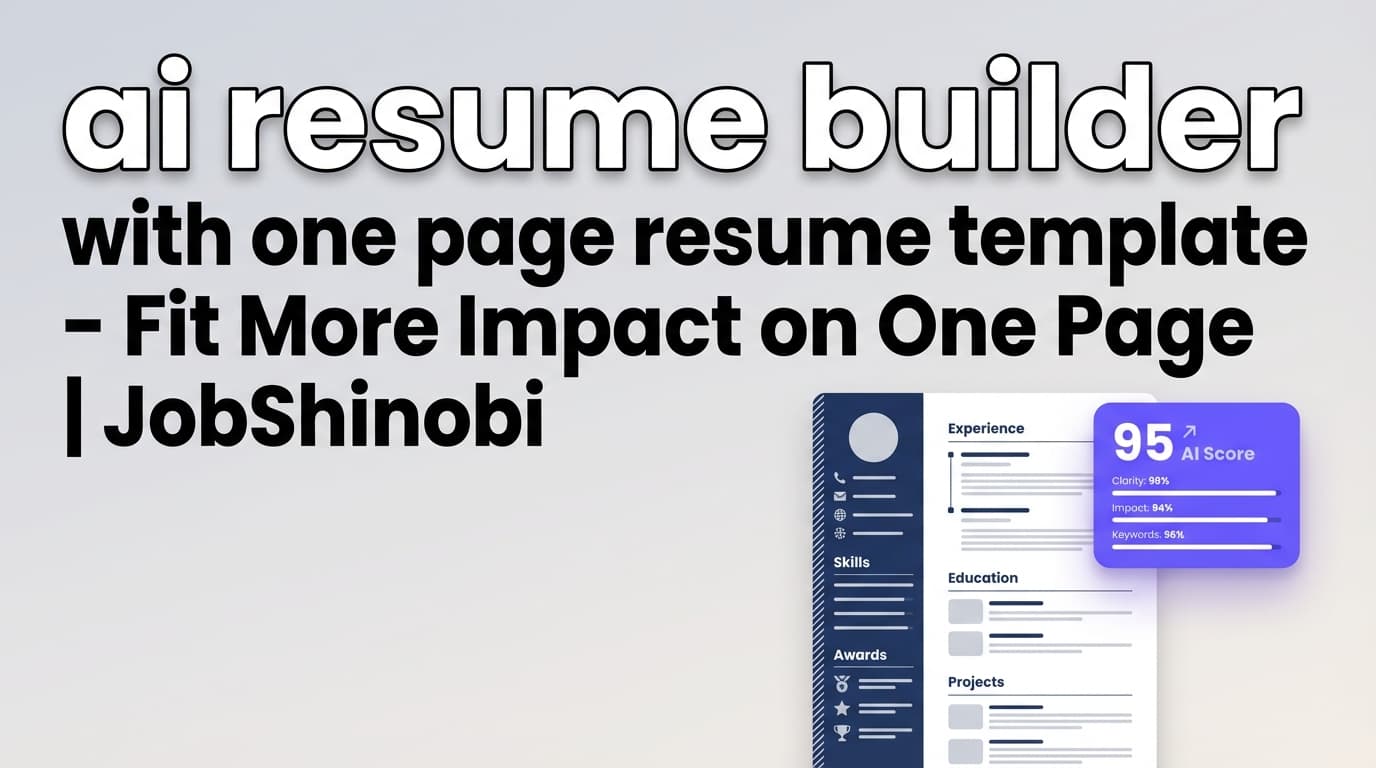
JobShinobi is an AI resume builder with one page resume template workflows built around a LaTeX resume editor (precise layout), live PDF preview (see exactly what fits on one page), and AI-powered resume analysis + job matching (keep the right keywords, remove fluff, and tailor to the role).
CTA: Ready to build your one-page resume? Sign in to JobShinobi
Why Choose JobShinobi for a one‑page resume?
Most “one-page resume templates” are really just pretty designs. They don’t help you decide:
- what to cut,
- what to quantify,
- which keywords matter for a specific job posting,
- and whether your final PDF is still clean and consistent.
JobShinobi is different because it combines:
- LaTeX templates (structure you can trust and fine-tune)
- PDF compilation + preview (verify it’s truly one page before you download)
- AI Resume Analysis (scores + strengths/improvements + ATS issues + keyword analysis)
- Job Description Matching (match score + missing/present keywords + recommendations)
- AI Resume Agent (streaming editor chat) (ask for rewrites, reformatting, stronger bullets, tighter spacing—then compile to check errors)
What this means for a one-page resume
A strong one-page resume isn’t “shorter.” It’s denser with signal:
- fewer generic bullets
- more measurable impact
- cleaner structure
- keywords placed naturally (not stuffed)
- consistent section spacing so you don’t end up with awkward orphan lines
JobShinobi helps you get there—while keeping you in control of layout.
The one‑page resume advantage (when it’s done right)
A one-page resume can work extremely well when:
- you have early-to-mid career experience, or
- you’re targeting a focused role (e.g., “Frontend Engineer,” “Data Analyst,” “Project Manager”), or
- you want a single version you can tailor quickly for each posting
But the “one page” goal can backfire if you:
- shrink fonts too far,
- cram multiple columns/tables that may not parse cleanly in some systems,
- remove the evidence (metrics, outcomes) that proves your impact
JobShinobi supports a one-page approach by letting you control spacing and structure in LaTeX and validate the final output with a PDF preview—so you can keep it readable and concise.
How JobShinobi’s one-page resume template workflow works
Step 1: Start from a LaTeX resume template
Go to Dashboard → Resume Builder → Start from Template and choose a template to begin. JobShinobi stores resume templates and loads the selected template into the editor.
Tip for one-page resumes: Start with a clean, single-page-friendly layout (simple sections, consistent headings, minimal ornamentation). You can adjust margins and spacing later—but beginning with a clean structure saves time.
Step 2: Edit in the LaTeX editor (with live PDF preview)
In the resume editor, you can:
- edit the LaTeX source
- compile the resume and preview it as a PDF
- download your resume as PDF or .tex
This is where one-page resumes become practical: you can make small spacing changes, compile, and immediately see whether it stays on one page—without layout guesswork.
Step 3: Use the AI Resume Agent to tighten content (without losing meaning)
Switch to AI mode and ask JobShinobi’s AI Resume Agent to help, for example:
- “Rewrite these bullets to be more quantified.”
- “Compress this experience section to save 3–4 lines without removing impact.”
- “Tailor this resume for a backend role.”
- “Make my summary 2 lines max and role-specific.”
The AI editor streams responses and can update your LaTeX, then run a compile check to catch LaTeX errors.
Step 4: Run AI Resume Analysis (score + keyword + ATS issue feedback)
JobShinobi’s Resume Analysis can generate:
- overall score + category scores (content, keyword, formatting, completeness, ATS)
- strengths and improvements
- keyword analysis (present/missing/overused + density and other signals)
- ATS issues (where formatting/structure may cause problems)
- deeper analysis objects (when enhanced mode is used)
Use this to decide what to keep on your one-page resume:
- keep high-signal bullets
- remove repetitive lines
- move keywords into proof-based bullets instead of stuffing a skills list
Step 5: Match your resume to a job description (and apply suggestions)
Paste a job description (or a job URL, if provided) and run Resume-to-Job Matching. You’ll get:
- a match score
- present keywords and missing keywords
- recommendations for improving alignment
Then use the editor (manual or AI) to implement changes—while keeping the resume at one page.
Key features that matter for a one-page resume
| Feature | What It Does | Why It Matters for a One-Page Resume |
|---|---|---|
| LaTeX Resume Templates | Start from structured LaTeX templates | Cleaner structure = fewer “layout surprises” when tightening content |
| PDF Compilation + Preview | Compile LaTeX into a PDF preview | Instantly verify: does it stay one page? |
| Download PDF + .tex | Export final resume files | Share the PDF, keep the .tex as your editable source of truth |
| AI Resume Agent (Streaming) | Chat to revise content and update LaTeX | Quickly compress sections, strengthen bullets, and tailor to roles |
| Resume Version History | Saves versions tied to edits/conversations | Try aggressive one-page edits, then revert if needed |
| Resume Analysis (AI) | Score + strengths/improvements + ATS/keyword insights | Cut the right content (low value) and keep what drives callbacks |
| Job Matching + Keyword Gaps | Match to a JD, see missing/present keywords | One-page resumes must be role-specific—this prevents generic filler |
| Job Tracker (optional) | Track applications; realtime updates; export to Excel | Keep your job search organized while iterating one-page versions |
What makes JobShinobi different from “template-only” resume builders?
Most resume builders focus on:
- drag-and-drop layout
- design variations
- “one click” templates
But when you’re trying to fit your resume on one page, your real bottleneck is:
- bullet quality
- keyword alignment
- section prioritization
- layout stability when you cut lines
JobShinobi solves that with a workflow that’s built for iteration:
- edit → preview → refine → score → match → refine → export
And because your resume is LaTeX-based, you can make precise changes (spacing, margins, section formatting) without fighting inconsistent visual editors.
One-page resume template best practices (that JobShinobi supports)
1) Keep it single-column and simple (especially for ATS workflows)
If you’re optimizing for ATS parsing consistency, simpler structures tend to be easier to interpret:
- standard section headings (“Experience,” “Education,” “Skills”)
- consistent date formatting
- avoid heavy visual elements that can rearrange text order
With JobShinobi, you can keep sections clean and predictable in LaTeX, and use the Resume Analysis output to flag potential ATS issues.
2) Replace “responsibilities” with evidence-based bullets
A one-page resume can’t afford generic bullets like “Responsible for…” or “Worked on…”.
Use the AI Resume Agent to transform bullets into tighter, higher-signal lines:
- action + scope + result
- numbers (revenue, latency, cost, time saved, conversion rate, tickets closed)
- tools/skills used (placed naturally)
3) Compress without shrinking readability
Instead of shrinking font size too far, prioritize:
- removing duplication
- reducing overly long summaries
- tightening spacing between lines/sections (carefully)
- combining low-value bullets into one stronger bullet
Because JobShinobi compiles LaTeX into a PDF preview, you can safely adjust spacing and verify the output immediately.
4) Use job matching to prioritize what stays on the page
If the job description emphasizes 5–10 core skills, your one-page resume should feature proof of those skills in:
- Experience bullets
- Projects (if relevant)
- Skills section (as a supporting list, not the only place)
JobShinobi’s Job Match Analysis shows missing/present keywords so you can decide what earns space on the page.
ai resume builder with one page resume template vs. common alternatives
Alternative 1: “One-page resume template” downloads (Word/Docs/PDF)
Pros
- quick start
- easy to share
Cons
- “one page” often breaks when you edit
- formatting drift (spacing changes, weird page breaks)
- no built-in tailoring or keyword gap feedback
JobShinobi advantage: a LaTeX source file stays stable, plus you get AI analysis + job matching to decide what belongs on page one.
Alternative 2: Design-first resume builders
Pros
- visually appealing
- lots of templates
Cons
- harder to make precise spacing changes
- easy to accidentally create inconsistent structure across versions
- one-page optimization becomes “guess and check”
JobShinobi advantage: compile-and-preview workflow makes one-page iteration straightforward. You’re not guessing—you’re checking the final PDF output as you edit.
Alternative 3: Using Overleaf templates alone
Pros
- LaTeX control
- solid templates
Cons
- no built-in resume scoring
- no job description match score + keyword gap analysis
- no integrated AI agent editing workflow tied to your resume versioning
JobShinobi advantage: LaTeX editing + AI Resume Agent + resume analysis + job match, all in one flow.
Pricing
JobShinobi offers paid subscriptions via Stripe:
- Monthly: $20.00
- Yearly: $199.99
You can view subscription options here: /subscription
(If you prefer, JobShinobi also supports Stripe payment links configured for its plans.)
Frequently Asked Questions
Does JobShinobi include a “one page resume template”?
JobShinobi includes a LaTeX resume template workflow where you start from a template and edit in a LaTeX editor with PDF preview. This makes it practical to create a one-page resume because you can tighten content and spacing, compile, and confirm the final PDF length before exporting.
Will JobShinobi automatically force my resume to one page?
No. JobShinobi doesn’t “force” a one-page limit automatically. Instead, it gives you the tools to make a one-page resume achievable:
- LaTeX-based formatting control
- live PDF preview via compilation
- AI suggestions to compress and strengthen content
- job matching so you cut the right content
Is a one-page resume always better?
Not always. One page is great when it fits your experience level and target role—but if you’re senior or have extensive relevant experience, two pages can be appropriate. The goal is not “one page at any cost,” but clarity + relevance.
Is a single-column resume better for ATS?
Often, single-column layouts are simpler for systems to interpret consistently. JobShinobi’s resume analysis includes ATS-related feedback to help identify formatting risks, and the LaTeX approach encourages structured section-based layouts.
Can JobShinobi help tailor my one-page resume to a specific job posting?
Yes. JobShinobi supports Resume-to-Job Matching:
- paste a job description (or provide a job URL, if used)
- get a match score
- see missing/present keywords
- follow recommendations Then use the AI Resume Agent or manual editing to apply changes while keeping your resume to one page.
Can I preview and download my resume?
Yes. In the resume editor, JobShinobi compiles your LaTeX into a PDF preview, and you can download:
- .tex (LaTeX source)
Do you support resume version history?
Yes. JobShinobi saves resume versions and supports workflows that let you iterate and revert—useful when you’re experimenting with tighter one-page edits or role-specific versions.
Does JobShinobi track job applications too?
Yes. JobShinobi includes a Job Tracker where you can track applications in a dashboard, get realtime updates, and export to Excel (.xlsx). There’s also an email-forwarding workflow in the product that can process inbound job-related emails (with membership requirements).
Get Started with JobShinobi today
If your goal is a one-page resume that’s actually role-targeted—not just squeezed—JobShinobi gives you the workflow to do it:
- start from a LaTeX template
- preview the PDF as you edit
- tighten bullets with the AI Resume Agent
- validate content and keywords with Resume Analysis + Job Match
- export a clean PDF when it fits on one page
Start here: Sign in to JobShinobi