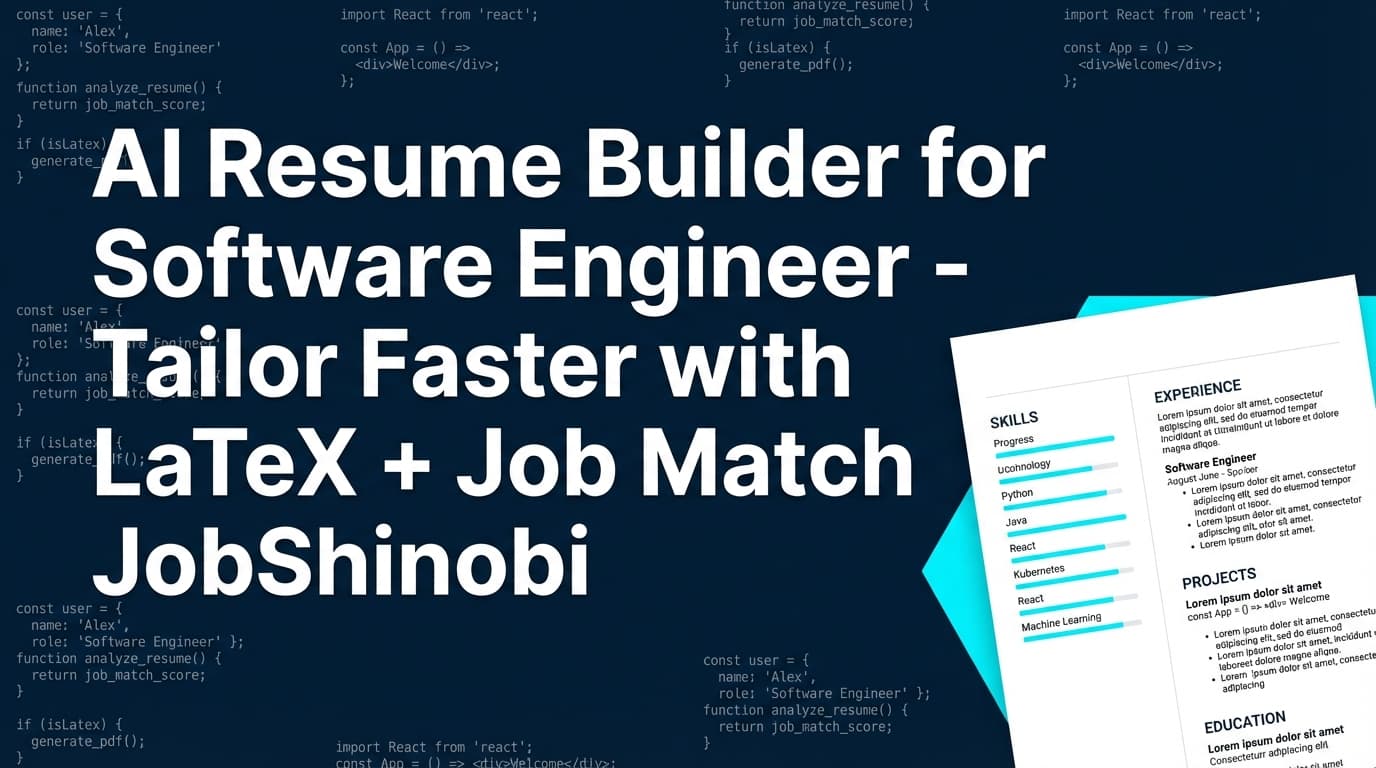
JobShinobi is an AI resume builder for software engineers who want a resume that stays clean and consistent while they tailor for different roles. Instead of fighting formatting drift in document editors, you build in LaTeX, preview a compiled PDF, run AI resume analysis (with cached results when your resume hasn’t changed), and use job-description matching to identify missing keywords and get recommendations—then apply changes in a streaming AI editor that can update your LaTeX and check compilation.
If you’re applying to SWE roles where stacks and responsibilities change job-to-job (React vs. Angular, Go vs. Java, AWS vs. GCP, Kubernetes vs. serverless), JobShinobi is built for rapid iteration without losing control of structure.
Get started: Sign in • Open Resume Dashboard
Why Choose JobShinobi for an AI Resume Builder for Software Engineers?
Software engineering resumes have unique constraints:
- Recruiters scan quickly for signals (scope, ownership, impact, reliability).
- ATS and screening workflows often reward clear structure + relevant terms (languages, frameworks, platforms, observability, CI/CD, databases, security, ML).
- Hiring managers want evidence (metrics, scale, latency, cost, availability, DX improvements).
- And you have to tailor repeatedly—without accidentally breaking layout.
JobShinobi is designed around those realities with three pillars:
- LaTeX resume building + compilation preview
- AI analysis & scoring (comprehensive or enhanced mode)
- Job matching (URL/text input → match score, present/missing keywords, recommendations)
Plus, JobShinobi includes a job tracker so you can manage the application pipeline end-to-end.
Built for “resume as source code” (LaTeX-first)
JobShinobi stores your resume as LaTeX source and compiles it for a PDF preview. That means you can iterate like an engineer: make a change, compile, verify output, revert if needed, and keep your formatting deterministic.
Built for tailoring (job match + actionable deltas)
Instead of guessing what to change, JobShinobi helps you compare your resume to a specific job posting:
- Extract job details from a job URL or pasted job text
- Generate a match score
- Show matching keywords already present
- Show missing keywords to consider adding
- Provide recommendations you can implement immediately
Built for iteration (streaming AI editor + versioning)
JobShinobi includes a streaming AI resume editor that can update sections of your LaTeX and perform compilation checks as part of the workflow. Conversations and resume versions are persisted so you can continue work across sessions and roll back changes.
The JobShinobi Advantage for Software Engineers (Specific, Feature-Backed)
1) LaTeX templates + editor + PDF preview (compile in the app)
JobShinobi includes:
- A template library (templates have categories and a “premium” attribute)
- A LaTeX editor where you can edit your resume as source
- Cloud compilation that returns a PDF preview
- Export options to download your PDF and your .tex source
This workflow is especially helpful when:
- you maintain separate versions (Backend SWE vs. Full Stack vs. ML)
- you want precise typography/spacing without layout chaos
- you want to keep a “clean base resume” and tailor safely
2) AI resume analysis that can return cached results when unchanged
JobShinobi’s resume analysis endpoint:
- can run comprehensive analysis
- supports an enhanced analysis mode
- stores results in a
resume_scorestable - can return cached analysis if your resume hasn’t changed since the last run (faster iteration)
That means you can treat analysis like a repeatable quality check—especially during high-volume applying.
3) Job description extraction + resume-to-job matching
JobShinobi supports a workflow where you provide:
- a job URL, or
- a job description pasted as text
Then JobShinobi extracts structured job details and runs a match analysis that produces:
- a match score
- present keywords
- missing keywords
- recommendations for improvement
For software engineers, this is crucial for catching gaps like:
- missing system design terms (e.g., “rate limiting”, “idempotency”, “SLO”, “distributed tracing”)
- missing infrastructure/platform terms (e.g., “Terraform”, “Kubernetes”, “CI/CD”, “Helm”)
- role-specific requirements (e.g., “WebSockets” for realtime apps, “Spark” for data roles, “SOC2” for security-minded roles)
4) Job tracking + realtime updates + Excel export
JobShinobi includes a job tracker where you can:
- add/edit/delete applications
- see realtime updates via database subscriptions
- export your application list to Excel (.xlsx)
And if you’re a Pro member, JobShinobi supports an email-forwarding workflow where forwarded job emails can be processed and associated with job applications (with fuzzy matching to reduce duplicates).
How JobShinobi’s AI Resume Builder Works (Real Workflow, Step-by-Step)
Step 1: Create a resume from a LaTeX template
Go to the resume dashboard, pick a template, and create a resume that saves as LaTeX source. Templates are fetched from the template catalog and can fall back to a default template if needed.
Pro tip for software engineers: Start from a clean one-column structure. Keep “Skills” scannable, and let Experience/Projects carry the proof (numbers, scale, outcomes).
Step 2: Edit your resume in LaTeX (or use the AI editor)
In the resume editor you can work in two modes:
- Code mode (direct LaTeX edits)
- AI mode (chat-based editing)
The editor compiles LaTeX and renders a PDF preview, helping you verify formatting and avoid “invisible errors” before you submit applications.
Step 3: Compile and preview the PDF (confirm structure stays stable)
Compile your resume and preview the PDF. This matters for software engineer resumes because small layout issues can damage readability (line wraps on tech stacks, broken alignment for dates, awkward spacing in project bullets).
If there’s a compile error, you’ll see it—so you don’t ship a broken resume.
Step 4: Run AI Resume Analysis (comprehensive or enhanced)
From the analysis flow, JobShinobi can analyze your resume and return:
- overall score plus component scores (content, keywords, formatting, completeness, ATS-focused score)
- strengths and weaknesses
- keyword findings (present/missing/overused, density, contextual usage score, industry coverage, detected skills)
- detailed analysis objects like section scoring, bullet analysis, ATS analysis, length analysis, benchmarking, role alignment
- (in enhanced mode) additional structured analysis objects when available
If the resume hasn’t changed since the last analysis, JobShinobi can return cached results—useful when you’re refining multiple times in a short period.
Step 5: Match your resume to a specific job posting (URL or text)
Open job matching and input:
- Job URL, or
- Job description text
JobShinobi extracts job details and generates a match analysis including:
- match score (%)
- present keywords
- missing keywords
- recommendations
This gives you a clear, tactical checklist for tailoring—especially for stack-heavy roles.
Step 6: Apply improvements safely (with version history)
After you get recommendations:
- implement changes manually in the LaTeX editor, or
- use the AI editor to update sections
JobShinobi stores versions of your resume (manual saves and chat-driven versions), and the UI supports undo/redo and reverting to prior versions. That means you can try bold edits without fear of losing your best resume state.
Step 7: Track applications (and export to Excel)
Use the job tracker to manage:
- companies
- job titles
- statuses (Applied, Interview, Offer, Rejected, etc.)
- and your pipeline overall
Export to Excel (.xlsx) anytime for reporting, follow-ups, or sharing with a coach/mentor.
Key Features for an AI Resume Builder for Software Engineers
| Feature | What It Does | Why It Matters |
|---|---|---|
| LaTeX Resume Builder | Stores and edits resumes as LaTeX source | Reliable structure and consistency across versions |
| Template Library | Browse templates with categories | Faster start; less time formatting, more time improving content |
| Cloud LaTeX Compilation + PDF Preview | Compiles LaTeX to a PDF preview | Catch formatting/compile issues before you submit |
| Download PDF | Download compiled PDF resume | One-click export for applications |
Download .tex |
Download the LaTeX source file | Keep a portable “source of truth” you control |
| AI Resume Analysis | Scores and returns structured feedback | Identify weaknesses (content, keywords, ATS issues) quickly |
| Cached Analysis When Unchanged | Returns previous results if resume unchanged | Faster iterations during tailoring sessions |
| Enhanced Analysis Mode | Optional richer analysis output | Deeper insights when you need them |
| Job Description Extraction | Input job URL or job text | Turn job posts into structured data |
| Resume-to-Job Matching | Match score + missing/present keywords + recommendations | Tailor for each SWE role without guessing |
| Streaming AI Resume Editor | Chat-based editing that can update LaTeX and check compilation | Implement improvements faster while keeping resume valid |
| Model Selection | Choose between multiple AI tiers (e.g., Shinobi Swift/Turbo/Pro) | Pick speed vs. depth depending on the task |
| Resume Version History | Saves resume versions from manual and chat edits | Revert safely; keep “best” variants per role |
| Job Tracker (Realtime) | Track your pipeline with realtime updates | Keep applications organized without spreadsheets |
| Export Job Tracker to Excel | Exports applications to .xlsx |
Useful for reporting, sharing, and follow-up workflows |
| Email-based Job Updates (Pro processing) | Forward application emails for processing and application updates | Reduce manual tracking when processing is enabled for Pro |
What “Software Engineer Resume Tailoring” Means (And How JobShinobi Helps)
A strong SWE resume is not one resume—it’s a stable base plus targeted variants.
Common engineering tailoring scenarios
- Backend SWE: emphasize API design, scalability, reliability, databases, queues, observability, performance
- Frontend SWE: emphasize UX metrics, component systems, state management, performance optimization, accessibility
- Full Stack: highlight ownership across layers, product impact, tradeoffs, end-to-end delivery
- Platform/DevOps/SRE: emphasize automation, IaC, SLOs, incident response, CI/CD, cost and reliability
- ML/DS Engineering: emphasize pipelines, data quality, model performance, deployment, monitoring
How JobShinobi supports this without breaking your formatting
- Use job matching to identify missing terms for that specific role
- Use AI resume analysis to tighten weak bullets and missing proof
- Use version history to keep different targeted variants (e.g.,
backend.tex,fullstack.tex) without losing your base resume
AI Resume Builder for Software Engineer vs. Common Alternatives
JobShinobi vs. generic “AI resume generators”
Many tools optimize for fast text generation, but software engineers often need:
- tighter structure control
- repeatable tailoring without format drift
- keyword alignment against a specific job post
- a workflow that supports iterative improvement
JobShinobi focuses on:
- LaTeX-based resumes + PDF preview
- analysis + matching in the same system
- an AI editor that edits your LaTeX workflow rather than replacing it
JobShinobi vs. “ChatGPT + a document editor”
ChatGPT can help you brainstorm bullets—but it doesn’t give you:
- an integrated match score with missing/present keywords
- resume scoring with structured fields and cached reruns
- version history tied to edits and conversations
- PDF compile preview from LaTeX inside your resume workflow
JobShinobi is built to make tailoring repeatable, not improvised.
JobShinobi vs. spreadsheets for job tracking
Spreadsheets work, but they’re manual and easy to abandon.
JobShinobi includes:
- a job tracker with realtime updates
- an Excel export button when you want a file
- (for Pro processing) an email-forwarding workflow to reduce manual updates
Pricing
JobShinobi offers paid subscriptions via Stripe payment links:
-
Monthly: $20.00
https://buy.stripe.com/7sYeV61P10GS310eTy0VO02 -
Yearly: $199.99
https://buy.stripe.com/6oU9AM0KXexIdFE5iY0VO03
Note: Email-based job tracking processing requires Pro membership to process forwarded emails.
Frequently Asked Questions
What makes JobShinobi a good AI resume builder for software engineers?
JobShinobi combines a LaTeX-first resume workflow (stable structure + compile preview) with AI-driven resume analysis and job-description matching. For software engineers who tailor frequently, it’s built for iteration: match a job, see missing keywords, apply changes, and keep versions you can revert to.
Can I match my software engineer resume to a job posting?
Yes. JobShinobi supports job description extraction from a job URL or pasted text, then runs resume-to-job matching to generate a match score, present keywords, missing keywords, and recommendations.
Does JobShinobi support PDF export?
Yes. The resume editor compiles your LaTeX and provides a PDF preview and download.
Can I download the LaTeX source too?
Yes. You can download the .tex file directly from the editor.
Does JobShinobi have resume scoring?
Yes. JobShinobi includes AI resume analysis that produces scores and structured feedback, can store results, and can return cached results if your resume hasn’t changed since the last analysis (unless you force a refresh).
Is there a version history so I can roll back changes?
Yes. Resume changes are versioned (including versions created from AI chat), and the UI supports undo/redo and reverting to previous versions.
Does JobShinobi auto-apply to jobs or integrate with LinkedIn/Indeed?
No. JobShinobi is focused on resume building, analysis, matching, and job tracking—not auto-applying or job board integrations.
Can JobShinobi track my applications?
Yes. JobShinobi includes a job tracker dashboard with realtime updates and Excel export. There is also an email-forwarding workflow; processing of forwarded emails requires Pro membership to be enabled for processing.
Get Started with JobShinobi Today
Build a software engineer resume that stays structured, tailored, and easy to iterate:
- Choose a LaTeX template
- Edit with PDF preview
- Run AI analysis
- Match to a job description (URL or text)
- Apply improvements and keep versions
- Track your applications and export to Excel when needed
Next step: Sign in to JobShinobi
Then: Open your Resume Dashboard