If you searched “resume scanner vs resumeworded”, you’re probably trying to solve a very specific problem: get past ATS filters, improve your content, and land more interviews—fast.
Both JobShinobi and Resume Worded can help you improve your resume. The difference is how they help:
- Resume Worded is best described as a resume + LinkedIn grader with multiple free tools (Resume Scanner, Score My Resume, Targeted Resume) plus Pro upgrades.
- JobShinobi is a broader job-search system: resume building (LaTeX), ATS/keyword analysis, job-description matching, resume version history, and a unique email-forwarding job application tracker.
Quick Verdict:
- Pick Resume Worded if you want a polished, established resume scanner + LinkedIn review experience plus a large library of examples (bullet points, resumes, cover letters).
- Pick JobShinobi if you want an end-to-end workflow: build + tailor + track your job search in one place (especially if tracking applications is currently a mess).
TL;DR Comparison
| Feature | JobShinobi | Resume Worded |
|---|---|---|
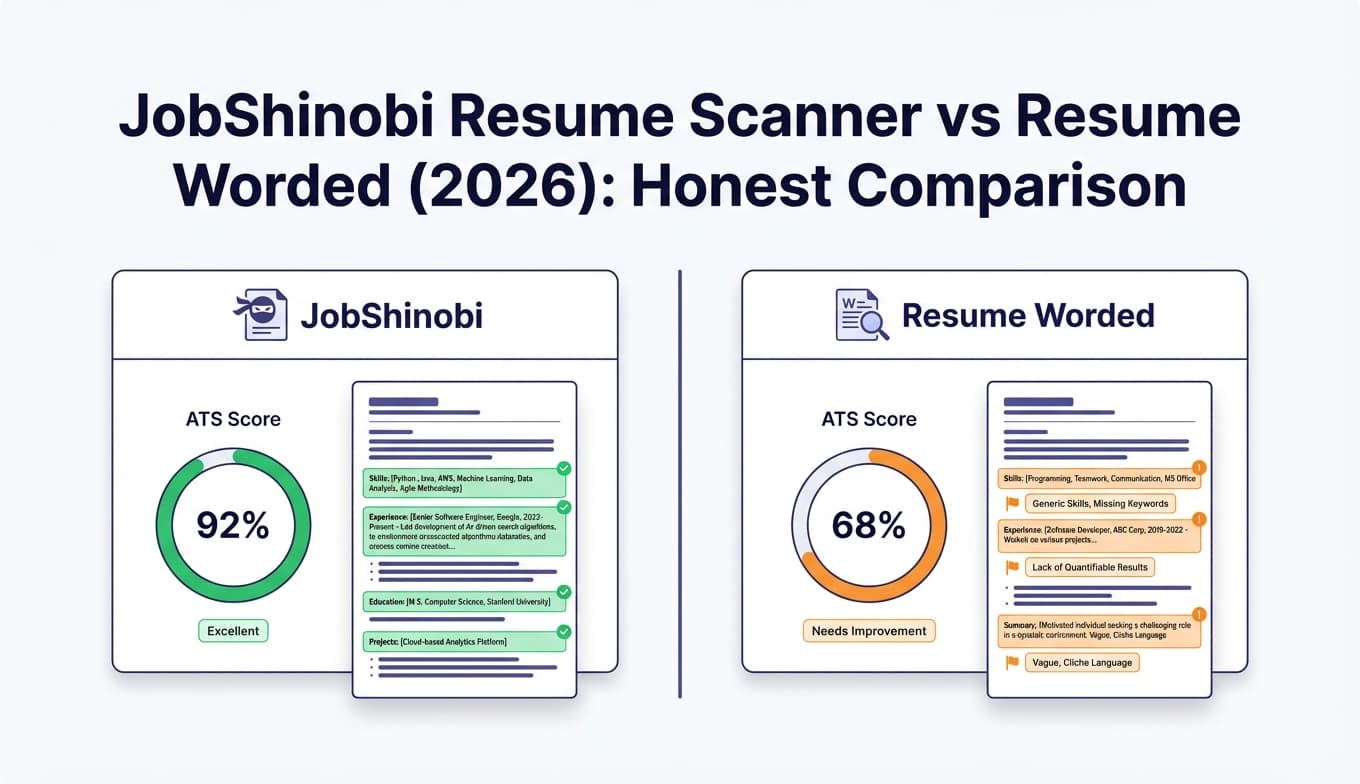
| Resume scanner / ATS-style feedback | ✅ Yes (scoring + ATS/keyword feedback) | ✅ Yes (Resume Scanner, Score My Resume) |
| Resume-to-job description matching | ✅ Yes (job extraction + match + missing/present keywords) | ✅ Yes (Targeted Resume + keyword tools) |
| Resume builder / editor | ✅ Yes (LaTeX templates + editor + PDF preview) | ⚠️ Primarily a grader + examples (not positioned as a full builder) |
| Resume version history | ✅ Yes (versioning + revert) | ⚠️ Not a core highlighted feature |
| LinkedIn profile review | ❌ Not a core feature | ✅ Yes (Free LinkedIn Profile Review tool) |
| Keyword tools | ✅ Built into job match + analysis | ✅ Dedicated tools (Resume Keyword Scanner, Job Description Keyword Finder) |
| Job application tracking | ✅ Yes (forward emails to auto-log applications; Pro-gated) | ❌ Not a core product feature |
| Analytics on your applications | ✅ Yes (response rate/interview conversion trends) | ❌ Not a core product feature |
| Starting price | $20/mo | $49/mo |
| Best for | People who want a system (resume + tailoring + tracking) | People who want grading + LinkedIn optimization + lots of examples |
JobShinobi Overview
JobShinobi is an AI resume builder + ATS resume analyzer designed for job seekers who are:
- getting filtered out by ATS, and
- overwhelmed by manual job tracking.
At a product level, JobShinobi combines:
- LaTeX-based resume builder (templates, saved resumes)
- Editor with cloud compilation + live PDF preview
- AI resume agent (chat-based editing that can update the resume and compile)
- Resume scoring + ATS/keyword feedback
- Job description extraction + resume-to-job matching
- Email-forwarding job application tracking (forward confirmation emails → auto-log applications)
- Job search analytics dashboard (response rate, interview conversion trends, etc.)
Key Strengths
- Automatic job tracking via email forwarding (standout differentiator): forward “thanks for applying” emails and JobShinobi extracts company/title/status and logs it.
- Structured, consistent resumes: LaTeX-first workflow with PDF preview can reduce formatting drift (helpful when tailoring multiple versions).
- Version history built-in: easier to maintain a “master resume” plus job-specific variants without losing earlier drafts.
Limitations (Honest)
- LaTeX isn’t for everyone: even with templates and AI help, it’s different from editing in Google Docs/Word.
- LinkedIn optimization isn’t a core feature: if LinkedIn is your main priority, Resume Worded has stronger dedicated tooling.
- Free tier is limited for automation: the email-processing workflow is gated to Pro.
Resume Worded Overview (Verified)
Resume Worded positions itself as a platform for instant feedback on your resume and LinkedIn profile. It offers several well-known tools and landing pages, including:
- Resume Scanner (“free ATS resume scan”)
- Score My Resume (resume score / review)
- Targeted Resume (compare resume to job posting; identify missing keywords/skills)
- Resume Keyword Scanner (keyword scan / ATS-focused keyword guidance)
- Job Description Keyword Finder (extract keywords from a job description)
- LinkedIn Review (free LinkedIn profile review + sample headlines/summaries)
- A large content library: resume examples, bullet point examples, cover letter samples (and an AI cover letter generator exists on their site)
Resume Worded also states (via its Help Center) that it uses Paddle to process payments.
Key Strengths
- Best-in-class LinkedIn review workflow: Resume Worded has a dedicated, free LinkedIn review tool—this is a real advantage if recruiters are finding you (or not finding you) on LinkedIn.
- Many focused “micro-tools”: keyword scanner, job-description keyword finder, targeted resume checks—useful if you want a quick answer to one problem.
- Huge library of examples: bullet point samples and resume examples can be genuinely helpful when you’re stuck rewriting content.
Limitations (Common themes from policies + user discussions)
- Monthly pricing is expensive for many job seekers: the monthly Pro plan is much higher than JobShinobi’s monthly price.
- Refund expectations can be tricky: Resume Worded’s Terms indicate that payments/orders are handled by Paddle and that refunds may be limited “due to the nature of the offering” (always verify current terms for the plan you’re buying).
- Not an application tracker: Resume Worded can help you improve what you submit; it doesn’t replace a job tracker/CRM workflow.
Feature-by-Feature Comparison
1) Resume Scanner / ATS Feedback
JobShinobi:
JobShinobi provides resume scoring with structured feedback (including ATS/keyword-related guidance) and supports workflows like resume analysis caching and deeper breakdowns. If you’re iterating a lot (tailoring and rescanning repeatedly), the “workflow” aspect matters.
Resume Worded:
Resume Worded’s Resume Scanner is explicitly positioned as a free ATS resume scan that evaluates your resume against 25+ criteria (ATS compliance, impact, keywords, etc.). Its strength is speed and clarity: upload → get a score → follow recommendations.
Winner: Tie
- If you want fast, guided scoring, Resume Worded is hard to beat.
- If you want scanning as part of a builder + tailoring + versioning workflow, JobShinobi fits better.
2) Tailoring to a Job Description (Match + Missing Keywords)
JobShinobi:
JobShinobi supports job description extraction (URL or paste text) and provides a match score plus missing/present keyword analysis, designed to feed directly into resume edits.
Resume Worded:
Resume Worded’s Targeted Resume compares your resume to a specific job posting and highlights missing keywords/skills. It also offers supporting keyword tools like Resume Keyword Scanner and Job Description Keyword Finder.
Winner: Slight edge to JobShinobi (for workflow)
Resume Worded has strong tools here, but JobShinobi’s advantage is that it connects matching → editing → version history → tracking in one system.
3) Resume Building & Editing
JobShinobi:
This is JobShinobi’s home turf:
- LaTeX templates and a dedicated editor
- Cloud compilation and PDF preview
- Download PDF and
.tex - AI resume agent that can help edit and compile
- Resume version history (reverting to prior versions)
Resume Worded:
Resume Worded excels at telling you what to improve and giving examples, but it’s primarily positioned as a grader + content library, not a full resume-building environment with version control.
Winner: JobShinobi
If you want to create and manage multiple resume variants, JobShinobi’s builder + versions is a more complete solution.
4) LinkedIn Optimization
JobShinobi:
Not a core feature focus today.
Resume Worded:
Resume Worded offers a Free LinkedIn Profile Review and related resources (like sample headlines and summaries). If LinkedIn is a major channel for your role, this is a meaningful advantage.
Winner: Resume Worded
5) Content Library (Examples, Bullet Points, Cover Letters)
JobShinobi:
JobShinobi is built more around tooling (build/analyze/match/track) than being a huge public library of examples.
Resume Worded:
Resume Worded has extensive example content, including:
- 300+ resume bullet point samples (and a bullet point builder)
- Many resume examples
- Many cover letter samples
- An AI cover letter generator on its site
Winner: Resume Worded
If you learn best by seeing examples (or you’re early in your career and need templates), Resume Worded’s library is a strong reason to pick it.
6) Job Application Tracking & Analytics
JobShinobi:
JobShinobi is designed to remove the operational burden of job searching:
- Forward emails → auto-create/update job applications in the tracker (Pro feature)
- Manual editing if needed
- Export to Excel
- Analytics dashboard (response rate, interview conversion, trends)
Resume Worded:
Resume Worded is not positioned as a job tracker. You’ll likely still need a spreadsheet, Notion, Huntr/Teal, etc.
Winner: JobShinobi
If you’re applying to many jobs, this alone can be the deciding factor.
Pricing Comparison (Current as of 2026-01-21)
| Plan | JobShinobi | Resume Worded |
|---|---|---|
| Free | Limited (automation features are Pro-gated) | Free tools available (Resume Scanner/Score/LinkedIn Review), with Pro upsell |
| Monthly | $20/month | $49/month |
| Quarterly | — | $99 every 3 months (displayed as ~$33/month) |
| Yearly | $199.99/year | $229/year (displayed as ~$19/month; billed annually) |
| Payments | Stripe subscription | Paddle (per Resume Worded Help Center / Terms) |
| Cancel | Via billing portal/settings | Via account dashboard (Help Center provides steps) |
Value Analysis:
- If you want the cheapest way to get basic scanning, Resume Worded’s free tools may be enough.
- If you want ongoing iteration + tracking, JobShinobi’s $20/mo pricing is compelling because it’s not just a scanner—it replaces multiple tools (scanner + builder + tracker).
Who Should Choose JobShinobi?
Choose JobShinobi if you:
- Want resume + tailoring + tracking in one workflow
- Are applying to many roles and want to stop maintaining spreadsheets
- Need version history for multiple targeted resumes (and want to revert easily)
- Prefer a structured resume format with consistent PDF output
Who Should Choose Resume Worded?
Choose Resume Worded if you:
- Want a polished, fast resume scanner experience with clear improvement steps
- Care a lot about LinkedIn optimization (dedicated LinkedIn review tool)
- Want a large library of examples (bullet points, resumes, cover letters)
- Prefer “micro-tools” (keyword scanner, job keyword finder) you can use individually
Switching from Resume Worded to JobShinobi (Practical Guide)
If you used Resume Worded and want to move to JobShinobi:
- Bring over the content, not the score: copy your improved bullets/summary/skills into a JobShinobi template.
- Create two baselines:
- a “Master Resume” version
- a “Targeted Resume” version for each role family (e.g., Data Analyst vs Product Analyst)
- Use JobShinobi matching to iterate quickly: paste a job description → address missing keywords → save a new version.
- Turn on tracking: forward confirmation emails to your JobShinobi forwarding address (Pro) so your application log stays current automatically.
FAQ
Is JobShinobi really better than Resume Worded?
Not across the board. Resume Worded wins on LinkedIn review and example libraries. JobShinobi wins if you want a connected workflow (build + tailor + version + track applications) rather than standalone grading.
Can I use Resume Worded for free?
Resume Worded offers free tools (including Resume Scanner / Score My Resume / LinkedIn Review pages) with prompts to upgrade for deeper features. How far “free” goes depends on the specific tool and what’s gated at the time you use it.
Which is cheaper: JobShinobi or Resume Worded?
- Monthly: JobShinobi is cheaper ($20/mo vs $49/mo).
- Annual: Resume Worded advertises $229/year and JobShinobi is $199.99/year.
Does either tool guarantee passing ATS?
No. ATS systems vary by employer, and no third-party tool can perfectly replicate every ATS. Use scanners as directional feedback: formatting, clarity, keyword coverage, and role alignment.
How do I cancel Resume Worded?
Resume Worded’s Help Center states cancellation can be done through your account dashboard (My Account → Account and Subscription Details → Cancel Subscription). Always confirm cancellation and review the plan’s billing/refund terms before purchasing.