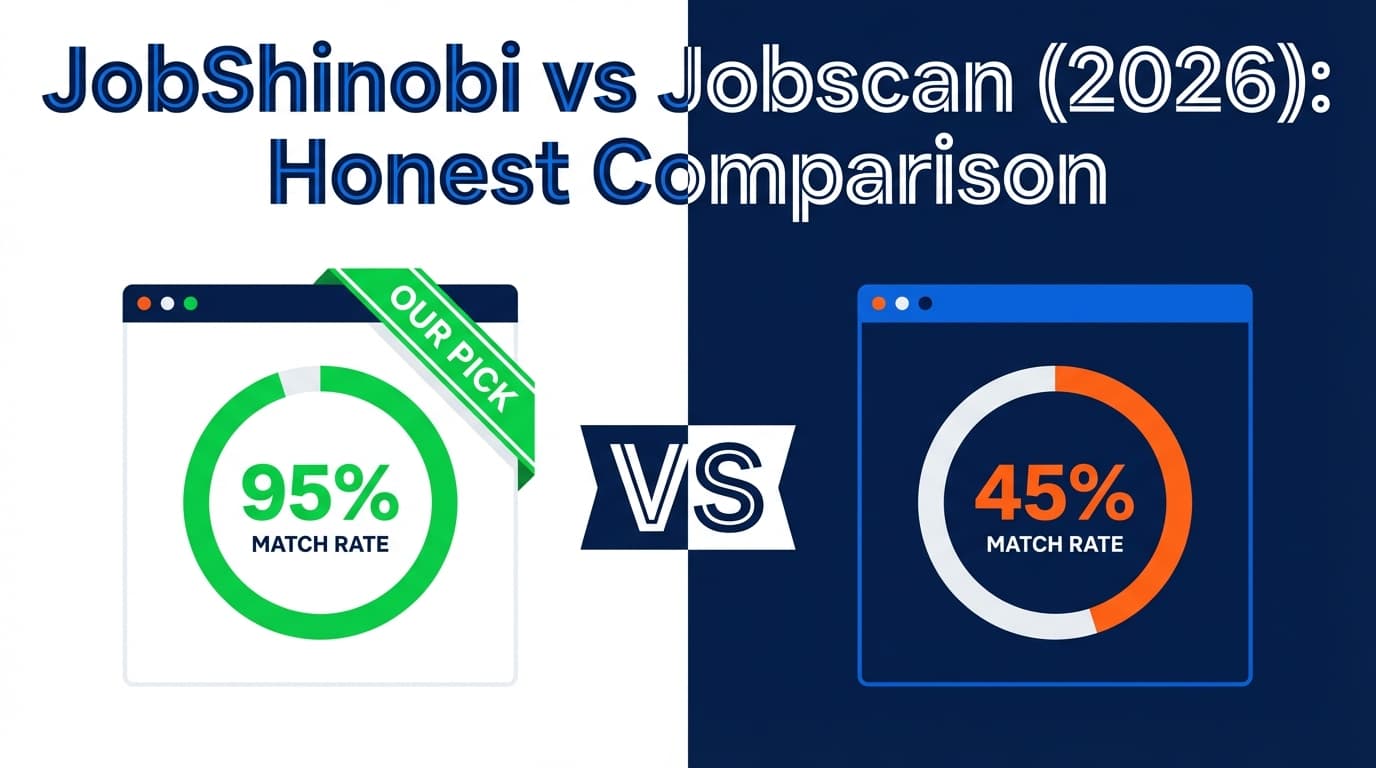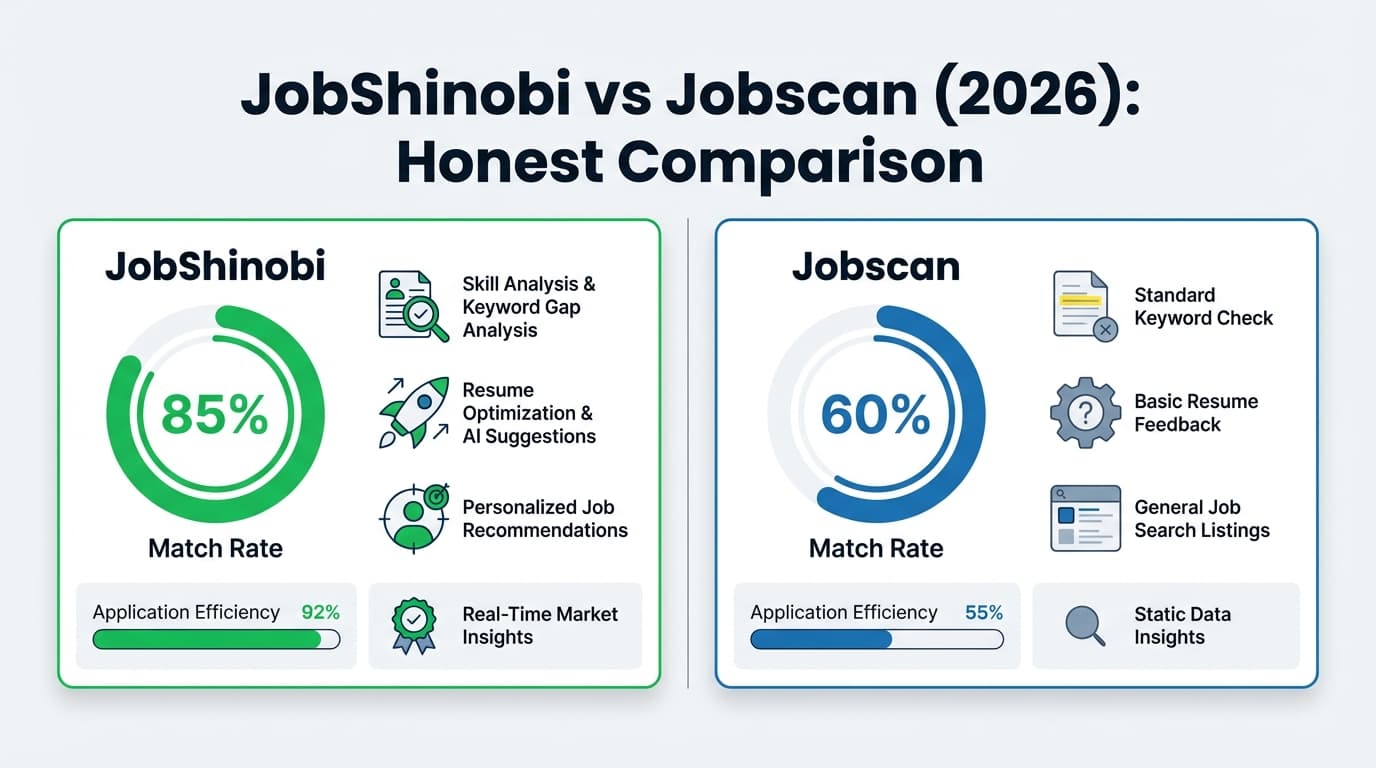
If you’re comparing JobShinobi and Jobscan, you’re probably trying to solve the same problem: getting past ATS filters without wasting hours rewriting your resume for every job. The tricky part is that these tools don’t just differ on “resume score” accuracy—they differ on workflow (how you build, tailor, and track applications).
Quick Verdict:
- Choose Jobscan if your priority is a dedicated, established ATS resume scanner experience and you’re mostly focused on match rate + keyword alignment.
- Choose JobShinobi if you want an all-in-one workflow: resume builder + ATS analysis + job matching + automatic job application tracking via email forwarding, especially if you like a structured (LaTeX) resume format and want less manual tracking.
TL;DR Comparison
| Feature | JobShinobi | Jobscan |
|---|---|---|
| Core focus | Resume builder + ATS analyzer + job tracker | ATS resume scanner + optimization |
| ATS match / score | ✅ Resume scoring + job match analysis | ✅ “Match rate” resume-to-job comparison |
| Resume building workflow | ✅ LaTeX editor + PDF preview + templates | ✅ Scanner-first workflow (resume-to-job feedback) |
| AI editing | ✅ Chat-based AI agent that can update resume + compile preview | ✅ AI optimizations mentioned on plan page (incl. “One-Click AI Optimizations” on desktop) |
| Job tracking | ✅ Built-in tracker + analytics + email-forwarding auto-tracking | ⚠️ Not the primary product focus (scanner-first) |
| Automatic tracking from emails | ✅ Yes (forward emails → records created/updated) | ❌ Not positioned as a core feature |
| Starting price | $20/mo (Pro monthly) | $49.95/mo (Monthly plan listed) |
| Free plan | Limited free access; key automation gated to Pro | Varies by plan/trial (see Pricing section; verify current availability) |
| Best for | Job seekers who want one system for building + tailoring + tracking | Job seekers who primarily want ATS match feedback and keyword targeting |
JobShinobi Overview
JobShinobi is positioned as a combined AI resume builder + ATS resume analyzer + job application tracker. The standout differentiator is the workflow: instead of tracking applications manually in a spreadsheet, you can forward job-related emails (application confirmations, interview scheduling, etc.) to a unique JobShinobi address, and it automatically extracts key details and updates your tracker.
On the resume side, JobShinobi uses a LaTeX-based editor with cloud compilation and live PDF preview, plus resume templates, saved resumes, and version history. It also offers resume scoring (including ATS-oriented feedback) and resume-to-job matching that highlights keyword gaps and suggests tailoring changes.
Key Strengths
- Automatic job tracking via email forwarding: forward emails → the system extracts company/title/status and updates your job tracker.
- Structured resume workflow (LaTeX + PDF preview): helpful for consistency and avoiding layout issues.
- All-in-one job search dashboard: tracker, analytics, resume versions, and tailoring in one place.
Limitations (honest)
- LaTeX isn’t for everyone: even with AI help, some users prefer Word/Google Docs-style editing.
- Automation is Pro-gated: email processing/forwarding automation requires a paid plan.
- Trial details may depend on billing setup: the site mentions a trial in marketing, but trial enforcement can be handled in Stripe configuration rather than visible app logic.
Jobscan Overview
Jobscan is one of the best-known tools in the ATS scanner category. Its core promise is straightforward: you compare your resume to a job description and get a match rate plus guidance to improve alignment—especially around keywords, skills, and ATS formatting best practices.
Jobscan’s site positions its match rate around “top ATS,” and it explicitly references multiple ATS platforms (commonly cited examples include iCIMS, Lever, Greenhouse, Taleo, and others). Jobscan also publishes educational content about ATS, match rate targets, and how to tailor effectively.
Key Strengths
- Dedicated resume scanner + match rate workflow: strong fit for job seekers who want quick, repetitive scanning against many postings.
- ATS-aware positioning: messaging and guidance are built around ATS parsing and recruiter workflows.
- Optimization tooling on paid plans: Jobscan’s plan page highlights items like “Unlimited Resume Scans” and “One-Click AI Optimizations (desktop only)” (plan details vary).
Limitations (based on common buyer feedback themes)
- Cost can feel high for active job seekers: monthly pricing is significantly higher than many newer tools.
- Match-rate chasing can lead to “keyword stuffing” if you optimize blindly instead of tailoring thoughtfully.
- Workflow is scanner-first: if you want a full job-search CRM (tracking, analytics, automation), you may need extra tools.
Feature-by-Feature Comparison
1) Resume Scanner & Match Feedback (ATS Alignment)
JobShinobi:
JobShinobi provides resume scoring with breakdowns (including ATS-related analysis), strengths/weaknesses, and keyword feedback. It also supports resume-to-job matching: paste a job description (or URL), extract job requirements/keywords, and get a structured match analysis with missing vs. present keywords—then apply changes through the editor/AI workflow.
Jobscan:
Jobscan is built specifically around the resume scanner experience: resume vs. job description → match rate + actionable feedback. Its positioning emphasizes alignment with “top ATS,” and it’s designed for repeated scanning during an active job search.
Winner: Jobscan for pure scanner-first workflows; JobShinobi if you want scanning plus a full tailoring + tracking system.
2) Resume Building & Editing Experience
JobShinobi:
- Template-based resumes stored and managed in-app
- LaTeX editor + cloud compilation + PDF preview
- Version history (helpful when tailoring for multiple roles)
- AI chat agent that can propose edits and update the resume content
Jobscan:
Jobscan is primarily known as a scanner/optimizer. Many users pair it with another tool for editing/formatting, then re-scan. (If you want a single “write + scan + track” environment, you’ll want to compare workflows carefully.)
Winner: JobShinobi if you want a single workspace for building and iterating; Jobscan if you already have a resume format you like and only want scanning feedback.
3) AI Assistance & Automation
JobShinobi:
- AI agent can chat, update resume content, and help tailor
- Resume analysis can be cached (faster repeat checks)
- Email-forwarding automation converts inbound emails into job-tracker updates
Jobscan:
Jobscan’s paid plans highlight AI-driven improvements, including “One-Click AI Optimizations” (noted as desktop-only on the plan page) and unlimited scanning on certain tiers.
Winner: Depends on what you mean by automation.
- JobShinobi wins for job-search automation (tracking).
- Jobscan is strong for scanner-driven optimization loops.
4) Job Application Tracking & Job Search Analytics
JobShinobi:
This is where JobShinobi clearly separates from most scanners:
- Job tracker: add/edit/delete applications, status tracking, export to Excel
- Analytics dashboard: response rate, interview conversion, trends
- Realtime updates so your tracker stays current
- Email-forwarding → automatic tracking (major time saver if you apply a lot)
Jobscan:
Jobscan is not primarily positioned as a job application tracker/CRM. Many users track applications elsewhere (spreadsheets, Notion, dedicated trackers).
Winner: JobShinobi.
5) Best-Fit Use Cases
JobShinobi is a better fit if you want:
- A complete “apply loop”: build → tailor → track → analyze outcomes
- Less manual job tracking (especially if you get lots of email updates)
- A structured, versioned resume workflow that supports lots of iterations
Jobscan is a better fit if you want:
- A proven scanner experience centered on match rate
- To quickly compare one resume against many job postings
- A tool that’s heavily focused on ATS alignment education and scanning
Pricing Comparison (Verify Before Purchase)
Pricing changes, so treat this as a snapshot of what’s listed publicly as of the last_verified date.
| Plan | JobShinobi | Jobscan |
|---|---|---|
| Free | Limited (core automation gated) | May offer limited free access or trial depending on plan (varies) |
| Monthly | $20.00/mo (Pro monthly) | $49.95/mo (Monthly plan listed) |
| Yearly | $199.99/yr | Offers alternative billing options on the plan page (often lower effective monthly cost vs monthly) |
Value Analysis:
- If you only need an ATS scanner and you’re applying heavily for a short period, Jobscan can make sense—especially if you value its scanner workflow and are willing to pay for unlimited scans.
- If you want one tool that also reduces your admin overhead (tracking, analytics, email-based updates) while supporting resume creation and tailoring, JobShinobi can deliver more “end-to-end” value at a lower monthly price.
Who Should Choose JobShinobi?
You’ll prefer JobShinobi if you:
- Want automatic job application tracking (forward emails, stop updating spreadsheets)
- Need resume building + tailoring in the same place you analyze match/ATS feedback
- Tailor often and want version history so each job gets its own clean variant
- Like a structured approach to formatting and consistency (LaTeX workflow)
Who Should Choose Jobscan?
You’ll prefer Jobscan if you:
- Mostly want a best-in-class scanner experience with a clear match rate loop
- Already have a resume editing workflow and want to “scan → revise → scan” quickly
- Want to lean heavily into ATS keyword alignment and guidance
- Don’t need a built-in job tracker (or you already use one you like)
Switching from Jobscan to JobShinobi
If you’re considering moving from Jobscan to JobShinobi, the main shift is workflow:
-
Data migration:
JobShinobi’s job tracker is straightforward (table-style). If you have tracking data elsewhere, plan on importing via spreadsheet/manual entry. For ongoing tracking, JobShinobi’s email-forwarding can reduce the need to migrate perfectly—new applications can be captured automatically going forward. -
Learning curve:
The biggest adjustment is LaTeX-based editing. If you’ve never used LaTeX, expect a short learning period—though the AI agent and templates help. -
Support / reliability expectations:
Scanner-only tools can feel simpler because they do one job. A broader suite can feel more powerful, but you’ll want to confirm it matches your personal job search workflow.
FAQ
Is JobShinobi really better than Jobscan?
Not universally. Jobscan can be better if you only want a dedicated ATS scanner with a tight match-rate feedback loop. JobShinobi can be better if you want a complete system that also handles resume building, tailoring, and job tracking automation (especially via email forwarding).
Which is cheaper?
On listed monthly pricing, JobShinobi ($20/mo) is cheaper than Jobscan ($49.95/mo). But “cheaper” depends on how long you’ll subscribe and whether you’ll need additional tools (like a tracker) alongside Jobscan.
Will optimizing for ATS hurt my resume?
It can—if you treat the score as the goal. A better approach is:
- Use scanners to catch missing skills/keywords you genuinely have
- Fix formatting risks (tables, headers/footers, unusual layouts)
- Keep language natural and achievement-focused
Both tools can help, but the outcome depends on how you apply the feedback.
Can JobShinobi replace my spreadsheet tracker?
Yes—JobShinobi includes a job tracker with statuses, analytics, and export, plus email-forwarding automation that can reduce manual updates.
Do I need LaTeX to use JobShinobi?
JobShinobi’s resume workflow is LaTeX-based, so you’ll interact with that format. If you strongly prefer Word/Google Docs editing, Jobscan (paired with your existing editor) may feel more familiar.