If you’re here, you’re likely trying to answer two questions:
- Is Jobscan’s resume scanner actually useful for ATS keyword optimization?
- If it is, should you use Jobscan—or switch to an alternative like JobShinobi?
This page compares both tools honestly, including where Jobscan clearly wins and where JobShinobi is the better overall workflow.
Quick Verdict:
- Pick Jobscan if your main need is a proven, scanner-first workflow: paste resume + paste job description → get a match rate/keyword gaps → iterate (and you’re comfortable with scan limits unless you upgrade).
- Pick JobShinobi if you want resume optimization plus a built-in system to manage your entire job search, including a standout feature Jobscan doesn’t emphasize the same way: job tracking that updates from forwarded emails (Pro).
Verification note: Several Jobscan marketing/support pages returned HTTP 403 to automated page fetch tools, so the competitor details below were verified using (a) indexed plan snippets from Jobscan’s plan page results, (b) Jobscan-owned pages discoverable via search results (titles/snippets), and (c) third-party listings like the Chrome Web Store and review roundups.
TL;DR Comparison
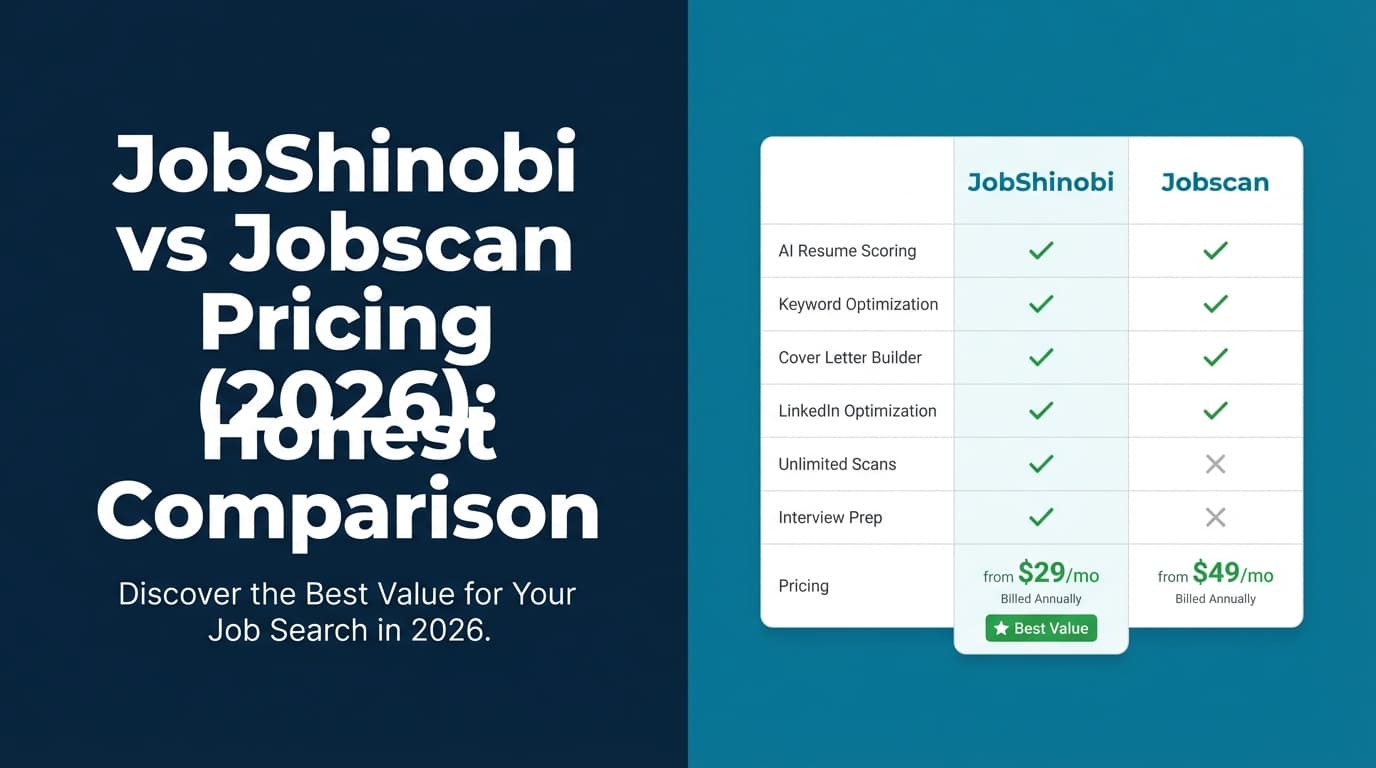
| Feature | JobShinobi | Jobscan |
|---|---|---|
| ATS-style resume scoring | ✅ Yes (multi-category scoring + structured feedback) | ✅ Yes (“Match Rate” score; Jobscan states it scores resumes on a 1–100% scale on its blog content) |
| Keyword gap / missing keywords | ✅ Yes (match analysis: missing vs present keywords saved) | ✅ Yes (core strength) |
| Resume editing workflow | ✅ LaTeX editor + live PDF compile + AI agent | ✅ Scanner + optimization features (includes “One-Click Optimize”/“Power Edit” in Jobscan materials) |
| Resume version history | ✅ Yes (versions + revert/undo/redo) | ⚠️ Not a clearly positioned “version history” feature (but it has a Resume Manager; see below) |
| Job tracking | ✅ Yes (tracker + analytics + email-forwarding automation) | ✅ Yes (Jobscan offers a job tracker + Chrome extension; more manual than email-forwarding) |
| Automation: forward emails to auto-track | ✅ Yes (Pro-only) | ❌ Not verified as a native capability |
| Starting price | $20/mo | Free plan exists; paid plan commonly shown as $49.95/mo (indexed plan snippets) |
| Best for | People who want an all-in-one job search system | People who want a dedicated resume scanner + keyword match workflow |
JobShinobi Overview
JobShinobi is built for job seekers who are tired of two separate problems:
- getting filtered out (or under-ranked) because the resume doesn’t align with the job description, and
- losing momentum because tracking applications and tailoring documents becomes a messy spreadsheet project.
JobShinobi combines:
- an ATS resume analyzer (scoring, keyword feedback, job match insights),
- a resume builder/editor (LaTeX templates + PDF preview),
- and a job application tracker with analytics.
Key Strengths
- Email-forwarding job tracking (Pro): You get a unique forwarding address. Forward job-related emails and JobShinobi can extract company/title/status and update your tracker automatically.
- Structured resume workflow: LaTeX templates + cloud compilation help keep formatting consistent (useful if you’re trying to keep structure stable while tailoring keywords).
- AI resume agent + versioning: Chat-based editing that creates versions, so you can experiment without losing your “good” resume.
Limitations (Trust-building honesty)
- LaTeX isn’t everyone’s preference: If you strongly prefer Word/Google Docs-style editing, there’s a learning curve (even with templates).
- Some automation is gated to Pro: The email parsing/auto-tracking workflow is Pro-only.
Jobscan Overview (Resume Scanner for ATS Keyword Optimization)
Jobscan is widely known for its resume scanner that compares your resume to a specific job description and outputs a Match Rate (often discussed as a 1–100% score) plus keyword and formatting recommendations.
Jobscan also offers surrounding tools, based on Jobscan pages discoverable via search results and indexed plan snippets:
- Power Edit / One-Click Optimize (AI-driven optimization features)
- LinkedIn optimization (profile scoring against keywords)
- AI cover letter generator
- Resume bullet point generator
- Job Tracker + a Chrome extension
- Resume Manager (Jobscan tutorial pages indicate it saves your most recent ~20 unique resumes)
Key Strengths
- Scanner-first experience: Jobscan is built around the resume-to-job-description comparison loop.
- Clear free tier entry point: Indexed Jobscan plan snippets show a free plan with limited scans (details in pricing section).
- Ecosystem breadth: If you want resume + LinkedIn + cover letter tools in one vendor ecosystem, Jobscan is strong here.
- Job tracking exists: Jobscan has a job tracker and a Chrome extension listing on the Chrome Web Store.
Limitations (Based on common review themes and user discussions)
- The “score chase” trap: Jobscan’s Match Rate can be helpful, but it can also push users into keyword stuffing or unnatural writing if you treat it like the only KPI. ATS systems vary widely, and recruiters don’t all evaluate the same way.
- Can feel expensive for heavy use: Many users compare Jobscan’s monthly cost to a full resume builder/tracker product and feel it’s high if they only need scanning.
- Some features appear platform-limited: Indexed plan snippets include multiple “desktop only” notes for certain AI tools.
Feature-by-Feature Comparison
1) ATS Keyword Optimization (the core reason people use Jobscan)
JobShinobi:
- Provides resume scoring with a structured breakdown (overall + category-level insights).
- Includes resume-to-job matching that identifies missing vs present keywords, and stores the analysis for later reference.
Jobscan:
- This is Jobscan’s flagship: compare resume to job description → get keyword gaps and a Match Rate.
- Jobscan’s own content (discoverable via search results) discusses match rate targets (often recommended around 75–80% in Jobscan-owned blog posts).
Winner: Jobscan for the pure “scanner” workflow and ecosystem maturity.
Close second: JobShinobi, especially if you also want the resume editing + tracking loop in one system.
2) Implementing changes: editing, tailoring, and iteration speed
JobShinobi:
- You can edit directly in a LaTeX resume editor with PDF preview, which is great for repeatable structure (and for keeping formatting stable while you add keywords).
- The AI agent can propose edits and create versions so you can revert if tailoring goes sideways.
Jobscan:
- Strong at telling you what to change; implementation depends on your workflow inside Jobscan’s editor/tools.
- Jobscan promotes features like One-Click Optimize / Power Edit (verified via search results for those Jobscan pages and plan snippets referencing AI optimizations).
Winner: Tie—depends on preference.
- If you want tight formatting control + versioning, JobShinobi tends to feel more “document-system” than “scanner.”
- If you want rapid keyword iteration in a scanner-first UI, Jobscan can be faster.
3) Resume management and version history
JobShinobi:
- Built-in version history, with the ability to revert/undo/redo and keep multiple resumes.
Jobscan:
- Offers a Resume Manager (Jobscan tutorial pages in search results state it stores your most recent ~20 unique resumes).
- That said, a full “version history” workflow (diffs, timeline, revert tied to edits) is not as clearly positioned as it is in JobShinobi.
Winner: JobShinobi (if version control matters to you).
4) Job tracking and staying organized during the job search
JobShinobi:
- Includes a job application tracker, analytics (response rate, interview conversion trends), export to Excel, and real-time updates.
- Unique advantage: email-forwarding automation (Pro). You can forward application emails and reduce manual data entry.
Jobscan:
- Jobscan offers a Job Tracker page and a Chrome extension (Chrome Web Store listing: “Jobscan: Job Search Tracker”), which supports a more integrated job search process than “scanner only.”
- However, Jobscan’s tracker is not verified (in available sources) to support JobShinobi-style email-forwarding auto-entry.
Winner: JobShinobi for automation and outcomes tracking.
Jobscan wins if you mainly want a lightweight tracker integrated with the scanning workflow and browser extension.
5) Adjacent tools: LinkedIn and cover letters
JobShinobi:
- Focused on resumes, analysis, matching, and tracking.
Jobscan:
- Strong breadth: Jobscan has dedicated pages for LinkedIn optimization and an AI cover letter generator discoverable via search results.
- If your priority is “optimize everything recruiters see,” Jobscan can be appealing.
Winner: Jobscan for breadth of job-seeker tools (based on verifiable page listings in search results).
Pricing Comparison (Current as of 2026-01-21)
Because Jobscan’s pages are difficult to fetch via automated analysis tools, pricing below is verified through indexed plan page snippets from app.jobscan.co/plan results plus additional Jobscan-owned pages surfaced in search.
| Plan | JobShinobi | Jobscan |
|---|---|---|
| Free | Limited (automation like email processing is Pro-only) | $0 free plan exists (indexed snippets show limited scans) |
| Monthly | $20/month (Pro) | $49.95/month (indexed plan snippets) |
| Quarterly | N/A | $89.95 billed every 3 months (~$29.98/mo effective), indexed plan snippets |
| Yearly | $199.99/year | Often cited as not currently offered (appears in a Jobscan-owned “Jobscan vs Resume Worded” blog snippet in search results) |
Jobscan free plan limits (from indexed plan snippets + support snippets)
Indexed plan snippets indicate:
- 5 free resume scans on signup
- 5 free resume scans monthly
- Support snippets also mention scans being added monthly and unused scans rolling over only up to a cap (commonly referenced as a max of 5 unused scans).
Value Analysis
- If you want to test resume scanning without paying, Jobscan’s free plan is an easy entry.
- If you’re scanning frequently, Jobscan’s quarterly billing is much cheaper than paying monthly.
- If you want resume optimization and job tracking automation/analytics in one place, JobShinobi’s $20/mo can be the better overall value.
Who Should Choose JobShinobi?
You’ll prefer JobShinobi if you:
- Want ATS optimization and a real job-search system (tracking + analytics) in one place.
- Hate manual job tracking and want email-forwarding → automatic tracker updates (Pro feature).
- Tailor multiple resumes and need version history to avoid losing a strong baseline resume.
- Care about consistent formatting and are open to a template/LaTeX-based workflow.
Who Should Choose Jobscan?
You’ll prefer Jobscan if you:
- Want a widely used resume scanner for ATS keyword optimization and plan to run multiple scans per job application cycle.
- Want extra tools like LinkedIn optimization and AI cover letters in the same ecosystem.
- Prefer a scanner-first experience and don’t want a LaTeX-based editor workflow.
- Want a built-in job tracker + Chrome extension, but don’t necessarily need email-forwarding automation.
Switching from Jobscan to JobShinobi
- Resume migration: If your resume is currently in Word/Docs, expect some reformatting into a template. (A one-click import from Jobscan is not verified.)
- Workflow shift: JobShinobi is designed for optimize → edit → track outcomes—not just scan.
- Tracking migration: JobShinobi supports exporting tracked applications to Excel. If you’re currently tracking in Jobscan or another tool, you may need to manually migrate or start fresh.
FAQ
Is Jobscan’s resume Match Rate accurate for real ATS systems?
It’s best treated as a useful approximation for keyword alignment and formatting red flags—not a literal ATS score that every employer uses. ATS setups vary widely, and over-optimizing for a single score can hurt readability.
Is JobShinobi “just another ATS checker”?
No. JobShinobi includes resume analysis and keyword matching, but it’s differentiated by resume editing + version history + job tracking, especially the email-forwarding auto-tracking workflow (Pro).
Which is cheaper: Jobscan or JobShinobi?
- JobShinobi: $20/month (or $199.99/year).
- Jobscan: free plan exists, but paid scanning is commonly shown as $49.95/month; quarterly billing is $89.95/3 months (~$29.98/mo effective) via indexed plan snippets.
Does Jobscan have a job tracker?
Yes—Jobscan has a Job Tracker page and a Chrome extension listing on the Chrome Web Store. However, an email-forwarding auto-tracking workflow (like JobShinobi’s) is not verified from accessible sources.
Which tool is better if I’m applying to lots of jobs quickly?
- If your bottleneck is tailoring keywords, Jobscan can be excellent.
- If your bottleneck is tailoring + staying organized + tracking outcomes, JobShinobi tends to fit better because the tracker and analytics are first-class features (and email-forwarding reduces admin work).