If you’ve been rewriting bullets for an hour just to move your Jobscan match rate from 68% to 71%, you’re experiencing the most common trap with resume scanners:
Match rate is useful—until it becomes the goal.
A match score can help you spot missing keywords and requirements fast. But it’s not a real “ATS pass/fail grade,” and chasing 100% can make your resume sound unnatural.
The hiring market is still heavily automated at the top of the funnel. Jobscan reports 98.4% of Fortune 500 companies used a detectable ATS in 2024. (Confidence: High; Source: https://www.jobscan.co/blog/fortune-500-use-applicant-tracking-systems/)
So yes—optimization matters. But it needs to be the right kind of optimization.
In this guide, you’ll learn:
- What Jobscan match rate actually measures (and what it doesn’t)
- What a “good” match rate is in practice (with realistic ranges like 65%, 75%, 80%)
- A step-by-step method to raise your score without keyword stuffing
- Why different scanners (and even different runs) can give different scores
- How to decide when a lower score is still “good enough”
- Tools to speed up tailoring (including an honest, accurate look at JobShinobi)
What is a Jobscan match rate?
A Jobscan match rate is a percentage score that estimates how closely your resume aligns with a specific job description based on Jobscan’s scoring methodology.
Jobscan explains that your match rate is based on key priorities (commonly including hard skills, education level in certain cases, job title, and other keyword signals). (Confidence: High; Source: Jobscan tutorial: https://www.jobscan.co/jobscan-tutorial)
What the match rate is good for (the right way to use it)
Think of match rate as a checklist and debugging tool:
- Are you using the same vocabulary as the job description for the skills you really have?
- Are you missing a must-have hard skill you can honestly claim (and prove)?
- Did your resume bury the relevant experience so deep it doesn’t “read” as a match?
What the match rate is not
Match rate is not:
- A universal “ATS score” employers see (there is no standard ATS score across systems)
- Proof you’ll get an interview
- A guarantee your formatting will parse correctly in every ATS
Your goal is relevance + clarity + credibility—not a perfect percentage.
Why match rate matters in 2026 (but not for the reason most people think)
Match scores matter because they encourage alignment. Alignment helps in two places:
- ATS search/filtering (being found or categorized correctly), and
- humans skimming quickly (deciding “fit / no fit” fast).
A few data points to ground this:
- ATS usage in large companies is near-universal: Jobscan reports 98.4% of Fortune 500 companies used a detectable ATS in 2024. (Confidence: High; Source: https://www.jobscan.co/blog/fortune-500-use-applicant-tracking-systems/)
- Workday is a major ATS in Jobscan’s Fortune 500 analysis: their report references Workday with a large share in their dataset (e.g., 37.1% usage in 2024 is cited in Jobscan’s report snippet and related coverage). (Confidence: Medium—exact percentages can shift by year and dataset; Source: same report: https://www.jobscan.co/blog/fortune-500-use-applicant-tracking-systems/)
- Recruiters skim fast: The Ladders eye-tracking study is widely cited as showing recruiters spend about 7.4 seconds on an initial resume scan. (Confidence: Medium; Sources: PDF https://www.theladders.com/static/images/basicSite/pdfs/TheLadders-EyeTracking-StudyC2.pdf and HR Dive summary https://www.hrdive.com/news/eye-tracking-study-shows-recruiters-look-at-resumes-for-7-seconds/541582/)
- The funnel is brutal: CareerPlug’s benchmark content notes that only ~2% of applicants were invited to interview in 2024 (as referenced in their published KPI/metrics page). (Confidence: Medium—varies by role/industry; Source: https://www.careerplug.com/recruiting-metrics-and-kpis/)
- Small improvements can stack: Jobscan reports that including a cover letter made applicants 1.9 times more likely to be invited to interview in their analysis of nearly 1 million applications. (Confidence: Medium; Source: https://www.jobscan.co/blog/should-you-include-cover-letter/)
Takeaway: You don’t need a perfect score. You need to reliably clear the “is this relevant?” threshold—both for software and for humans.
What is a good Jobscan match rate?
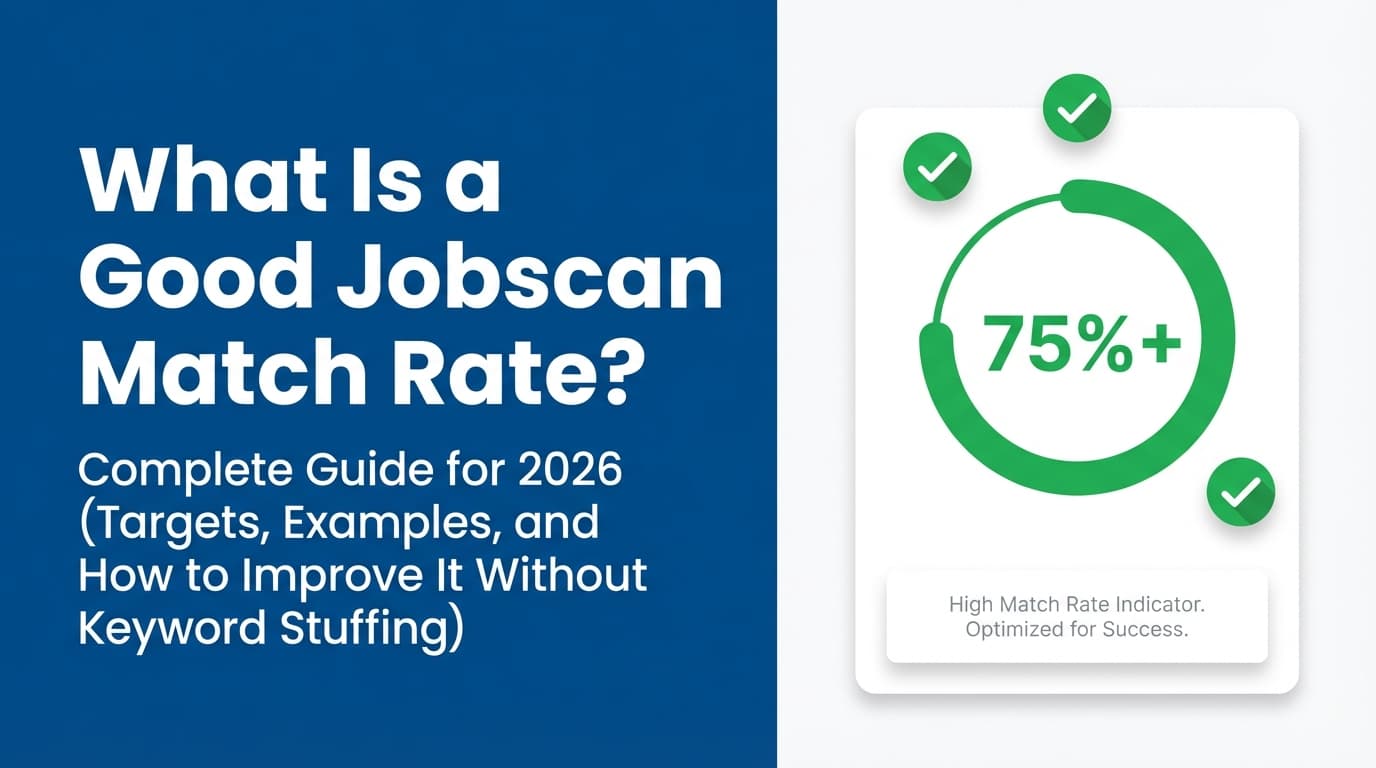
Jobscan’s own educational content commonly points to a target range around 75%–80%:
- Jobscan materials often recommend aiming for 75% or higher. (Confidence: High; Source: https://www.jobscan.co/video-resume-match-report and https://www.jobscan.co/jobscan-tutorial)
- Jobscan also references 80% as a general recommendation in match-rate guidance. (Confidence: High; Source: https://www.jobscan.co/blog/what-jobscan-match-rate-should-i-aim-for/)
The practical target ranges (use this like a decision tree)
90–100%: “Perfect” (often unnecessary, sometimes risky)
When it’s okay: You’re a very direct match and the wording naturally overlaps.
When it’s risky: You’re forcing it—copying job-description lines, repeating keywords, or adding skills you can’t defend.
Why: A too-perfect resume can start reading like a checklist instead of a story of results.
80–89%: Strong target for most applicants
Best for: Competitive roles where you meet most requirements.
What it usually means: You hit the must-have skills and the employer’s vocabulary, without sounding fake.
75–79%: Solid / commonly “good enough”
Best for: Most realistic “good” applications, especially when job descriptions are long.
What it usually means: You’re aligned on key skills, but not a 1:1 overlap on every phrase.
65–74%: Often workable—if you validate the gaps
Best for: Slight pivots, stretch roles, or job posts stuffed with niche tools.
What to do: Double-check missing hard skills and make sure your resume proves the ones you do have.
Below 65%: Proceed intentionally
Sometimes fine if: you have a referral, niche experience, or you’re purposefully stretching.
But: If you’re applying cold online, this range often signals real misalignment or missing proof.
Bottom line: A “good Jobscan match rate” is usually 75%+, with ~80% being a strong goal when you can reach it honestly and keep the resume readable. (Confidence: High; backed by Jobscan’s own recommendations.)
What Jobscan is (probably) scoring vs what recruiters actually care about
Jobscan’s support/tutorial content describes priorities like hard skills, education level (sometimes), job title, and related keywords. (Confidence: High; Source: https://www.jobscan.co/jobscan-tutorial and Jobscan support explainer: https://support.jobscan.co/hc/en-us/articles/42869628183699-What-exactly-is-being-checked-Can-you-rate-my-resume)
In real hiring, recruiters and hiring managers care about three things first:
- Does your recent experience match the role’s core work?
- Can you do it at the required level (scope, tools, outcomes)?
- Can they understand that in seconds? (see the 7.4-second skim research; confidence: Medium)
So when you’re improving match rate, the best approach is to increase clarity and evidence—not just add words.
Why your match rate might be “low” even when you’re qualified
This is where people get stuck (and where Reddit threads explode).
Reason 1: The job description is packed with “nice-to-haves”
Some postings list 25–40 skills, many of which are not truly required.
Fix: Identify the must-haves (usually repeated, emphasized, or tied to daily responsibilities) and optimize for those first.
Reason 2: You used synonyms that the scanner doesn’t count
Example:
- JD says “stakeholder management”
- Your resume says “partnered cross-functionally”
A human gets it. A scanner might not.
Fix: Keep your natural voice, but adopt the employer’s nouns where accurate.
Reason 3: You buried the evidence
If your SQL, Tableau, forecasting, or leadership work is split across multiple roles or buried in older jobs, the scanner may “see” less alignment.
Fix: Put the most relevant keywords in:
- your headline/summary
- your most recent role’s top bullets
- a clean Skills section
Reason 4: Formatting/parsing issues scramble what the tool reads
If your resume uses columns, tables, graphics, or text boxes, content can be misread.
Jobscan explicitly warns about common ATS formatting issues and recommends simpler structures. (Confidence: High; Sources: https://www.jobscan.co/blog/ats-formatting-mistakes/ and https://www.jobscan.co/blog/resume-tables-columns-ats/)
Fix: Test by copying your resume into a plain text editor. If the text order becomes chaotic, an ATS may struggle too.
Why different resume scanners give different scores (and why Jobscan can change run-to-run)
Many job seekers notice: “I ran the same resume and JD twice and got different scores.”
This happens because:
- Tools use different weighting (hard skills vs soft skills vs titles vs frequency)
- Some use keyword frequency and others focus on presence/absence
- Different parsers extract text differently from PDFs/Docs
- Some tools change how they treat variations (“data analysis” vs “data analytics”)
Jobscan itself notes that not all ATS behave the same way, and scoring can vary across systems and algorithms. (Confidence: High; Source: Jobscan formatting mistakes article discusses ATS differences: https://www.jobscan.co/blog/ats-formatting-mistakes/)
How to respond: Pick one main scanner, use it consistently, and optimize toward clarity + proof, not just the number.
How to increase your Jobscan match rate: step-by-step (fast, honest, repeatable)
Step 1: Use the complete job description (clean input = better output)
Before scanning:
- Paste the full posting (Responsibilities + Requirements)
- Remove repeated legal boilerplate if it’s huge
- If the job board post looks truncated, find the company’s original listing
Pro tip: If the JD is extremely long, the scanner may overweight rare terms. Focus on the top repeated skill clusters.
Step 2: Extract “must-have” hard skills and map them to proof
Create a simple table:
| Must-have from JD | Where you prove it (resume section) |
|---|---|
| SQL | Experience bullet + Skills section |
| Tableau / Looker | Experience bullet (dashboard) + Skills |
| A/B testing | Bullet with experiment + result |
| Marketing attribution | Bullet + project detail (if true) |
Rule: If you claim it, show it.
Example (weak → strong):
- Weak: “Used SQL to analyze data.”
- Strong: “Wrote SQL to analyze churn drivers and cohort behavior; findings reduced churn by 8% QoQ.”
This improves match score and makes the resume more persuasive.
Step 3: Mirror the employer’s terminology (without copying the JD)
Do this especially for:
- tool names (Tableau vs Power BI)
- methods (regression, forecasting, A/B testing)
- domain terms (attribution, pipeline, SLA, onboarding)
If you have the experience, using the employer’s words reduces ambiguity.
Step 4: Put the strongest match signals near the top
Given how quickly resumes are skimmed (7.4 seconds study; confidence: Medium), your first screen matters.
Update:
- Headline/title: match the job title if accurate
- Summary: 2–3 lines with your top alignment
- Most recent role: reorder bullets so the most relevant ones come first
Mini-template you can reuse:
[Target Title] with X years in [domain], specializing in [hard skill 1], [hard skill 2], and [hard skill 3]. Delivered [metric result] by [relevant action].
Step 5: Rebuild your Skills section for scanners and humans
A strong Skills section is often the fastest way to raise match rate—if it’s truthful and structured.
Recommended structure:
- Tools: SQL, Tableau, Excel, Python, GA4
- Methods: A/B testing, forecasting, cohort analysis
- Domain (optional): B2B SaaS, fintech, retention marketing
Avoid:
- giant ungrouped keyword dumps
- vague soft skills without evidence
Step 6: Increase keyword “coverage” without keyword stuffing
Keyword stuffing is a real concern—and Jobscan specifically warns about resume keyword stuffing as a tactic that can backfire. (Confidence: High; Source: Jobscan’s keyword stuffing guidance appears in their content ecosystem; example: “resume keyword stuffing” topic is indexed on Jobscan: https://www.jobscan.co/blog/resume-keyword-stuffing/)
Instead of repetition, add context.
A single bullet can legitimately include multiple keywords if it’s describing real work:
“Built Tableau dashboards for attribution and channel performance; queried SQL data models to track CAC/LTV and improve budget allocation.”
Step 7: Fix formatting issues that can tank “searchability”
Jobscan’s formatting guidance consistently recommends avoiding:
- tables and columns
- graphics/icons that replace text
- complex layouts that scramble parsing
(Confidence: High; Sources: https://www.jobscan.co/blog/ats-formatting-mistakes/ and https://www.jobscan.co/blog/resume-tables-columns-ats/)
Safe defaults:
- one-column layout
- standard headings (Experience, Education, Skills)
- no text in headers/footers
- simple bullet points
Quick example: raising match rate in 30 minutes (without rewriting everything)
Scenario: Data Analyst (Marketing Analytics)
JD emphasizes:
- SQL
- Tableau/Looker
- attribution
- A/B testing
- dashboarding + stakeholder updates
Your current resume:
- mentions SQL once
- says “reports” instead of dashboards
- doesn’t mention attribution (even though you did it)
30-minute improvement plan
- Add a Skills grouping:
SQL, Tableau, marketing attribution, A/B testing(only if true). - Rewrite two bullets in your most recent role to include:
- the tool name
- the business metric
- the method (e.g., attribution, experiment)
- Add a 1–2 line summary that matches the job’s language.
Before:
- “Created weekly reports for the marketing team.”
After:
- “Built Tableau dashboards for channel performance and attribution reporting; reduced manual reporting by 6 hours/week and improved budget allocation decisions.”
This approach usually lifts match rate and improves credibility.
The “Minimum Viable Match Rate” strategy (unique angle for high-volume applicants)
If you’re applying to many roles, you need a fast rule that prevents endless tweaking.
Use this 3-part threshold
Before you submit, confirm:
- You match the top 3 hard skills (and prove them in bullets).
- Your title + summary are aligned with the job family.
- Your formatting is ATS-safe enough (no parsing chaos).
If those are true, a 75–80% match rate is often enough. Even 65–74% can perform if you’re a strong fit and your bullets show impact.
Then stop optimizing and apply—because your real KPI is interviews, not score.
(This strategy aligns with the reality that only a small fraction of applicants get interviews in many funnels—CareerPlug’s ~2% benchmark reference; confidence: Medium.)
When a lower score is still “good”: 5 scenarios
- The JD is overloaded with tools and “nice-to-haves.”
- You have a referral and the resume is for humans first.
- You’re pivoting and your transferable skills are strong.
- The job title differs but the work is the same (e.g., “Operations Analyst” vs “Business Analyst”).
- You can’t claim missing skills truthfully—and you shouldn’t.
A match tool can’t validate truth. Recruiters will.
Tools to help with match rate (and make tailoring less painful)
JobShinobi (resume building + analysis + job matching + tracking)
If your bottleneck is “tailor faster, keep versions, track applications,” JobShinobi can support a workflow around ATS-focused improvement and job matching.
Supported capabilities (accurate):
- LaTeX resume builder with PDF compilation and preview inside the app.
- AI resume analysis with scoring and detailed feedback (ATS-focused).
- Job description extraction (from URL or text) and resume-to-job matching analysis.
- Job application tracker with CRUD management and export to Excel (.xlsx).
- Email-forwarding job tracking (auto-logging applications by forwarding emails to your unique JobShinobi address) — requires JobShinobi Pro.
Pricing (accurate):
- JobShinobi Pro is $20/month or $199.99/year. (Internal evidence-based pricing.)
- Marketing mentions a “7-day free trial,” but trial enforcement isn’t clearly verifiable in code—so it’s best treated as “pricing page mentions,” not a guaranteed promise.
Internal links:
- /pricing
- /dashboard/resume
Other tool categories (choose based on your bottleneck)
- Resume scanners: good for keyword gaps (use consistently; don’t tool-hop).
- Grammar/readability tools: improve clarity and reduce “dense” bullets.
- Job trackers: help you measure which resume versions actually get interviews.
Common mistakes to avoid (these waste time and can reduce callbacks)
Mistake 1: Keyword stuffing to chase 90–100%
Even if a tool rewards it, humans notice awkward repetition—and it can raise credibility concerns.
Fix: Add keywords inside real project context and impact bullets.
Mistake 2: Copying the job description word-for-word
This can look like plagiarism and can remove your actual accomplishments.
Fix: Mirror terminology, but describe your own outcomes.
Mistake 3: Over-tailoring every application until you burn out
If you’re optimizing for every last percentage point, you may submit fewer applications (or submit late).
Fix: Tailor only:
- summary/headline
- top 3–5 bullets
- skills groupings
Mistake 4: Ignoring ATS formatting fundamentals
Tables, columns, graphics, headers/footers can create parsing issues.
Fix: Follow ATS-safe formatting guidance (Jobscan: https://www.jobscan.co/blog/ats-formatting-mistakes/ and https://www.jobscan.co/blog/resume-tables-columns-ats/).
What to track instead of obsessing over match rate
A healthy way to use match rate is to correlate it with outcomes:
- Applications sent
- Replies
- Screening calls
- Interviews
- Offers
CareerPlug’s benchmark reference that only ~2% of applicants are invited to interview is a reminder that you need a repeatable system and real measurement. (Confidence: Medium; Source: https://www.careerplug.com/recruiting-metrics-and-kpis/)
A simple experiment you can run this week
- Pick one role type (e.g., “Data Analyst”).
- Apply to 20 jobs:
- 10 with ~65–74%
- 10 with ~75–85%
- Track screens/interviews.
Within 2–4 weeks, you’ll learn what “good” means for your market and background.
Key takeaways
- Jobscan commonly recommends a match rate in the 75–80% range as a practical goal.
- Use match rate as a relevance debugger, not a pass/fail test.
- Improve match rate by adding proof, mirroring terminology, and keeping formatting ATS-readable.
- Don’t chase 100%—it can create keyword stuffing and hurt readability.
- Track interviews and screens to decide what “good enough” actually is for you.
FAQ
What is a good match rate on Jobscan?
A good practical target is 75% or higher, and around 80% is a strong goal when you can reach it honestly without harming readability. (Confidence: High; Sources: https://www.jobscan.co/jobscan-tutorial and https://www.jobscan.co/blog/what-jobscan-match-rate-should-i-aim-for/)
Is a 70% Jobscan match rate good?
Often, yes—especially if the job description is long or full of nice-to-haves. But if you’re applying cold and not getting responses, use the report to improve alignment toward 75–80% by adding missing hard skills you truly have and stronger proof bullets.
Do employers see my Jobscan match rate?
No. Jobscan’s match rate is a third-party scoring model designed to help you tailor your resume. Employers use many different ATS platforms and workflows, and there’s no universal “match rate” number they all see.
Why do different ATS tools give me different scores?
Because they use different parsers, weighting systems, and keyword logic. Even the same tool can score differently depending on how it extracts text from your file. The best approach is to use one tool consistently and optimize for clarity + evidence, not just the number.
Is 90%+ match rate always better?
Not always. A super-high score can be fine when you’re genuinely a near-perfect match. But trying to force 90–100% can lead to keyword stuffing, awkward phrasing, or exaggeration—things that can reduce trust with recruiters.
Can ATS read a two-column resume?
Some ATS handle it better than others, but a single-column layout is the safest choice if you’re applying broadly. Jobscan specifically warns that tables/columns can cause parsing issues. (Confidence: High; Source: https://www.jobscan.co/blog/resume-tables-columns-ats/)