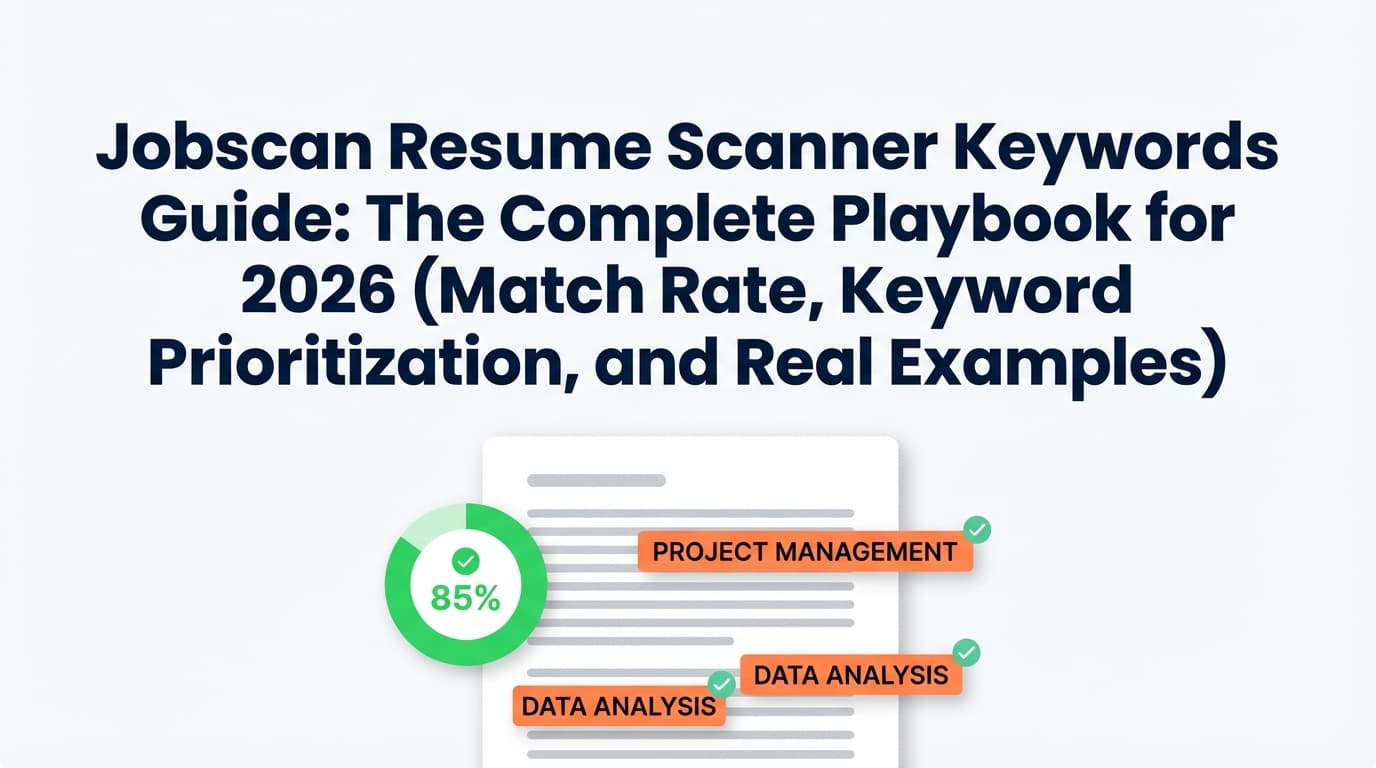
Jobscan reports that 98.4% of Fortune 500 companies use an ATS (492 out of 500). (High confidence; Source: Jobscan “State of the Job Search”: https://www.jobscan.co/state-of-the-job-search)
So if you’re applying online, your resume usually needs to clear two hurdles:
- ATS parsing + keyword searchability (so your resume is readable and shows up in searches/filters)
- Human skim (because once a recruiter sees it, you still need to win fast—often in seconds)
The Ladders’ eye-tracking research is widely cited at ~7.4 seconds for an initial resume scan. (High confidence; Sources: TheLadders and HR Dive coverage: https://www.theladders.com/career-advice/you-only-get-6-seconds-of-fame-make-it-count and https://www.hrdive.com/news/eye-tracking-study-shows-recruiters-look-at-resumes-for-7-seconds/541582/)
That’s why “Jobscan resume scanner keywords” shouldn’t mean “stuff every word from the job description into your resume.” It should mean:
- identify the right keywords (the ones that actually signal fit)
- place them where ATS + humans expect them
- support them with proof (projects, metrics, outcomes)
- keep your resume readable and honest
In this guide, you’ll learn:
- What Jobscan-style scanners are really measuring (and where they can mislead you)
- How to extract and prioritize keywords like a recruiter would
- Exactly where to place keywords (Summary vs Skills vs Experience)
- How to raise match rate without keyword stuffing
- A repeatable workflow for high-volume applications
- Real examples for common roles (tech, data, marketing, PM, operations)
- FAQs based on real “People Also Ask” searches
Quick answer (featured-snippet friendly): How do you use Jobscan keywords correctly?
- Clean the job description (remove boilerplate) so the scanner focuses on requirements.
- Run Jobscan to find missing keywords, but prioritize them (must-have vs nice-to-have vs noise).
- Add must-have keywords in:
- Summary (2–4 key terms)
- Skills (hard skills/tools)
- Experience (proof bullets with outcomes)
- Don’t chase 100% match rate—aim for truthful relevance and strong readability.
- Re-scan once to confirm improvements, then apply.
What “Jobscan resume scanner keywords” actually means
Jobscan is a resume scanner that compares your resume to a job description and generates a report that highlights:
- keywords and skills found in the job description
- keywords/skills that appear to be missing from your resume
- a match rate/score (often called “match rate” in Jobscan)
- formatting and best-practice guidance (varies by report)
In SERP snippets and tool descriptions, Jobscan frames this as matching hard skills, soft skills, and industry buzzwords against the job description. (Medium confidence; based on Jobscan homepage snippets and third-party summaries surfaced in search results.)
Important reality: scanners don’t “know” your true fit
Most scanners are largely doing some mix of:
- term extraction (pulling repeated phrases from the job post)
- frequency + placement checks (does it appear in your resume, and where?)
- synonym grouping (sometimes)
- weighting (some terms count more than others)
That’s useful—but it’s not the same thing as:
- actual recruiter judgment
- the specific ATS configuration at that company
- how hiring managers weigh evidence, scope, and outcomes
So treat Jobscan as a diagnostic tool, not a final verdict.
Why keyword optimization matters in 2026 (with statistics you can cite)
Here are five data points that explain why keyword alignment + formatting still matters:
1) ATS usage is essentially universal in large companies
Jobscan reports 98.4% of Fortune 500 companies use an ATS. (High confidence; https://www.jobscan.co/state-of-the-job-search)
Implication: even if the ATS isn’t “auto-rejecting” you, it’s commonly used to organize applicants and help recruiters search/filter.
2) Recruiters skim fast—often within seconds
The Ladders’ eye-tracking research is commonly cited at ~7.4 seconds for an initial scan. (High confidence; TheLadders + HR Dive: https://www.theladders.com/career-advice/you-only-get-6-seconds-of-fame-make-it-count and https://www.hrdive.com/news/eye-tracking-study-shows-recruiters-look-at-resumes-for-7-seconds/541582/)
Implication: if you “optimize for ATS” but destroy clarity, you can lose with humans.
3) Getting to interview is statistically hard in high-volume funnels
CareerPlug’s recruiting benchmarks are widely referenced; their recruiting metrics content states that only ~2% of applicants are invited to interview (2024 benchmark). (Medium–High confidence; Source: CareerPlug recruiting metrics page: https://www.careerplug.com/recruiting-metrics-and-kpis/ and related PDFs in search results.)
Implication: small improvements in clarity and relevance can have outsized impact.
4) Job seekers often need many applications per interview
HiringThing’s job application statistics summary states the average job seeker applies to ~27 companies before landing an interview. (Medium confidence; https://blog.hiringthing.com/job-application-statistics)
Implication: you need a workflow you can repeat, not a 3-hour rewrite for every job.
5) Formatting still matters because parsing still fails
MIT’s career office explicitly advises ATS-friendly formatting and warns against complex elements (like tables/graphics) that can cause parsing issues. (High confidence; https://capd.mit.edu/resources/make-your-resume-ats-friendly/)
Workable also recommends avoiding tables and columns because the ordering may not parse as expected. (High confidence; https://resources.workable.com/stories-and-insights/how-ATS-reads-resumes)
Implication: your keywords don’t count if the ATS can’t read them reliably.
What keywords do resume scanners (like Jobscan) look for?
Most resume scanners look for keyword categories like these:
1) Job title keywords
- exact job title (“Product Manager”)
- close variations (“Product Owner,” “Technical Product Manager”)
- level signals (“Senior,” “Lead,” “Manager”)
2) Hard skills and tools
Examples:
- SQL, Python, Java, Excel, Salesforce, HubSpot
- Tableau, Power BI, Looker
- AWS, Azure, GCP
- Jira, Confluence
3) Methods, frameworks, and “work nouns”
Examples:
- A/B testing, cohort analysis, forecasting
- ETL, data modeling, dashboards
- stakeholder management, roadmap, OKRs, PRDs
- SOPs, process improvement, QA
4) Certifications and degrees
- PMP, CPA, CISSP, AWS Certified
- “Bachelor’s in…” (some postings include strict requirements)
5) Domain keywords
Examples:
- HIPAA, SOC 2, PCI, GAAP
- fintech, ecommerce, B2B SaaS, healthcare
Key idea: keyword optimization is not just listing tools—it’s demonstrating the work those tools enabled.
The hidden trap: “keyword” ≠ “important keyword”
A major problem with scanner outputs is that they can overweight:
- repeated company boilerplate
- generic soft skills (communication, teamwork)
- non-requirement phrases (“fast-paced environment”)
This is why you need a prioritization framework before you edit anything.
How to use Jobscan resume scanner keywords: Step-by-step workflow
This process is built for people applying to many jobs who want a reliable method (not guesswork).
Step 1: Clean the job description before you scan
Copy the job description into a doc and remove:
- “About us” paragraphs
- EEOC statements
- “benefits” sections
- long culture/values blocks
- repetitive legal disclaimers
Why: scanners can treat repeated boilerplate as keywords and inflate irrelevant “missing terms.”
Pro tip: Run two scans:
- scan A = full job description
- scan B = requirements-only job description
If the “missing keywords” list changes dramatically, that’s your warning sign that the scanner is catching noise.
Step 2: Run Jobscan and export the missing keywords
When you get your scan output, don’t immediately paste words into your resume.
Instead, copy the “missing” list into a working document and start categorizing.
Step 3: Build a keyword bank (your anti-stuffing system)
Create a table with these columns:
- Keyword/phrase (exact wording)
- Category: tool / method / title / certification / domain / soft skill
- Priority: must-have / strong / optional / ignore
- Evidence: where you’ve done it (project/role)
- Placement: summary / skills / bullet / project
This takes 10–15 minutes and saves you from hours of chaotic edits.
Step 4: Prioritize keywords with the “4-level keyword framework”
Level 1 — Must-have screening keywords
These are the ones that can disqualify you if missing (or make you invisible in searches):
- required tools (SQL, Salesforce, Java)
- required certifications (PMP, CPA) if truly required
- regulated domain terms (HIPAA, SOC 2)
Rule: include them in Skills and prove them in bullets if you have them.
Level 2 — Core responsibility keywords (“work keywords”)
These describe the work you’ll do:
- “stakeholder management”
- “requirements gathering”
- “A/B testing”
- “forecasting”
- “process improvement”
Rule: they should appear inside achievement bullets (where they’re believable).
Level 3 — Nice-to-have / preference keywords
These are often listed as “preferred,” “plus,” or “familiarity with…”
Examples:
- a specific tool you didn’t use but have an equivalent for
- “Agile” language for roles where you delivered iteratively but didn’t use the term
Rule: add only if it’s truthful and defensible.
Level 4 — Noise keywords
These show up a lot but don’t improve your candidacy:
- “fast-paced environment”
- “self-starter,” “passion,” “hard-working”
- company value phrases
- generic filler adjectives (“results-driven”) without proof
Rule: ignore.
Step 5: Place keywords where ATS + humans both expect them
Use this placement hierarchy:
A) Summary (top third of resume)
Put:
- target title + specialty
- 2–4 must-have hard skills/tools
- 1–2 “work keywords” if natural
Example (Data Analyst):
Data Analyst (B2B SaaS) | SQL, Tableau, Python | Dashboards, experimentation, stakeholder reporting
B) Skills section
Make it structured:
- Tools: SQL, Tableau, Excel
- Methods: A/B testing, cohort analysis
- Platforms (if relevant): GA4, Salesforce
Avoid: 40-item ungrouped lists.
C) Experience bullets (proof)
This is where you earn the keyword:
- what you did (keyword)
- how you did it (tool)
- impact (metric)
- scope (team size, scale, volume)
D) Projects section (especially for career switchers)
Projects are perfect for:
- missing tools
- missing domain experience
- recent work that matches the JD
Step 6: Convert “missing keywords” into real, human bullets (examples)
Below are rewrites that increase keyword match without sounding like pasted job-post language.
Example 1: Marketing — add “segmentation” + “A/B testing”
Before:
- Worked on email campaigns to improve engagement.
After:
- Built lifecycle email segmentation and ran A/B tests on subject lines/offers, improving CTR by 18% over 6 weeks.
Why it works:
- includes job keywords
- adds proof (metric + timeframe)
- reads like normal writing
Example 2: Project / Program — add “roadmap” + “stakeholders”
Before:
- Managed projects and communicated updates.
After:
- Owned delivery roadmap across Product/Eng/Ops, aligned stakeholders on scope tradeoffs, and reduced missed deadlines by 22%.
Example 3: Data — add “SQL” + “dashboards”
Before:
- Created reports for teams.
After:
- Automated weekly reporting with SQL and built Tableau dashboards for Sales leadership, reducing reporting time from 4 hours to 30 minutes.
Step 7: Re-scan once and stop
A common experience (especially discussed in forums) is score-chasing: 10 scans, endless edits, still anxious.
Instead:
- do one scan to identify priority gaps
- update your resume
- re-scan once to confirm
- apply
Why: match scores can fluctuate based on how the job description is pasted and what sections the scanner weights (which contributes to “inconsistent results” complaints in online communities). (Medium confidence; supported by Reddit threads surfaced in search results about inconsistent scans.)
Match rate: what it means (and what a “good” number is)
Jobscan’s match-rate guidance is frequently surfaced in search snippets as:
- “aim for 80%”
- “success can happen at 75%”
(Medium confidence; Source surfaced in Google results to Jobscan’s “What match rate should I aim for?” page: https://www.jobscan.co/blog/what-jobscan-match-rate-should-i-aim-for/ — full page access was blocked in tool fetch, so treat as snippet-level guidance.)
Practical advice: optimize for coverage of must-haves
Instead of asking “How do I get 95%?” ask:
- Do I clearly match the must-have tools/skills?
- Is the target title present (if accurate)?
- Do my bullets prove the skills, not just mention them?
- Can a recruiter understand my fit in 7–10 seconds?
ATS formatting rules (so your keywords actually get read)
If you take nothing else from this guide: formatting can erase your keywords.
ATS-friendly formatting checklist (high reliability)
These are widely recommended across career offices and ATS resources:
- Use a single-column layout if possible
- Avoid:
- tables
- text boxes
- icons/images
- fancy graphics
- multi-column sections that rearrange text order
- Use standard headings:
- Work Experience
- Education
- Skills
- Keep dates consistent
- Use common fonts and clear hierarchy
Sources:
- MIT CAPD ATS guidance (High confidence): https://capd.mit.edu/resources/make-your-resume-ats-friendly/
- Workable ATS parsing guidance (High confidence): https://resources.workable.com/stories-and-insights/how-ATS-reads-resumes
- Tufts ATS overview (High confidence): https://careers.tufts.edu/resources/everything-you-need-to-know-about-applicant-tracking-systems-ats/
The “extracted text test” (fast way to validate)
Before you obsess over keywords:
- Export resume to PDF
- Copy/paste all text into a plain text editor
- Check:
- Are your titles and companies in the right order?
- Is your Skills section intact?
- Did anything disappear or scramble?
If it’s messy in plain text, an ATS may parse it unpredictably.
Keyword optimization without keyword stuffing (best practices)
What is keyword stuffing?
Keyword stuffing is when you cram keywords into your resume unnaturally (or worse, hide them in white text).
This is discouraged widely—including by Jobscan content specifically about keyword stuffing (surfaced in search results). (Medium confidence; Jobscan article exists: https://www.jobscan.co/blog/resume-keyword-stuffing/)
There are also public warnings about the “white text resume hack” in posts debunking it. (Medium confidence; Source example: https://postgradaustralia.com.au/applying/debunking-the-white-font-resume-hack-from-tiktok)
Better approach: “keyword + proof” rule
Every important keyword should appear in one of two ways:
- Search keyword (Skills section): a clean list of tools/skills you actually have
- Proof keyword (Experience/Projects): a bullet that demonstrates you used it
If you can’t write a proof bullet, you probably shouldn’t add the keyword.
Role-based keyword examples (what to prioritize by job family)
These are not universal lists. They’re examples of how to think.
1) Data Analyst / BI Analyst
Common must-haves:
- SQL
- dashboards (Tableau/Power BI/Looker)
- metrics, reporting, stakeholders
Strong “work keywords”:
- cohort analysis
- funnel analysis
- experimentation / A/B testing
- forecasting
- data modeling (if relevant)
Proof bullet template:
Built [dashboard/report] using [tool] and [data source], enabling [team] to [decision], resulting in [impact].
2) Software Engineer
Common must-haves:
- language(s): Java/Python/TypeScript
- frameworks: React, Node, Spring
- testing, CI/CD basics
Strong work keywords:
- APIs, microservices
- performance optimization
- monitoring, incident response (if relevant)
Proof bullet template:
Implemented [feature/system] in [stack], improving [latency/cost/reliability] by [metric].
3) Product Manager
Common must-haves:
- roadmap
- stakeholder management
- requirements (PRDs), prioritization
Strong work keywords:
- metrics/KPIs
- experimentation
- go-to-market, launch planning
Proof bullet template:
Owned roadmap for [product], aligned stakeholders, shipped [outcome], improved [metric].
4) Marketing (Growth / Performance)
Common must-haves:
- paid channels (Google Ads, Meta) or lifecycle/email tools (HubSpot, Marketo)
- analytics (GA4)
- reporting + experimentation
Strong work keywords:
- segmentation
- attribution (careful—only if you did it)
- conversion rate optimization (CRO)
5) Operations / Business Operations
Common must-haves:
- process improvement
- SOPs
- cross-functional collaboration
- reporting (Excel, SQL sometimes)
Strong work keywords:
- KPI dashboards
- vendor management
- QA/compliance (if relevant)
Common mistakes that hurt your match rate (and your credibility)
Mistake 1: Treating the score as the goal
A score is a proxy. Interviews are the goal.
Fix: optimize for must-have coverage + proof.
Mistake 2: Adding keywords you can’t defend
If you add “Kubernetes” because it’s missing but you’ve never used it, you risk:
- failing recruiter screens
- failing technical interviews
- losing trust immediately
Fix: only include what you can explain with real examples.
Mistake 3: Copy/pasting job-description language
Even when you’re qualified, pasted text can read like you’re trying to “game” the process.
Fix: translate requirements into your achievements.
Mistake 4: Overloading the Skills section with generic soft skills
Soft skills are real—but ATS matching is usually improved by hard skills, tools, methods, and domain terms.
Fix: show soft skills through bullets (“partnered with stakeholders,” “led cross-functional”) not a generic list.
Mistake 5: Using formatting that breaks parsing
Tables/columns/text boxes can scramble keyword detection.
Fix: follow ATS-friendly guidelines from credible sources (MIT CAPD, Workable) and verify with extracted text.
Tools to help with keyword tailoring (and how to choose)
You typically need:
- A scanner or keyword extraction method
- A way to edit quickly without breaking formatting
- A system to track what you’ve applied to (so you learn what works)
Scanner + optimization tools
- Jobscan: compares resume to job description and highlights missing terms; popular match-rate framing. (General description based on public tool positioning.)
- Resume Worded: publishes resume tips and provides scoring/tips content. (Medium confidence; see Resume Worded tips page surfaced in results: https://resumeworded.com/resume-tips-key-advice)
ATS formatting and parsing education
- MIT CAPD ATS formatting guidance: https://capd.mit.edu/resources/make-your-resume-ats-friendly/
- Tufts Career Center ATS overview: https://careers.tufts.edu/resources/everything-you-need-to-know-about-applicant-tracking-systems-ats/
- Workable ATS parsing explainer: https://resources.workable.com/stories-and-insights/how-ATS-reads-resumes
A practical workflow tool (optional): JobShinobi
If you want an integrated workflow beyond scanning:
- Resume builder: JobShinobi supports LaTeX resume editing with PDF compilation/preview and resume templates.
- AI analysis + job matching: it can analyze a resume and match it against a job description (helpful for identifying gaps and tailoring).
- Job tracking: it includes a job application tracker with export to Excel.
- Email-forwarding job tracking: you can forward job-related emails to your unique JobShinobi address to automatically log applications—this requires a Pro membership (it’s enforced server-side).
Pricing: JobShinobi Pro is $20/month or $199.99/year. The marketing/pricing copy mentions a 7-day free trial, but trial mechanics can vary—confirm at checkout.
Internal links: Subscription • Login • Resume dashboard • Job tracker
(All JobShinobi claims above are constrained to supported features and evidence.)
The “high-volume applicant” system: tailor faster without becoming generic
If you’re applying a lot, the goal is to build a strong baseline resume and then tailor lightly per job.
The 20-job baseline method
- Gather 10–20 job descriptions for the same target role/level.
- Extract recurring must-have keywords (tools, responsibilities).
- Add those to your baseline resume with proof.
- For each specific job:
- add 3–8 job-specific keywords
- adjust summary headline
- adjust 2–3 bullets to emphasize the closest work
This keeps you:
- relevant
- fast
- consistent
And it avoids the trap of rewriting your entire resume each time.
Quality control: how to tell if you’re “over-optimizing”
Use these red flags:
Red flag 1: Your resume reads worse after “optimization”
If it sounds robotic, you’re overfitting.
Red flag 2: You’re adding keywords you can’t explain
That’s not optimization—that’s risk.
Red flag 3: You’re chasing noise keywords
If the scanner wants you to add company values or “fast-paced environment,” ignore it.
Green flag: Your bullets got more specific
You didn’t just add words—you clarified scope, tools, and impact.
Key takeaways
- Jobscan-style keyword scans are best used as diagnostics, not pass/fail gates.
- Prioritize keywords:
- must-have (tools, certifications, core responsibilities)
- nice-to-have
- noise (ignore)
- Put keywords where they count:
- Summary (signal fit fast)
- Skills (searchability)
- Experience/Projects (proof)
- Protect your keywords with ATS-friendly formatting (avoid tables/columns/text boxes).
- Re-scan once, then apply—don’t spiral into score obsession.
FAQ (based on real “People Also Ask” queries and common searches)
What keywords do resume scanners look for?
Usually:
- job titles (and variations)
- hard skills/tools (SQL, Excel, Salesforce)
- certifications (PMP, CPA)
- methods/frameworks (A/B testing, forecasting)
- domain terms (HIPAA, SOC 2)
How do I know what keywords to use in a resume?
Use the job description:
- Highlight repeated tools/skills
- Identify must-have requirements
- Mirror wording where truthful
- Add proof bullets with outcomes
A scanner can speed this up, but your judgment prevents false positives.
How to put keywords in a resume for ATS?
Best placement:
- Summary: title + 2–4 core skills
- Skills: structured tool list
- Experience: achievements demonstrating the keywords
- Projects/Certifications: where relevant
Avoid dumping keywords in a random list with no context.
What is a good match rate on Jobscan?
Jobscan’s guidance is commonly surfaced in search results as:
- aim for ~80%
- many people succeed at ~75%
(Medium confidence; snippet-level from: https://www.jobscan.co/blog/what-jobscan-match-rate-should-i-aim-for/)
Practically: optimize must-have coverage and readability more than the number.
Can ATS read tables or columns?
Many resources warn that tables/columns can parse unpredictably:
- MIT CAPD advises avoiding complex formatting for ATS reliability (High confidence; https://capd.mit.edu/resources/make-your-resume-ats-friendly/)
- Workable warns against tables/columns due to ordering issues (High confidence; https://resources.workable.com/stories-and-insights/how-ATS-reads-resumes)
How accurate are resume scanners?
They can be helpful for spotting keyword gaps, but they:
- can overweight boilerplate
- can miss synonyms
- cannot perfectly simulate every company’s ATS configuration
Use them as directional guidance, then sanity-check with human readability and proof.
How to trick resume scanners?
Not recommended. “Hidden keyword” tricks (like white text) are widely criticized and may create trust issues if detected. (Medium confidence; example debunking: https://postgradaustralia.com.au/applying/debunking-the-white-font-resume-hack-from-tiktok)
A better strategy is clean formatting + truthful keyword placement + strong proof bullets.
![Jobscan Resume Scanner: How to Add Keywords Naturally (Without Sounding Fake) [2026 Guide]](/_next/image?url=%2Fimages%2Fcontent%2Fblog%2Fjobscan-resume-scanner-how-to-add-keywords-naturally.jpg&w=3840&q=75&dpl=dpl_6DukM7PLZu4NtubC8zFrwPMototW)