If your job search currently lives in a chaotic mix of browser tabs, half-finished spreadsheets, and “I’ll remember later,” you’re not failing—you’re operating without a system designed for overwhelm.
And you’re not alone. Indeed reports 1 in 4 job seekers experience job search anxiety. (Confidence: Medium — single major source)
Source: https://www.indeed.com/career-advice/news/workforce-insights-report-job-search-anxiety-tips
A realistic job tracking system should do two things:
- Make the next step obvious (so you don’t freeze).
- Reduce rework (so you don’t burn out rebuilding context every day).
In this guide, you’ll learn:
- A “minimum viable tracker” you can set up in 15 minutes
- A daily/weekly routine that takes 10 minutes/day + 15 minutes/week
- Follow-up timing that matches real-world hiring delays and ghosting
- Copy/paste templates (tracker table, stage definitions, follow-up emails)
- Tools to reduce manual tracking—without claiming magical automation that doesn’t exist
What Is Job Tracking (for Job Seekers)?
Job tracking is recording each opportunity you care about—plus its status and next action—so your job search doesn’t live entirely in your head (or your inbox).
A good tracker answers five questions:
- What is it? (company + role)
- Where is it? (job link / description)
- What stage is it in? (saved, applied, interview, etc.)
- What’s next? (follow up, network, prep, apply)
- When will I do it? (a date)
That’s enough to stay organized—even if you’re applying at high volume.
Why Job Tracking Matters in 2026 (Even If You Hate Spreadsheets)
Job seekers often start tracking because they want “control,” but the real payoff is lower cognitive load.
A few stats explain why job tracking feels necessary (and why it feels emotionally brutal without structure):
-
Employer response is often slow. Indeed reports:
- 44% hear back within a couple of weeks
- 37% hear back within one week
- 4% hear back within one day
(Confidence: Medium — single major source)
Source: https://www.indeed.com/career-advice/finding-a-job/how-long-should-you-wait-to-hear-back-about-a-job
-
Ghosting is common after interviews. Greenhouse reports 61% of job seekers have been ghosted after a job interview. (Confidence: Medium)
Source: https://www.greenhouse.com/blog/greenhouse-2024-state-of-job-hunting-report -
Ghosting happens even earlier. CareerPlug’s 2024 Candidate Experience Report states 31% of job seekers said an employer responded to their application but ghosted before scheduling an interview. (Confidence: Medium)
Source (PDF): https://www.careerplug.com/wp-content/uploads/2024/01/2024-Candidate-Experience-Report-1.pdf -
Hiring timelines can be long. SHRM reports average time to fill open roles fell from 48 days (2023) to 41 days (2024). (Confidence: Medium — single major source)
Source: https://www.shrm.org/topics-tools/news/talent-acquisition/recruiters-express-optimism-for-2025 -
Ghost jobs add noise. Greenhouse reporting (and related coverage) notes that 18–22% of jobs posted on its platform could be classified as “ghost jobs” in a given quarter, and their infographic states nearly two-thirds of U.S. job seekers suspected they applied to one. (Confidence: Medium — Greenhouse assets + third-party coverage)
Sources:- Greenhouse report page: https://www.greenhouse.com/blog/greenhouse-2024-state-of-job-hunting-report
- Greenhouse infographic (PDF): https://grnhse-marketing-site-assets.s3.amazonaws.com/production/Greenhouse_State_Of_Job_Hunting_Report_Infographic_2024.pdf
Bottom line: the hiring process is inconsistent. Tracking isn’t about being “Type A.” It’s how you protect your attention and energy.
How to Track Job Applications When You’re Overwhelmed (Step-by-Step)
Step 1: Choose a “home base” you’ll actually use
Pick one primary tracking home:
- Google Sheets / Excel (best default for overwhelmed seekers)
- Notion / Trello (best if you need a visual board)
- A dedicated job tracker tool (best if manual updates are your biggest pain)
Rule: If you’ve abandoned multiple trackers before, choose the simplest option (usually a spreadsheet). You can always upgrade later.
Step 2: Use the “Minimum Viable Tracker” (5 columns)
This is the smallest tracker that still prevents follow-up misses and duplicated effort.
Copy/paste this into a sheet:
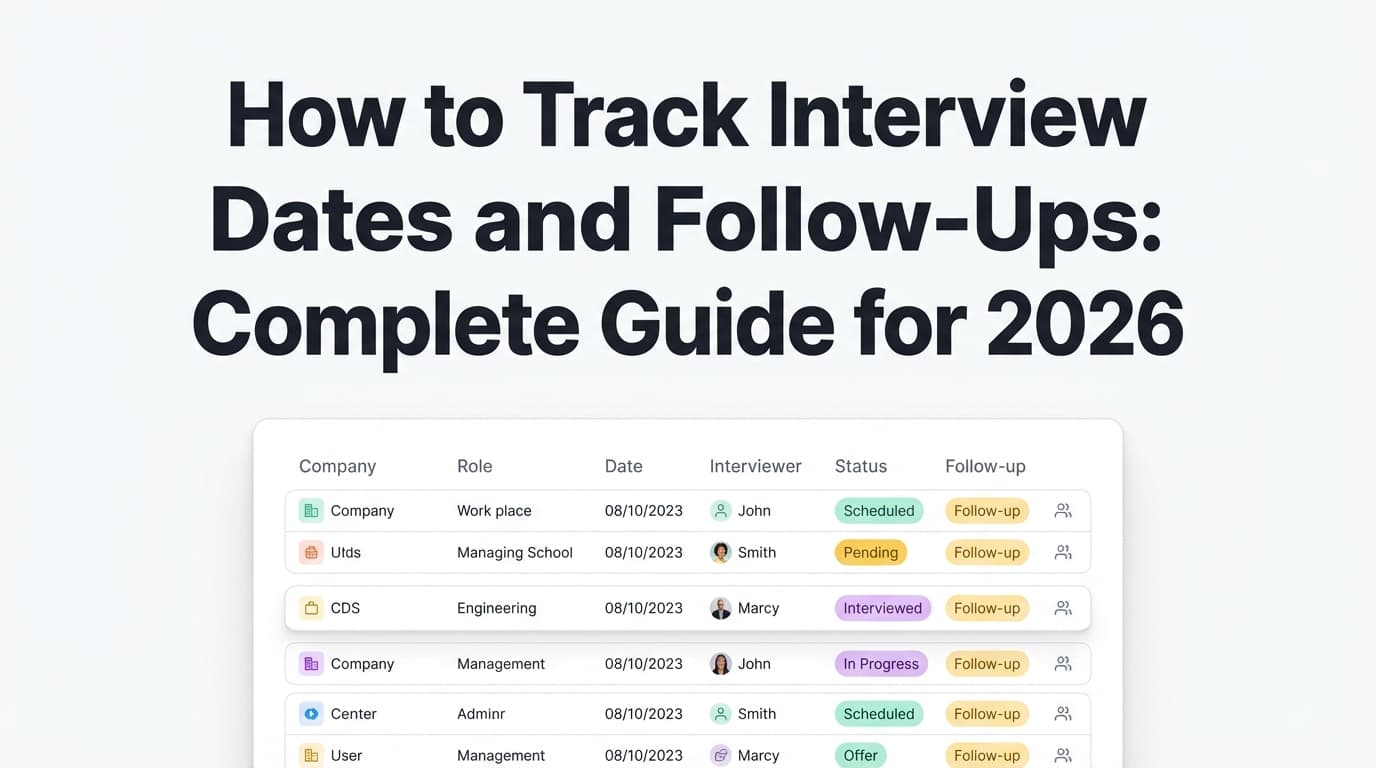
| Company | Role | Link | Stage | Next action (date) |
|---|---|---|---|---|
| Acme Co | Data Analyst | (URL) | Applied | Follow up email (Feb 2) |
| Beta Inc | PM | (URL) | Saved | Tailor resume + apply (Jan 24) |
| Gamma LLC | Marketing | (URL) | Interview | Prep stories + questions (Jan 28) |
That’s it.
If you can maintain these five columns, you’re already in the top tier of “organized job seekers,” because you’ve made the next action explicit.
Step 3: Standardize your stages (so you stop reinventing labels)
Pick a small set and stick to it.
Recommended stages:
- Saved (interested, not applied)
- Applied
- Interview
- Offer
- Rejected
- (Optional) Paused (waiting on referral, portfolio update, etc.)
- (Optional) Closed (no response after your cut-off date)
Pro tip: Avoid vague stages like “Pending” or “In progress.” If it doesn’t tell you what to do next, it creates anxiety.
Step 4: Add one “anti-overwhelm” rule: every row must have a next action date
If a job is in Applied or Interview, it must have a next action and a date.
Examples of good next actions:
- “Follow up (Feb 2)”
- “Connect w/ hiring manager on LinkedIn (tomorrow)”
- “Prep: STAR stories for X (Sun)”
- “Close out if no response (Feb 10)”
This one rule prevents the spiral of constantly re-checking email and job boards.
Step 5: Build your follow-up system around reality (not anxiety)
A practical approach that aligns with common guidance:
-
After applying: follow up 1–2 weeks later if you have a contact or a reasonable channel
The Muse explicitly recommends waiting one to two weeks after sending your application. (Confidence: Medium)
Source: https://www.themuse.com/advice/how-to-follow-up-on-a-job-application-an-email-template -
After an interview: send a thank-you note within 24 hours, then follow their stated timeline
-
If there’s no contact: your best “follow-up” might be networking (referral ask, informational chat) rather than repeatedly emailing a generic inbox
Reality check: With ghosting, your goal is not perfect closure. It’s consistent forward motion.
Step 6: Set your daily + weekly “maintenance schedule”
Overwhelm often comes from “I don’t know what I missed.”
Use this simple cadence:
Daily (10 minutes)
- Log new roles you applied to (or save them)
- Update stage for anything that changed
- Add/confirm next action + date for any active role
Weekly (15 minutes)
- Filter to Applied + Interview
- Sort by Next action date
- Send follow-ups that are due
- Close out stale roles (more on that below)
This is the difference between a tracker that helps and a tracker you resent.
The Overwhelm-Proof Job Tracking Workflow (A System You Can Use on Low-Energy Days)
When you’re overwhelmed, the biggest risk is building a system that only works on your “best day.”
Here’s a workflow designed for “barely functioning” days:
The 3-minute daily update
If you can’t do the full 10 minutes, do this:
- Add any new application row (company/role/link)
- Set stage to Applied
- Add next action: “Follow up (date 10 days from now)”
Done.
The 15-minute weekly reset (non-negotiable)
This is where overwhelm gets managed:
- Sort by next action date
- Pick 5 actions only (not 50)
- Do the actions (follow-ups, networking messages, interview prep blocks)
- Close out dead threads so they stop living rent-free in your head
12 Job Tracking Tips for Overwhelmed Job Seekers (Practical + Specific)
-
Track actions, not feelings
“This one would be amazing” is normal. But your tracker should focus on stage + next action. -
Keep your tracker open while applying
Don’t “track later.” Later never comes. -
Save the job description immediately
Job links expire. Copy/paste the job description into a doc or notes field. -
Use a consistent file naming convention
Example:YYYY-MM Company Role - Resume.pdf
This prevents “final_final_v7.pdf” chaos. -
Set a “close out rule” Example: “If no response after 21 days and no contact, mark as Closed.”
This reduces the emotional weight of ambiguous rows. -
Batch your job search tasks Task batching reduces context switching and mental fatigue. Asana defines task batching as grouping similar tasks together to avoid constant switching. (Confidence: Medium)
Source: https://asana.com/resources/task-batchingSimple batching schedule:
- Mon: sourcing/saving
- Tue/Wed: applications
- Thu: networking + follow-ups
- Fri: interview prep + weekly reset
-
Use conditional formatting to highlight overdue follow-ups (spreadsheets) Example idea:
- A “Days since applied” column
- Turn it red when > 14 days
-
Add a “source” column only if it changes behavior If you’re networking more effectively than cold applying, source helps you double down.
-
Don’t track jobs you’ll never apply to Cap your “Saved” list at 20 active roles. Archive the rest.
-
Keep templates for follow-up messages The goal is lowering friction, not writing literature while stressed.
-
Separate the “pipeline” from the “idea pile” Use two sheets/tabs:
- Pipeline (Applied/Interview)
- Ideas (Saved/Maybe)
- Make your tracker the truth—not your inbox Email is an input source. The tracker is where decisions live.
Copy/Paste: Tracker Templates (Spreadsheet + Board)
Template A: Spreadsheet (recommended)
Columns (basic):
- Company
- Role
- Link
- Stage
- Next action (date)
Columns (advanced, optional):
- Date applied
- Resume version used
- Contact name + email/LinkedIn
- Follow-up #1 date
- Follow-up #2 date
- Notes (only if it helps)
Template B: Kanban board (Trello/Notion)
Lists:
- Saved
- Applied
- Interview
- Offer
- Rejected/Closed
Card fields:
- Link to job post
- Next action date
- Contact
- Resume version
Follow-Up Timing: A Simple Schedule You Can Trust
Because response times vary, a pre-planned schedule prevents rumination.
After applying (no response)
- Day 0: Apply
- Day 7–14: Follow up (if you have a contact / reasonable channel)
Source: The Muse follow-up guidance (1–2 weeks)
https://www.themuse.com/advice/how-to-follow-up-on-a-job-application-an-email-template - Day 21+: Close out (unless a recruiter told you timelines are longer)
This schedule also aligns with what many job seekers experience: Indeed notes many applicants hear back within one to two weeks, but not all do.
Source: https://www.indeed.com/career-advice/finding-a-job/how-long-should-you-wait-to-hear-back-about-a-job
After interviewing
- Send thank-you within 24 hours
- Follow up based on the timeline they gave you (or 5–7 business days if none was given)
Copy/Paste: Follow-Up Email Templates
1) Follow up after applying (7–14 days)
Subject: Following up — [Role] at [Company] — [Your Name]
Hi [Name],
I applied for the [Role] position on [Date] and wanted to follow up to reiterate my interest. I’m excited about [specific team/product detail], and I believe my experience in [relevant skill/result] aligns well with what you’re looking for.
If it’s helpful, I’m happy to share any additional information.
Thank you,
[Your Name]
[LinkedIn] | [Phone]
2) Follow up after a recruiter screen
Subject: Thank you + next steps — [Role] at [Company]
Hi [Name],
Thank you again for speaking with me today. I enjoyed learning more about [team/project]. I’m very interested in the [Role] position and wanted to confirm next steps and timing.
Is there anything you’d like me to send in the meantime (portfolio, writing sample, references)?
Best,
[Your Name]
3) “Close the loop” follow-up (when you’re stuck)
Subject: Checking in — [Role] at [Company]
Hi [Name],
I’m checking in on the status of the [Role] process. I’m still interested, and I also want to be respectful of your time—if timelines have shifted or the role has been filled, I’d appreciate any update you can share.
Thank you,
[Your Name]
Common Job Tracking Mistakes (and How to Fix Them)
Mistake 1: Building a “perfect” tracker before applying
Why it’s a problem: It feels productive but delays outcomes.
Fix: Start with the 5-column tracker. Add one new column only when you feel a real pain (missed follow-up → add follow-up date).
Mistake 2: Tracking too many jobs (instead of fewer jobs better)
Why it’s a problem: Decision fatigue kills momentum.
Fix: Cap active “Saved” roles at 20. Archive the rest.
Mistake 3: No next-action dates
Why it’s a problem: Your brain becomes the reminder system.
Fix: “No next action date = not a real row.” Add the date or archive it.
Mistake 4: Treating silence as a personal failure
Why it’s a problem: The system breaks emotionally.
Fix: Build ghosting into the process. Greenhouse and CareerPlug both report high ghosting rates (after interviews and even before interviews are scheduled).
Sources:
- https://www.greenhouse.com/blog/greenhouse-2024-state-of-job-hunting-report
- https://www.careerplug.com/wp-content/uploads/2024/01/2024-Candidate-Experience-Report-1.pdf
Tools to Help With Job Tracking (Honest Pros/Cons)
1) Google Sheets / Excel
Best for: simplicity, filtering, low friction
Helpful reference for job-search spreadsheet organization:
- The Muse spreadsheet: https://www.themuse.com/advice/job-search-spreadsheet-track-application
2) Notion / Trello
Best for: visual thinkers who want a “board” view
3) Gmail filters + labels (reduce inbox chaos)
If your inbox is drowning you, use filters to automatically label job emails.
Gmail’s official guide to creating filters: (Confidence: High)
Source: https://support.google.com/mail/answer/6579?hl=en
Example filter ideas:
- Label anything with “Thank you for applying” as
Applications - Label anything with “Interview” as
Interviews - Star anything from a recruiter domain you care about
4) Job tracker products (when manual updates are the bottleneck)
If the issue isn’t “I don’t know what to track” but “I cannot keep it updated,” a tracker product may help.
JobShinobi (relevant if job tracking itself is exhausting):
- Provides a job application tracker in the dashboard (track roles and statuses like Applied/Interview/Rejected/Offer/Accepted)
- Supports export to Excel (.xlsx)
- Pro feature: job tracking via forwarded emails (you forward job-related emails to your unique JobShinobi address; it parses and logs/updates applications). Email-based tracking requires a Pro subscription.
- Pricing: JobShinobi Pro is $20/month or $199.99/year. (Confidence: High)
- Note: the site mentions a 7-day free trial, but trial mechanics may be handled in Stripe rather than visibly enforced in app logic—so treat it as “check at checkout,” not a guarantee. (Confidence: Low–Medium)
Internal link: /subscription
A “Good Enough” Plan You Can Start Today (15 Minutes)
If you only do one thing after reading this guide, do this:
- Create a sheet with the 5 columns
- Add 5–10 jobs you’ve already applied to
- Add a next action date for each
- Block a weekly reset on your calendar
That’s the system.
And if you want to improve it later, improve it only after it’s working.
Key Takeaways
- The best tracker is the one you’ll update when you’re tired
- Track stage + next action + date (everything else is optional)
- Use a weekly reset to prevent “what did I miss?” anxiety
- Expect slow response times and ghosting; build a process that protects your energy
- If manual tracking is what breaks you, consider automation options (like email-to-tracker workflows) that are actually supported by the tool you choose
FAQ
What information should be included in a job application tracker?
At minimum: Company, Role, Link, Stage, Next action (with a date). If you want more detail later, add: date applied, contact, follow-up dates, and resume version.
How do I create a job application tracker in Google Sheets?
Create a blank sheet, add the 5 column headers, and use:
- Data validation dropdown for “Stage”
- Conditional formatting to highlight overdue follow-ups
- Filters to sort by next action date
Start minimal so you’ll keep using it.
How long should I wait to follow up after applying for a job?
A common guideline is one to two weeks after applying (especially if you have a contact).
Source: https://www.themuse.com/advice/how-to-follow-up-on-a-job-application-an-email-template
How long does it usually take to hear back after applying?
Indeed reports 44% hear back within a couple of weeks, 37% within one week, and 4% within one day.
Source: https://www.indeed.com/career-advice/finding-a-job/how-long-should-you-wait-to-hear-back-about-a-job
Is it normal to never hear back from employers?
Unfortunately, yes. Candidate ghosting is widely reported. Greenhouse reports 61% of job seekers have been ghosted after a job interview.
Source: https://www.greenhouse.com/blog/greenhouse-2024-state-of-job-hunting-report
What’s better: spreadsheet, Notion, or a job tracker app?
- Spreadsheet: best for low friction and speed
- Notion/Trello: best if visual organization keeps you consistent
- Job tracker app: best if manual updating is your #1 problem
Choose based on what you’ll maintain on low-energy days.