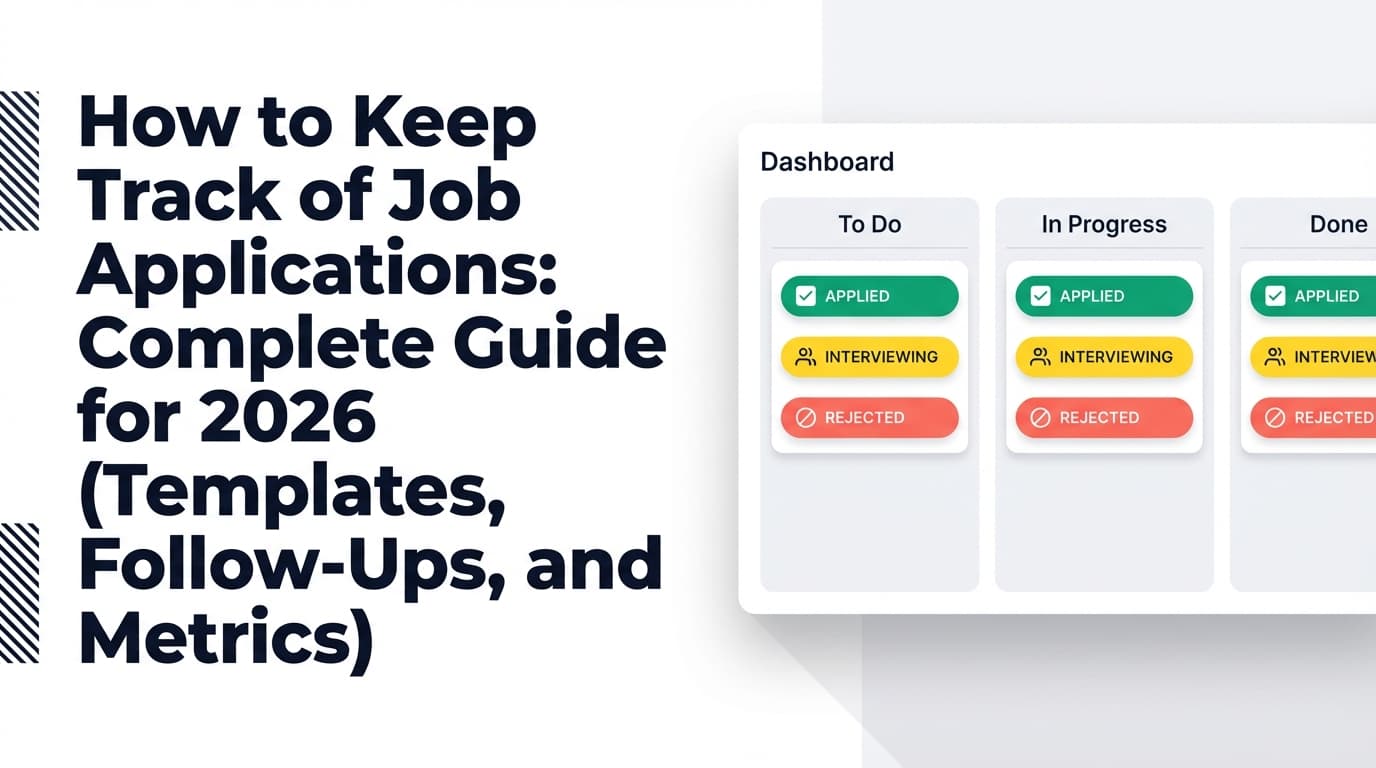
Applying to 100 jobs isn’t just “a lot of applications.” It’s a workflow and data problem—and if you don’t track it, your job search turns into:
- duplicate applications (or missed opportunities)
- forgotten follow-ups
- lost job descriptions (so interviews feel like pop quizzes)
- burnout from doing the same admin work over and over
The competition is real, too: Glassdoor reports that each corporate job opening attracts ~250 resumes, and only 4–6 candidates get called for an interview. (Source: Glassdoor, “50 HR & Recruiting Stats That Make You Think” https://www.glassdoor.com/blog/50-hr-recruiting-stats-make-think/)
A tracker won’t “get you hired” by itself. But it will make your effort repeatable, measurable, and sanity-preserving—which is exactly what you need at the 100-application scale.
In this guide, you’ll learn:
- What a “100-job tracker” must include (and what to skip)
- A step-by-step workflow you can run in 15 minutes/day
- A copy/paste job application tracker template (spreadsheet-ready)
- A follow-up cadence that scales to 100 applications
- The metrics to track so you can improve (instead of guessing)
- Tools that reduce manual entry (including one that can log applications from forwarded emails)
What is a job application tracker (for applying to 100 jobs)?
A job application tracker is a system—spreadsheet, Notion database, Trello board, or dedicated app—that records your applications and outcomes so you can:
- remember where you applied, when, and with what resume
- track pipeline stages (Applied → Interview → Offer)
- schedule and execute follow-ups
- measure which sources, roles, and resume versions actually convert
A tracker for 100 jobs needs two extra qualities beyond “basic organization”:
- Low friction (or you’ll stop updating it around application #30)
- Decision support (so it tells you what to do next, not just what happened)
Why tracking matters more in 2026 (with research-backed stats)
The job market is noisy—volume requires systems
Here are a few data points that explain why 100 applications can still feel like silence:
-
~250 resumes per corporate opening; 4–6 interviewed (Glassdoor). (Source: https://www.glassdoor.com/blog/50-hr-recruiting-stats-make-think/)
Confidence: HIGH (primary source) -
~180 applicants per hire (2024 average) in CareerPlug’s recruiting metrics reporting. (Source: https://www.careerplug.com/recruiting-metrics-and-kpis/)
Confidence: HIGH (primary source) -
Ashby notes a 2.6–3× growth in job applications at the start of 2024 in their “Applications per Job” analysis (role-specific growth is discussed in their reporting). (Source: https://www.ashbyhq.com/talent-trends-report/reports/2023-trends-report-applications-per-job)
Confidence: HIGH (primary source)
Hiring timelines can be long, so “I’ll remember” doesn’t work
HR Dive reported that jobs take ~44 days to fill, citing The Josh Bersin Company. (Source: HR Dive https://www.hrdive.com/news/time-to-hire-rates-increasing-significantly-for-almost-all-roles/652449/)
Confidence: MEDIUM (credible secondary reporting that cites a third-party report)
If you apply to 100 jobs over 3–4 weeks, you may still be hearing back (or not hearing back) for another month or two—meaning your tracker must handle long tails.
Long applications cause abandonment—so reuse and templates matter
SHRM reported that 60% of job seekers quit in the middle of filling out online job applications because of length or complexity. (Source: SHRM https://www.shrm.org/topics-tools/news/technology/study-job-seekers-abandon-online-job-applications)
Confidence: HIGH (primary source)
This is why a “100-job strategy” needs saved answers, reusable materials, and a tracker that stores what you submitted.
ATS myth check: don’t optimize for a fantasy enemy
Enhancv summarized recruiter interviews indicating 92% said ATS systems don’t automatically reject resumes. (Source: https://enhancv.com/blog/does-ats-reject-resumes/)
Confidence: MEDIUM (credible publisher; methodology should still be read critically)
Practical takeaway: instead of obsessing over “ATS auto-rejection,” use your tracker to improve what you can control—targeting, tailoring, follow-up, and interview readiness.
How to use a job application tracker for applying to 100 jobs (step-by-step)
Step 1: Pick the right tracker format (based on your behavior, not your ideals)
You have three realistic choices:
Option A: Spreadsheet (Excel / Google Sheets)
Best for: people who want speed, filtering, and simple analytics.
Pros
- fastest data entry
- easiest reporting (pivot tables, filters)
- portable (export/share)
Cons
- manual entry unless you add automation
- can become messy if you over-customize
Option B: Notion database (or Trello + database-like setup)
Best for: people who like a pipeline view and notes in one place.
Pros
- great for stages and “one job per page” notes
- multiple views (table, board, calendar)
Cons
- can become slow at 100+ entries if you overbuild it
- requires discipline to keep properties consistent
Option C: Dedicated job tracker app
Best for: people who don’t want tracking to become a second job.
Pros
- faster workflows, sometimes automation
- often includes reminders and analytics
Cons
- features and exports vary
- some tools lock key functions behind paywalls
Rule of thumb for 100 jobs: If you’re not confident you’ll update a spreadsheet daily, choose a system that reduces manual logging.
Step 2: Define a simple pipeline (too many stages kills consistency)
For 100-job volume, keep statuses minimal and meaningful:
- Saved (interested; haven’t applied)
- Applied
- Interview
- Offer
- Accepted
- Rejected
- Ghosted (optional but useful)
You can always add detail later, but complexity up front is how trackers die.
Step 3: Use the “100-job column set” (what to track—and what to stop tracking)
Your tracker needs to answer three questions quickly:
- What did I apply to?
- Where am I in the process?
- What should I do next (today)?
Must-have columns (high signal, low effort)
- Company
- Role title
- Location / Remote
- Job URL
- Source (LinkedIn, referral, company site, recruiter, etc.)
- Date saved
- Date applied
- Status
- Next action date
- Next action (Follow up, networking ping, interview prep, etc.)
Strongly recommended columns (your “feedback loop”)
- Resume version (A/B/C)
- Contact (name + email/LinkedIn)
- Fit score (1–5) or Priority (High/Med/Low)
- Notes (short) (keywords, interview prep points)
- Comp range (if posted)
Columns to avoid at 100 jobs
- overly granular stages (Phone Screen 1, Phone Screen 2, HM Screen, etc.) unless you’re already interviewing heavily
- long narrative notes (you’ll never read them)
- too many tags/categories (tagging becomes procrastination)
Step 4: Add a follow-up system you can run without thinking
A tracker becomes powerful when it creates a daily task list.
Follow-up timing (simple, scalable rule):
- Apply → set Next action date = +7 days
- If no response, follow up around 1–2 weeks after applying (unless the employer gave a timeline)
Indeed suggests that if you don’t receive any notifications after one to two weeks, you can craft your first follow-up email. (Source: Indeed https://www.indeed.com/career-advice/finding-a-job/how-long-should-you-wait-to-hear-back-about-a-job)
Recommended “100-job” follow-up cadence
- Day 0 (apply): Next action date = Day 7
- Day 7: follow up if you have a contact path → Next action date = Day 14
- Day 14: last touch or pivot to networking → Next action date = Day 30 (optional)
- Day 30+: mark as Ghosted or leave as Applied (your preference)
Important: Don’t follow up if the posting explicitly says not to, or if you’re spamming a generic portal with no human contact path. In those cases, your “next action” might be “find referral” or “apply to 2 similar roles.”
Step 5: Track resume versions (this is how you stop guessing)
If you apply to 100 jobs with one resume, your results are a black box.
Instead, create 3–5 resume variants aligned to role clusters.
Example (software-adjacent roles):
- Resume A: Backend engineer
- Resume B: Full-stack engineer
- Resume C: Data/ML engineer
In your tracker, record the version used for each application. After 30–50 applications, you can compute:
- interviews per resume version
- callbacks per resume version
- conversion by role cluster
This turns “nothing works” into an experiment you can iterate.
Step 6: Run a weekly review (the part that makes the tracker pay off)
Set a recurring 30-minute block once a week:
- Filter: Status = Applied OR Interview, and Next action date ≤ today
- Execute follow-ups (batch them)
- Sort by Source → see what’s producing interviews
- Sort by Resume version → see what’s converting
- Decide one improvement for next week:
- new resume version tweak
- shift toward higher-converting sources
- tighter targeting (same role family)
Job application tracker template for applying to 100 jobs (copy/paste)
Use this in Excel or Google Sheets. (If you’re using Notion, these map cleanly to database properties.)
Columns (recommended)
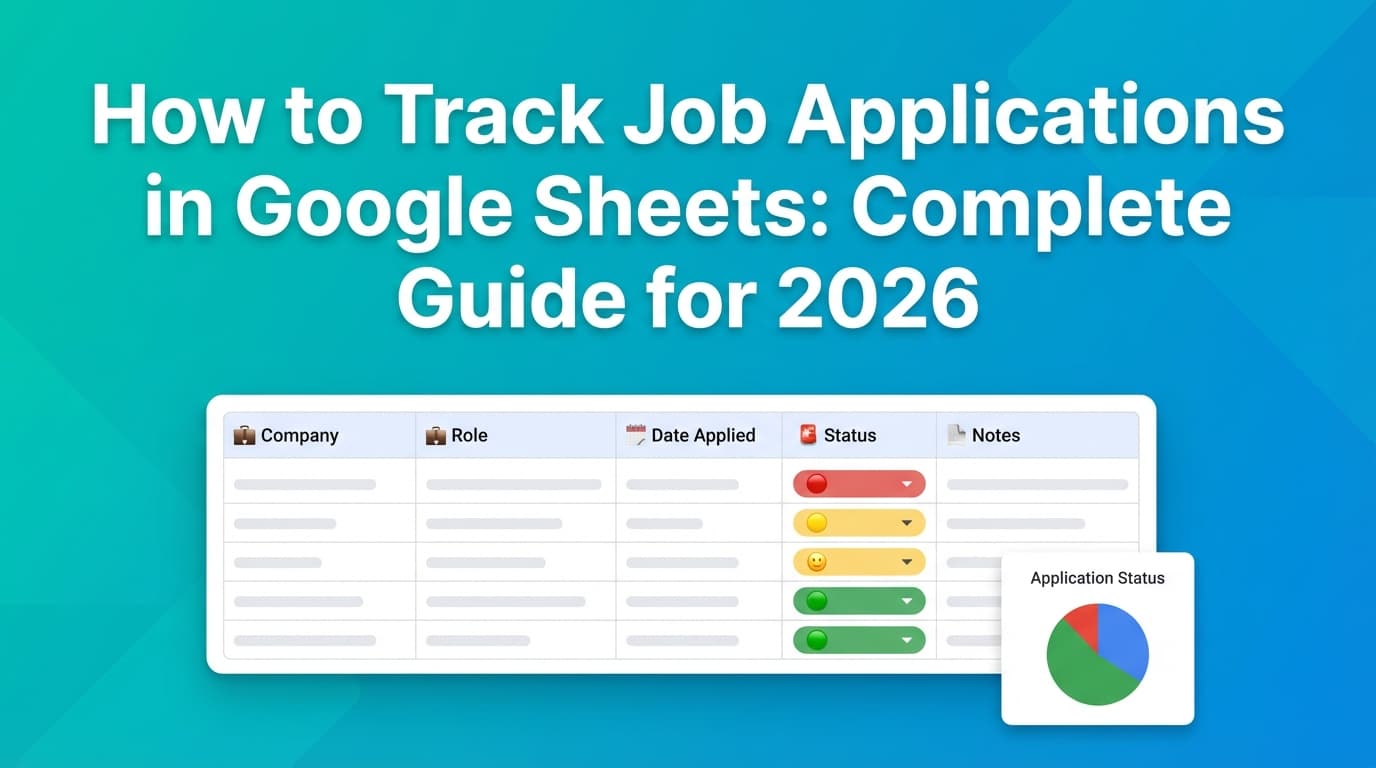
| Column | Example |
|---|---|
| Company | Acme Corp |
| Role title | Data Analyst |
| Location/Remote | Remote (US) |
| Job URL | https://example.com/job |
| Source | |
| Date saved | 2026-01-05 |
| Date applied | 2026-01-06 |
| Status | Applied |
| Next action date | 2026-01-13 |
| Next action | Follow up |
| Contact | Jane Doe (Recruiter) |
| Resume version | A |
| Fit score (1–5) | 4 |
| Comp range | $90k–$110k |
| Notes | Needs SQL + Tableau; HM cares about stakeholder mgmt |
Example rows (what “good tracking” looks like)
| Company | Role title | Source | Date applied | Status | Next action date | Next action | Resume version | Notes |
|---|---|---|---|---|---|---|---|---|
| Acme Corp | BI Analyst | Referral | 2026-01-06 | Applied | 2026-01-13 | Check in with referrer | A | Referrer will ping HM |
| Bright.io | Data Analyst | 2026-01-07 | Applied | 2026-01-14 | Message recruiter | A | Emphasize dashboard ownership | |
| Northwind | Ops Analyst | Company site | 2026-01-08 | Rejected | B | Rejection email received |
How to build “Next action” automation in a spreadsheet (fast wins)
A spreadsheet becomes dramatically more useful when it highlights what’s overdue.
Add dropdown statuses (Data Validation)
Create a dropdown list for Status:
- Saved, Applied, Interview, Offer, Accepted, Rejected, Ghosted
This prevents typos that break filtering.
Use conditional formatting to highlight follow-ups
If you have a Next action date column, create a rule like:
- highlight in red if Next action date is before today and Status is Applied/Interview
Excel and Google Sheets both support TODAY()-based rules; Microsoft’s documentation covers date-based conditional formatting patterns. (Example reference: Microsoft 365 blog on highlighting dates https://www.microsoft.com/en-us/microsoft-365/blog/2013/04/04/using-conditional-formatting-to-highlight-dates-in-excel/)
A daily workflow for 100 applications (15 minutes/day)
This is the routine that keeps volume sustainable.
Daily (10–15 minutes)
- Filter tracker: Next action date ≤ today
- Do 1–3 actions:
- follow-up email
- recruiter message
- referral ask
- interview prep task
- Apply to your daily goal (example: 3–8 roles/day):
- log the row
- set Next action date = +7 days
- record Resume version
Weekly (30 minutes)
- review conversion by Source and Resume version
- prune low-fit “Saved” roles
- update your “role cluster strategy” for the next week
12 best practices for applying to 100 jobs (without burning out)
- Separate “Saved” from “Applied.” Your tracker should show the difference between intent and action.
- Tier your applications.
- Tier 1 (10–20 roles): highest fit → tailor + networking
- Tier 2 (30–50): light tailoring
- Tier 3: efficient applications, keep moving
- Track resume version every time. It’s the simplest A/B test you’ll ever run.
- Capture the job description essentials. If the posting disappears, you still have the requirements.
- Use Next action date as your system’s heartbeat. If you track only one “extra” thing, track this.
- Batch follow-ups. Doing them one-by-one wastes energy; do them in a 15-minute block.
- Track source quality. Some sources convert; others drain time. Your tracker proves it.
- Avoid “tracker perfectionism.” A messy tracker you use beats a perfect one you abandon.
- Keep notes interview-focused. “Needs stakeholder mgmt + SQL” beats a paragraph.
- Don’t chase ATS myths. Use outcomes (callbacks/interviews) as your feedback.
- Build a reusable application packet. Saved answers, impact bullets, metrics, project blurbs.
- Do a weekly reset. Without review, a tracker becomes a graveyard.
Common mistakes (and how to fix them)
Mistake 1: Tracking too many fields and quitting
Fix: Start with 10–12 columns. Add only what you use weekly.
Mistake 2: No follow-up engine
Fix: Every Applied row gets a Next action date. No exceptions.
Mistake 3: Not tracking resume versions
Fix: Create Resume A/B/C and commit to logging it for 30 applications.
Mistake 4: Treating all applications equally
Fix: Fit score or Priority column. Protect your best energy for your best-fit roles.
Mistake 5: Losing job links/descriptions
Fix: Always store the URL and 3–5 key requirements.
Tools to help with a job application tracker for 100 jobs (honest recommendations)
Spreadsheet (Excel / Google Sheets)
Best for: maximum control, quick filtering, custom metrics.
Good if you want:
- conditional formatting for overdue follow-ups
- pivot tables for source and resume-version conversion
- easy sharing with a coach or accountability partner
Notion (database template)
Best for: pipeline visibility and structured notes.
Look for templates that include:
- Status property
- Next action date (or “Follow-up date”)
- Views: Board (by status), Table (all rows), Calendar (next action)
Dedicated job tracker apps
Best for: reducing manual effort.
Evaluate on:
- how jobs get added (manual vs automated capture)
- how follow-ups are handled (dates, reminders)
- export options (so you’re not locked in)
- pricing transparency
JobShinobi (job tracking + email-forwarding automation)
If your biggest pain point is manual tracking, JobShinobi supports:
- A job application tracker where you can add/edit applications and manage statuses (Applied / Interview / Rejected / Offer / Accepted).
- Excel export (.xlsx) for your applications.
- Email-forwarding job tracking (Pro): you can forward job-related emails (confirmations, rejections, interview-type updates) to your unique JobShinobi address, and the system can parse and log them into your tracker.
Important: Email processing is Pro-gated (requires Pro membership).
Pricing (accurate): JobShinobi Pro is $20/month or $199.99/year. The pricing page mentions a 7-day free trial, but trial enforcement isn’t clearly verifiable from application logic—so treat it as “advertised” rather than guaranteed.
Internal links (product areas):
/dashboard/job-tracker/dashboard/analytics
Key takeaways
- A “100-job tracker” must be optimized for speed, follow-ups, and learning loops (resume versions + source tracking).
- The single most important column is Next action date—it turns a list into a system.
- Tracking resume versions is the fastest way to improve outcomes without guesswork.
- Competition and application volume are high (e.g., Glassdoor’s ~250 resumes per opening), so execution and iteration matter more than “applying harder.”
- If manual data entry is what breaks your consistency, consider automation—especially for logging updates from emails (where supported).
FAQ (for featured snippets)
What information should be included in a job application tracker for applying to 100 jobs?
At minimum: company, role title, job link, source, date applied, status, and next action date. For 100-job volume, also track resume version and a quick fit score/priority.
When should I follow up after submitting a job application?
A common guideline is to follow up after about 1–2 weeks if you haven’t heard back (unless the employer provided a timeline). Indeed suggests sending a first follow-up if you haven’t received notifications after one to two weeks. (Source: https://www.indeed.com/career-advice/finding-a-job/how-long-should-you-wait-to-hear-back-about-a-job)
Is there an AI tool to track job applications?
Some tools reduce manual tracking with automation (for example, by logging applications from emails or using browser extensions). JobShinobi supports tracking job applications and (for Pro members) can log updates from forwarded job-related emails into a job tracker.
What is the best app to keep track of job applications?
The best tracker is the one you’ll still use at application #80. Look for: fast entry, clear statuses, next action dates, and export options. For many people, a spreadsheet is best because it’s fast and flexible; for others, a dedicated tracker is worth it to reduce manual admin.
Is it worth applying to jobs that have over 100 applicants?
Sometimes—especially if you’re a strong match or can get referred. If you apply anyway, prioritize those roles in your tracker, tailor your resume version, and add a networking/referral step to improve your odds.