A single corporate job opening can attract 250 resumes, but only 4–6 candidates get called for an interview (and one gets the job). That stat comes from Glassdoor’s recruiting research. (Confidence: High — primary source)
Source: https://www.glassdoor.com/blog/50-hr-recruiting-stats-make-think/
If you’re mass-applying and hearing nothing back, the issue often isn’t your experience—it’s that your resume is either:
- hard for software to parse (formatting problems), or
- missing the exact keywords/phrases the role is filtering for (targeting problems), or
- reading as generic “AI filler” (human skepticism problem)
In this guide, you’ll learn:
- How to use free AI to write strong resume content without breaking ATS parsing
- An ATS-friendly formatting checklist that works across most systems
- A simple way to test whether an ATS can read your resume (no paid scanner required)
- How to tailor each version to a job description (keyword strategy that doesn’t look spammy)
What does “ATS-friendly” actually mean?
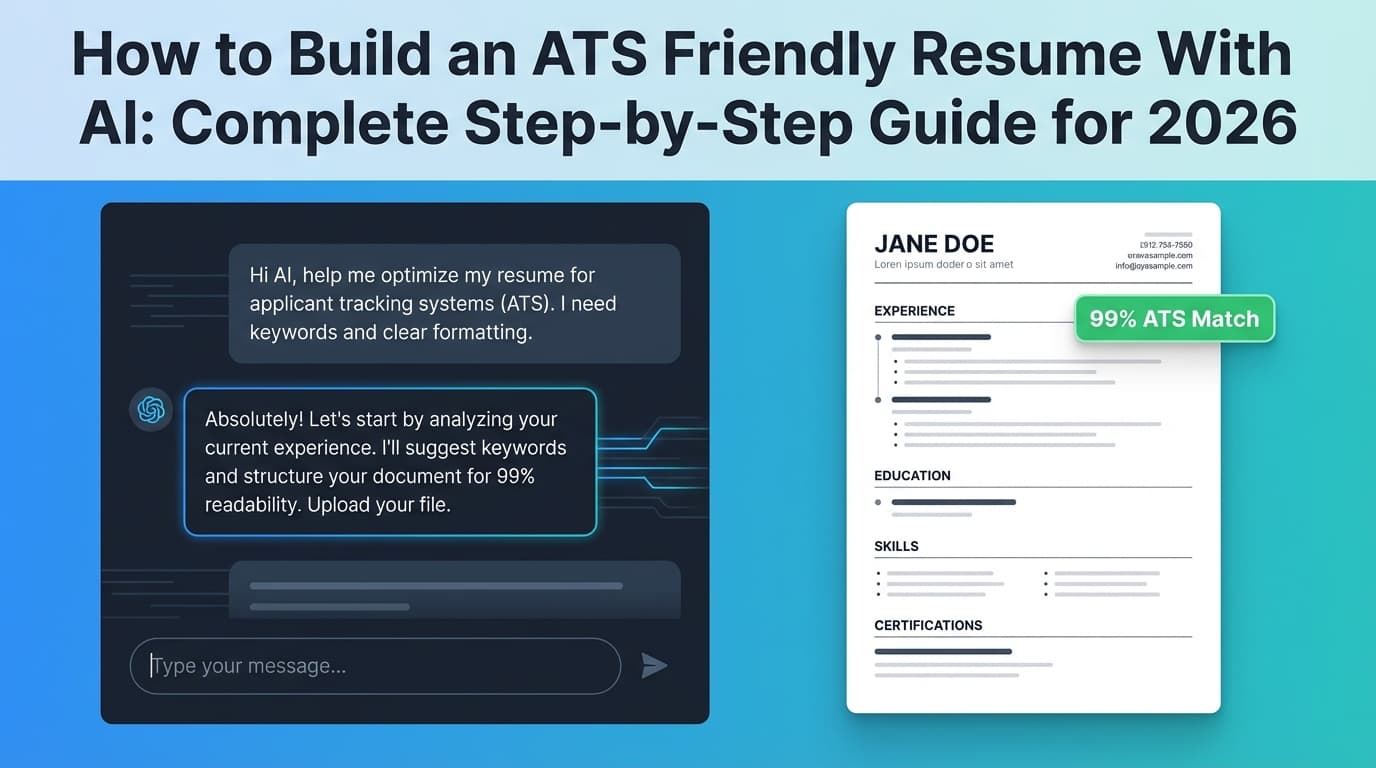
An ATS-friendly resume is a resume that an Applicant Tracking System can reliably:
- parse (extract your name, experience, dates, job titles, skills), and
- index + search (find keywords and match you to the job requirements)
Important nuance: ATS tools aren’t one single “robot” with one set of rules. Different employers use different systems and settings, which means “ATS-friendly” is less about gaming a score and more about removing parsing risk and making keyword matching easy.
MIT’s Career Advising office frames ATS usage as widespread in large employers (they cite “about 99% of Fortune 500 companies use some form of ATS”). (Confidence: Medium — credible org, but phrased as “about”)
Source: https://capd.mit.edu/resources/make-your-resume-ats-friendly/
Why this matters in 2026 (the reality of screening)
A few hiring funnel stats that explain why formatting + keywords matter so much:
-
250 resumes per corporate opening; 4–6 interviews (Glassdoor). (Confidence: High)
Source: https://www.glassdoor.com/blog/50-hr-recruiting-stats-make-think/ -
Recruiters’ initial resume screen averages 7.4 seconds (The Ladders eye-tracking study). (Confidence: High — primary PDF)
Source: https://www.theladders.com/static/images/basicSite/pdfs/TheLadders-EyeTracking-StudyC2.pdf -
ATS adoption isn’t just “big companies.” SelectSoftwareReviews summarizes research like 70% of large companies using ATS and 20% of small/mid-sized businesses using ATS. (Confidence: Medium — secondary summary, but reputable industry analyst site)
Source: https://www.selectsoftwarereviews.com/blog/applicant-tracking-system-statistics -
GoHire’s industry summary also cites ATS usage rates for large and small organizations and discusses adoption trends. (Confidence: Medium — secondary source)
Source: https://gohire.io/blog/how-many-companies-use-applicant-tracking -
The popular “75% of resumes are rejected by ATS” claim is often repeated, but it’s not strongly evidenced as a universal fact. Davron breaks down why that statistic is likely overstated and how ATS screening really works. (Confidence: High — clear critique + logic, but not a peer-reviewed study)
Source: https://www.davron.net/ats-systems-explained-75-percent-resumes-rejected/
Bottom line: You don’t need a “perfect ATS score.” You need a resume that (1) parses cleanly, (2) mirrors the job’s language honestly, and (3) reads like a real human did the work.
How to make a free AI resume ATS friendly: step-by-step
This workflow is designed to be free (or as close to free as possible) while still being professional.
Step 1: Start with an ATS-safe layout (before you touch AI)
If your layout is hard to parse, AI won’t save you.
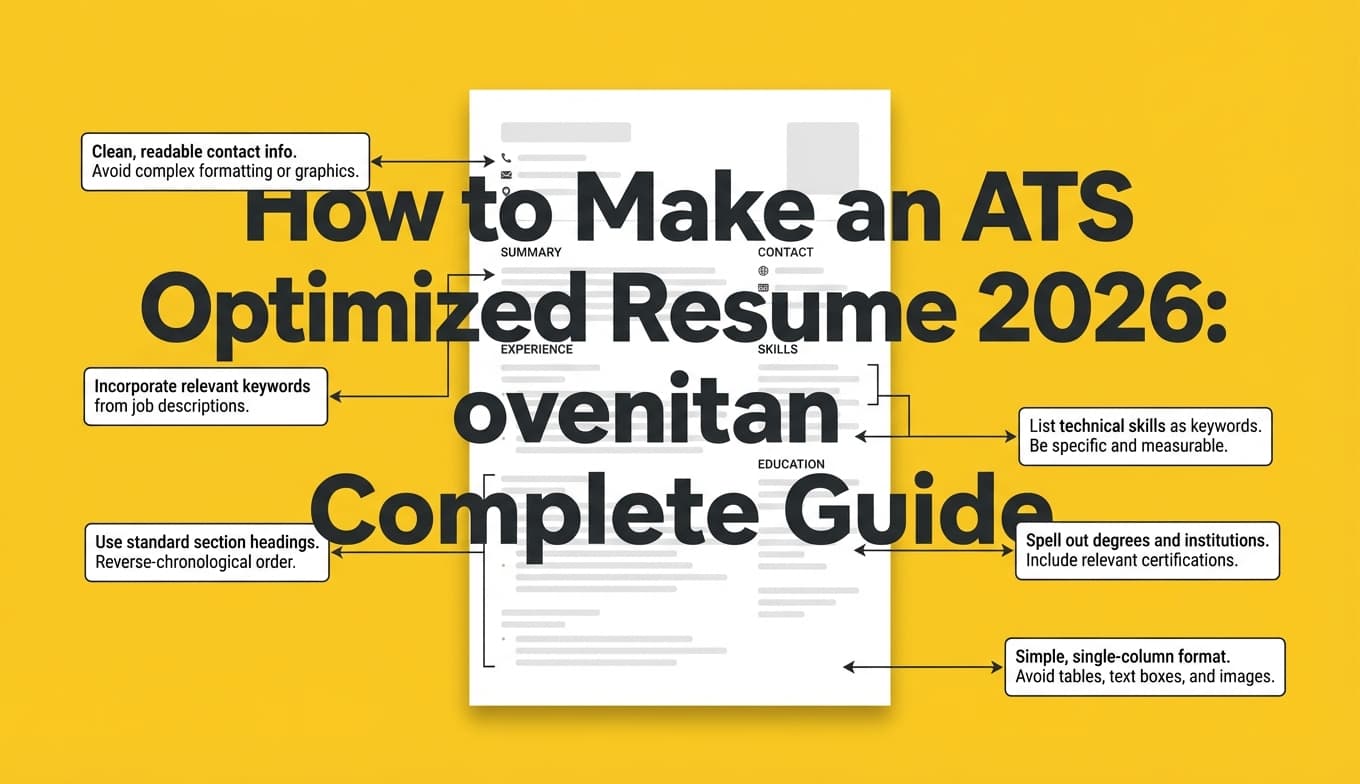
ATS-safe formatting rules (high reliability):
- Use a single-column layout
- Avoid tables, text boxes, icons, charts, graphics
- Avoid putting critical info in headers/footers
- Use standard section headings (e.g., Work Experience, Education, Skills)
- Keep bullets simple (standard round bullets are usually fine)
MIT also recommends ATS-friendly formatting and testing tactics (including focusing on how the resume reads as plain text). (Confidence: High — credible university guidance)
Source: https://capd.mit.edu/resources/make-your-resume-ats-friendly/
Free template options that tend to be ATS-safe:
- Google Docs: create a clean single-column doc
- Overleaf (LaTeX): pick a simple template like “Jake’s Resume” or other minimalist one-column formats (often recommended in resume communities)
Overleaf template directories: https://www.overleaf.com/latex/templates/tagged/cv
Pro tip: If you’re tempted to use Canva, two-column designs, or heavy visuals—save that for a portfolio. For most ATS workflows, “clean and boring” wins.
Step 2: Gather the raw inputs AI needs (so it doesn’t hallucinate)
Free AI tools are best used as a writing assistant, not a biography generator.
Create a quick “master sheet” (plain text is fine):
For each role:
- Company + job title + dates
- 3–6 responsibilities you actually did
- 2–4 measurable outcomes (numbers, time saved, revenue, scale, uptime, conversion, SLA, etc.)
- Tools/skills used (match real stack)
For your target job:
- Paste the job description
- Highlight repeated terms (skills, tools, responsibilities)
- Identify “must-haves” vs “nice-to-haves”
This step matters because the #1 way AI resumes fail is they become vague, over-claimed, or keyword-stuffed.
Step 3: Use free AI to generate ATS-friendly bullets (prompts included)
You can do this with free AI chat tools (where available) or any writing assistant you can access without paying.
Prompt: Turn your notes into quantified bullets (ATS-safe)
Paste this prompt, then paste your role notes:
Prompt:
You are a professional resume writer. Write 4–6 ATS-friendly bullet points for this role using the format: Action verb + what I did + tools + measurable outcome.
Constraints:
- Use plain text (no tables).
- Avoid buzzwords like “synergy,” “dynamic,” “results-driven.”
- Do not invent metrics. If metrics are missing, write a bullet that implies impact without numbers.
- Keep each bullet under 2 lines.
Here are my notes:
[PASTE NOTES]
Prompt: Rewrite bullets to match a job description (without lying)
Prompt:
Here is a job description:
[PASTE JD]
Here is my current resume content for relevant roles:
[PASTE BULLETS]
Task: Identify the 10 most important keywords/phrases from the job description and suggest edits to my bullets to reflect them only where truthful.
Output:
- Keyword list grouped by: Tools/Tech, Responsibilities, Outcomes
- Revised bullets with minimal changes (do not rewrite everything)
Pro tip: Ask AI to use the employer’s wording when it matches what you did. ATS keyword matching often rewards “mirroring language,” but humans punish obvious stuffing.
Step 4: Make the structure ATS-readable (the “boring” part that works)
Now take the AI-generated content and place it into a clean structure:
Recommended order for most candidates:
- Name + location + phone + email + LinkedIn/GitHub (as plain text)
- Professional Summary (optional; great for career changers)
- Skills (grouped)
- Experience
- Education
- Certifications / Projects (if relevant)
Standard headings matter. Indeed and other career sites explicitly recommend standard headings because ATS relies on predictable labels. (Confidence: Medium — common guidance, varies by ATS configuration)
Example result referencing standard headings: https://www.indeed.com/career-advice/resumes-cover-letters/ats-resume-template
(Indeed was not accessible for full page analysis in this environment, so treat this as Medium confidence and validate against your target employer’s application instructions.)
Step 5: Tailor keywords the right way (so you don’t look like a bot)
This is where most “free AI resumes” go wrong: they chase a match score and become unreadable.
The 80/20 keyword method
- Pull 10–15 keywords/phrases from the job description
- Add:
- 3–5 in Skills
- 3–6 across Experience bullets
- 1–2 in Summary (if you use it)
Keyword placement rules:
- Put tools in Skills and show them in a bullet
- Put role keywords in bullets, not just Skills
- Use both acronym and full form when relevant (e.g., “Search Engine Optimization (SEO)”)
Avoid: dumping a giant keyword list at the bottom. Humans spot that instantly, and it often doesn’t help ATS ranking much anyway.
Step 6: Run a free ATS “parse test” (no scanner needed)
You don’t need a paid ATS checker to catch the biggest issues. Use this quick test:
The Plain-Text Test (fast and surprisingly effective)
- Export your resume to PDF and/or .docx
- Open it and copy all text
- Paste into a plain text editor (Notepad / TextEdit)
What you’re looking for:
- Is your name + contact info readable and in the right order?
- Do your job titles, companies, dates stay aligned?
- Do bullets turn into gibberish?
- Do sections run together?
MIT explicitly recommends testing because ATS focuses heavily on text extraction. (Confidence: High)
Source: https://capd.mit.edu/resources/make-your-resume-ats-friendly/
Optional free checks (use cautiously)
Some resume tools offer a limited free scan or preview. These can help, but don’t treat any single “score” as truth across all ATS.
Step 7: Choose the right file type (PDF vs DOCX) based on the application
This is one of the most confusing parts because answers vary.
Practical rule that avoids most problems:
- If the application portal asks for DOC/DOCX, give them DOCX.
- If it asks for PDF, give them PDF.
- If it doesn’t specify, DOCX is often the safest for parsing—but a clean, text-based PDF is usually fine too.
Because guidance varies by ATS and employer settings, treat file-type advice as Medium confidence unless the employer’s portal specifies a format.
12 best practices for making an AI resume ATS-friendly (and human-friendly)
-
Keep formatting simple
One column. No tables, icons, or text boxes. -
Use standard headings
“Work Experience” beats “Where I’ve Made an Impact.” -
Write like a human (even if AI helped)
Recruiters skim fast—The Ladders found 7.4 seconds average initial screen. (Confidence: High)
Source: https://www.theladders.com/static/images/basicSite/pdfs/TheLadders-EyeTracking-StudyC2.pdf -
Quantify outcomes wherever possible
Even one metric per role can differentiate you. -
Mirror job-description language, but only when true
This boosts keyword alignment without lying. -
Use skills in context
“SQL” in Skills + “Used SQL to…” in a bullet > keyword list only. -
Avoid keyword stuffing
Humans notice, and ATS doesn’t always reward repetition. -
Prefer common fonts
Calibri, Arial, Times New Roman are safe defaults. -
Use consistent date formatting
Example:Jan 2022 – Mar 2025everywhere. -
Don’t hide keywords in white text
Some systems detect this, and it’s a trust-killer. (Confidence: High — broadly discouraged practice) -
Keep bullets scannable
1–2 lines each. Start with strong verbs. -
Maintain a master resume + tailored versions
Tailor for roles, but don’t reinvent from scratch every time.
Common mistakes to avoid (especially with free AI resumes)
Mistake 1: Pasting the entire job description into your resume
It can look like cheating and reads badly. ATS might not reward it the way you think.
Fix: Extract the concepts (skills, tools, responsibilities) and weave them naturally.
Mistake 2: Using fancy templates that break parsing
Two-column layouts and graphical resumes are common ATS failure points.
Fix: Switch to a single-column template and re-test with the plain-text method.
Mistake 3: Letting AI invent metrics or responsibilities
This can backfire in interviews and background checks.
Fix: Make AI use placeholders (“Improved X by [metric]”) until you fill real numbers.
Mistake 4: Chasing a mythical “ATS rejection rate” number
The “75% rejected by ATS” claim is widely repeated, but not reliably proven as universal. (Confidence: High that it’s disputed; exact true rate varies)
Source: https://www.davron.net/ats-systems-explained-75-percent-resumes-rejected/
Fix: Optimize for clean parsing + relevance + readability.
Mistake 5: Sounding like AI (even if ATS parses it)
ATS might accept it, but a recruiter may not.
Fix: Add specifics: tools, scope, constraints, results, stakeholders.
A quick before/after example (AI draft → ATS-ready bullet)
Job description keyword: “cross-functional,” “stakeholders,” “dashboards,” “SQL,” “improved reporting”
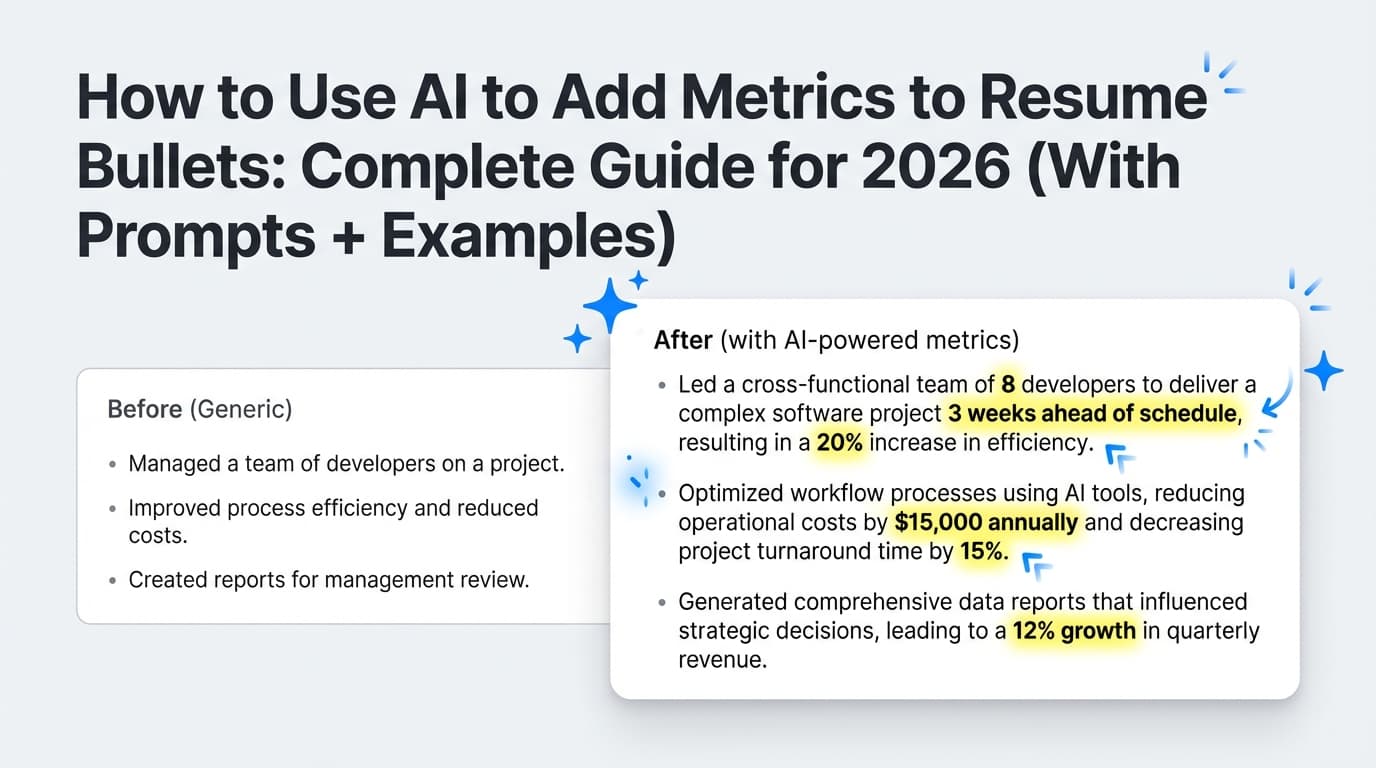
AI-generated (too vague):
- Worked with teams to improve reporting and dashboards.
ATS-ready (specific + keyword-aligned):
- Partnered cross-functionally with Marketing and Sales stakeholders to redesign weekly KPI dashboards; wrote SQL queries to automate reporting and reduce manual updates.
Notice:
- Still truthful (assuming you did it)
- Uses keywords naturally
- Has tools + stakeholders + outcome framing
Tools to help with making a free AI resume ATS friendly
You can do the whole process with free tools (Docs + free AI chat + plain-text test). If you want extra help, here are common tool categories.
Free / low-cost building blocks
- Google Docs: simple formatting, easy export
- Overleaf (LaTeX): great for clean, consistent formatting (choose simple templates)
When you want deeper analysis + tailoring workflows (paid tool option)
- JobShinobi: A resume builder and analyzer that supports:
- building resumes in LaTeX and compiling to PDF inside the app
- AI resume analysis with ATS-focused scoring + detailed feedback
- job description extraction (URL or text) and resume-to-job match analysis
- an AI chat agent that can help edit your resume (with version history)
Pricing (be precise): JobShinobi Pro is $20/month or $199.99/year. The pricing/marketing pages mention a 7-day free trial, but trial enforcement details are not fully verifiable from code here—treat it as “mentioned,” not guaranteed. (Confidence: High for pricing; Medium for trial mechanics)
Internal links (if you’re already a user):
- Resume area:
/dashboard/resume - Subscription:
/subscription
Key takeaways
- ATS-friendly resumes win by being easy to parse and easy to match—not by looking fancy.
- You can create a free AI resume that’s ATS-friendly by combining:
- a clean template,
- AI-assisted bullet writing,
- keyword tailoring,
- and a simple plain-text parse test.
- Don’t obsess over viral claims (like “75% auto-rejected”). Focus on what you can control: clarity, relevance, and proof.
FAQ (People Also Ask)
How do I make my resume ATS-friendly for free?
Use a single-column layout, standard headings, and avoid tables/graphics. Then run a plain-text test (copy/paste into Notepad) to confirm your resume parses cleanly. MIT recommends testing because ATS is text-focused.
Source: https://capd.mit.edu/resources/make-your-resume-ats-friendly/
Can ChatGPT (or free AI) make an ATS-friendly resume?
Yes—if you control the structure and use AI mainly to draft or improve bullet points. The biggest risks are AI making your resume sound generic or inventing details. Use prompts that forbid invented metrics and require plain text.
Does ATS reject AI-written resumes?
Most ATS systems aren’t “AI detectors.” They primarily parse and match text. The bigger issue is that humans may dislike generic AI phrasing, and overly optimized keyword stuffing can hurt readability. (Confidence: Medium — depends on employer process and tools.)
What are the best section headings for ATS?
Use standard headings like:
- Work Experience / Professional Experience
- Skills
- Education
- Certifications These labels help systems categorize your content reliably. (Confidence: Medium — most common ATS behavior, but implementations vary.)
PDF or DOCX: which is better for ATS?
Follow the employer’s instructions first. If no format is specified, DOCX is often the safest for parsing, while a clean text-based PDF is usually fine. Because ATS behavior varies, treat this as a guideline—not a universal rule. (Confidence: Medium.)
How can I test if my resume is ATS-readable?
Do the plain-text test:
- copy all text from your exported resume
- paste into a plain text editor
If key details scramble (contact info, dates, headings), simplify formatting and try again.
Source: https://capd.mit.edu/resources/make-your-resume-ats-friendly/